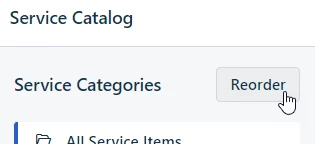
Recently I have been adding new service categories under each of my new workspaces. When viewing the additions via the Support Portal, I found that towards the bottom of my alphabetized category list the new additions were displaying in no discernible order that would be logical to the end user. There seems to be no way of rectifying this using the usual method shown below because there is no page that shows all categories across workspaces for reordering:
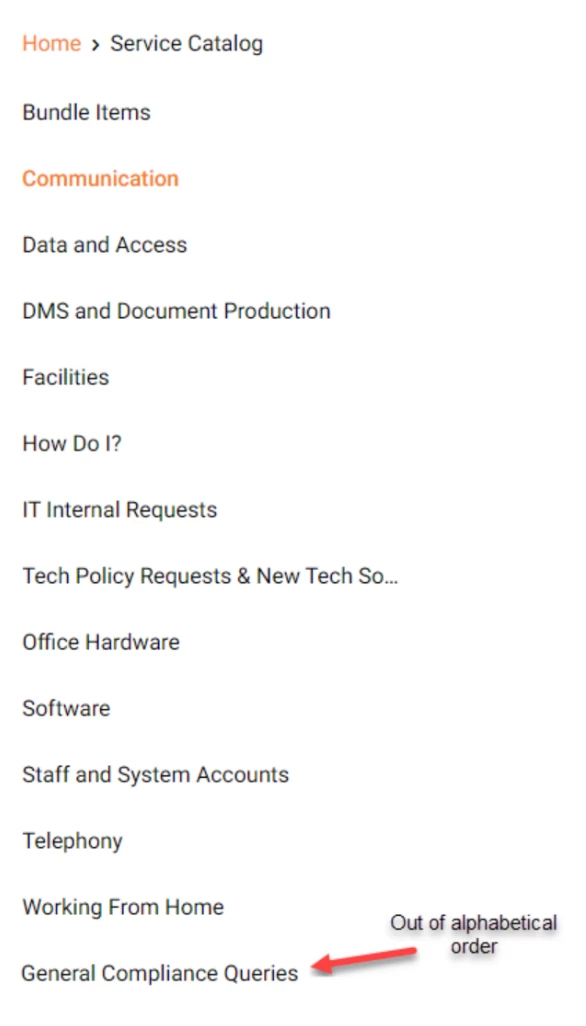
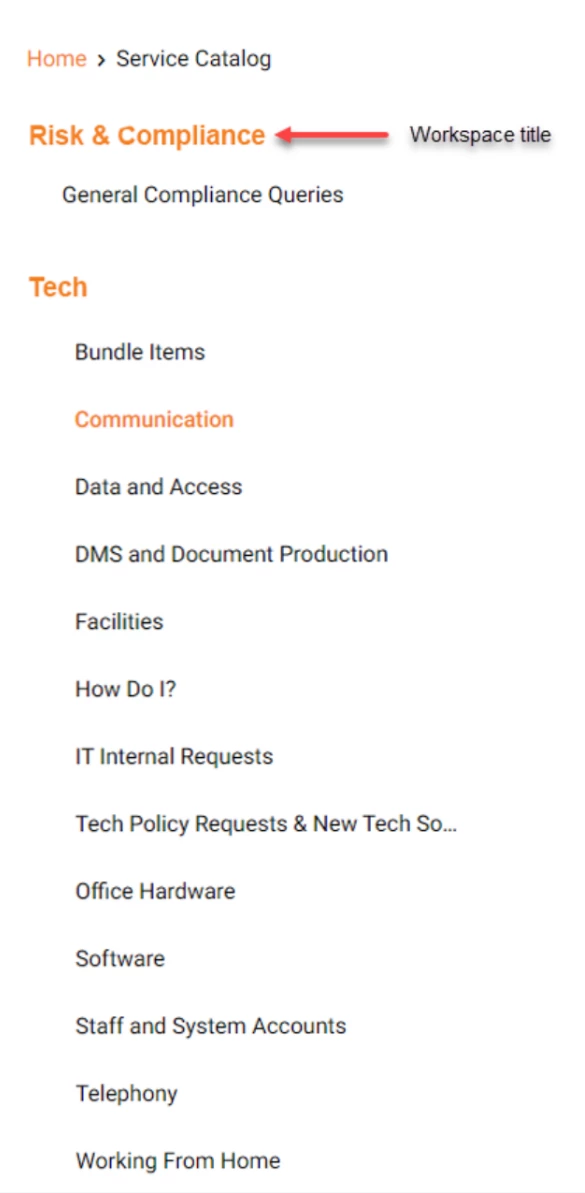
I have inquired about this with Freshworks who advised that this is expected behaviour because Service Categories are grouped by workspace. This is fine in theory so long as the end user has some sort of visual cue that tells them this, such as the below. Without it, the list becomes jumbled and somewhat unprofessional in appearance:
I would be happy with any of the following options:
- Add a Service Catalogue option at the Global Settings level specifically for reordering Service Category appearance for the end user (regardless of workspace).
- Provide a visual cue as above so end users know they are looking at grouped categories. Note: Workspace names should only appear in the list if they have a Service Category set up.
My preference would be to have the Global Settings option but either would ultimately work for me. Interesting to know what others think or if anyone has a better solution.
Thanks all.