

Closed for Voting

Show the freshdesk solutions in a side bar

Related products:Freshdesk
  • November 11, 2019
  • 3 replies
  • 26 views

Hi 


I wonder if it is possible to show the help for our users  in a way like here: https://wetransfer.com/downloads/423207fc1e3ab187fd26dfc7ec398fb720191111125940/0ee0ad20ec3296cdf6b22575f2d9819920191111125940/ff22f2


We want that the user can click on a help button and then WITHIN our saas solution he can see the relevant information. Currently, we open a new page.


I mean the right part with the red top bar.


Any help appreciated

regards
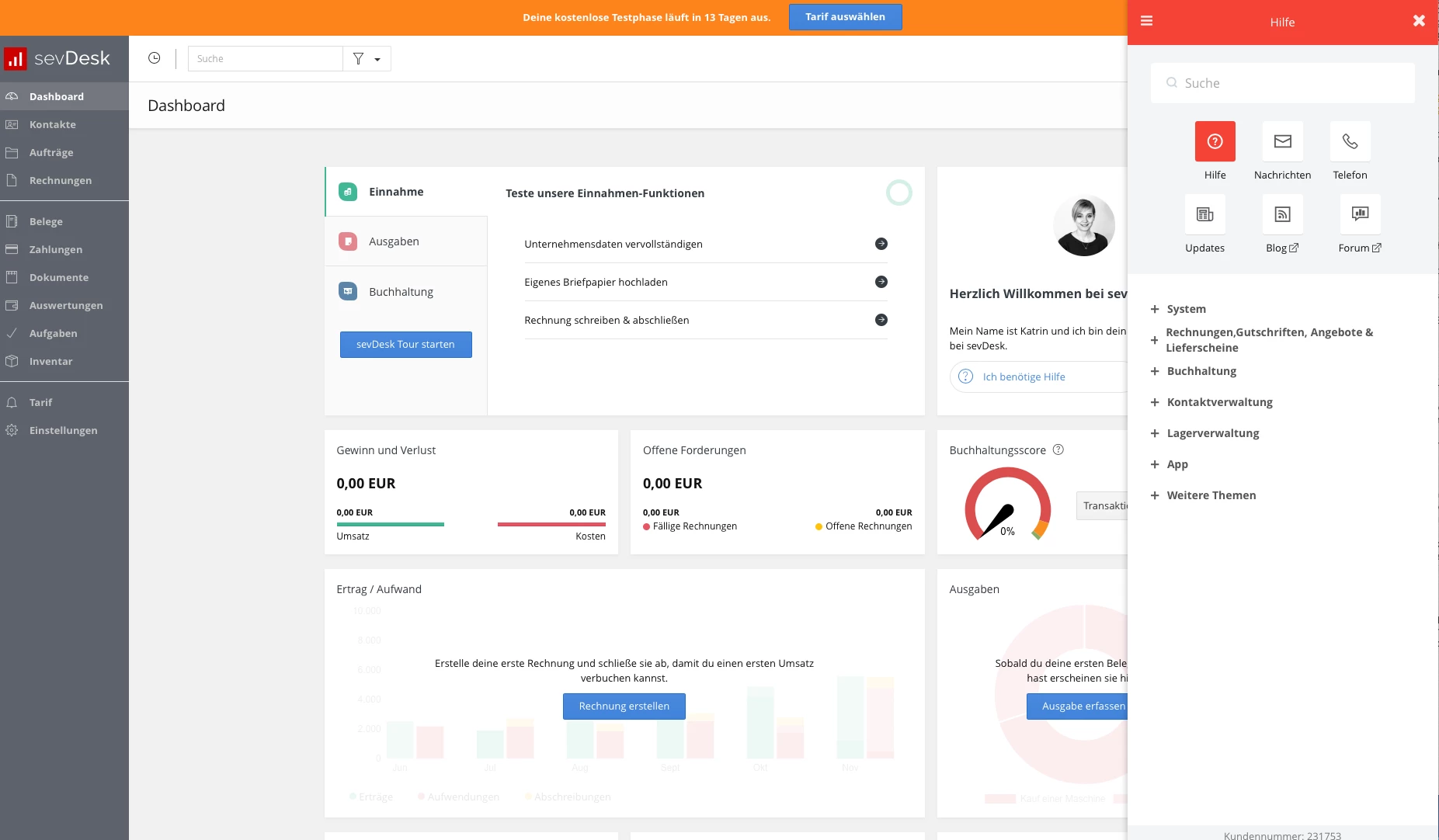


bildschirmfoto2019-11-11um13.55.31_44880.png

3 replies

Hi Suel,


You can use the help widget to display solutions and the contact form in your website. The feature is currently in beta. If you need early access, let me know and I can enable it for your account.


You can learn more about the help widget here or here.


Shankar


  • Author
  • Apprentice
  • November 12, 2019

Hey, yes please enable it for our account, thx


Forum|alt.badge.img+7
  • Community Manager
  • November 13, 2019

Hi Suel,


We've enabled the new help widget for you. You can find it in Admin > Widgets. If you're still not seeing the new help widget, could you please try performing a hard refresh (Cmd+Shift+R on Mac or Ctrl+F5 on Windows).


In case you need any help with the widget, please feel free to write to support@freshdesk.com or you can also reply to this thread to let us know if you have any questions.


Hope this was helpful,

Karthik

