Closed for Voting

Solution for linking solutions to each other

Related products:Freshdesk
  • July 28, 2012
  • 46 replies
  • 102 views

Show first post

46 replies

aravind.sundararajan
Skilled Expert
Forum|alt.badge.img+12

Hello,


We're working on complete revamp of our self-service model, beginning with the knowledge base. There are quite a few exciting feature additions to this version and the latest news is that it has been picked up for development. I'll have a word with the Product Manager and see if I can get a scoop about the new feature additions.


Cheers!


  • Contributor
  • May 18, 2018

@aravind - thanks for your persistence on this issue. We are currentlyh building up our solutions pages and we would like to see more automations as mentioned above, before we officially roll this out to our end users (hopefully this year). Please let me know if there is a beta program, as I would like to enroll in it!


  • Community Debut
  • May 30, 2018

+1

I think that this feature should have been a requirement from the start.


Cheers.


Would love it!


  • Contributor
  • July 24, 2018

Yeah the Mint Version currently is even a downgrade to this, since it does even hide the REST URL when working on Sub Solution Level. You need to copy the adresses from the links instead of the browser input...


  • Community Debut
  • September 17, 2018

This is a core need for easily maintaining a knowledge base.  Could definitely be a deal breaker for us to move to another solution just because of the fact it's not being addressed.  Simple search for articles when adding a link while editing an article would suffice.


  • Community Debut
  • October 12, 2018

Also potentially a deal-breaker for me! I mean, I might as well just use any simple content management system without this feature!


This is needed. The auto-generated list of related articles is not helpful. I need to be able to control the list somehow.


  • Community Debut
  • June 20, 2019

Here's another vote in favor.


  • Community Debut
  • August 1, 2019

I think this would be especially useful for Knowledge Bases with multiple languages supported. I'd like to be able to mass translate articles and have the links be the same across all languages. Right now if I do a straight translation, all of the links on the Spanish site will take you to the English version of the site.


  • Community Debut
  • September 2, 2019

Dear Freshdesk team, 


Any update on this? It's really strange to see that this very core feature is not implemented. 


Solutions are about providing the right information to the client. If there is no solution for the links to stay updated after slug/domain change/any other reason - it's making the solution center totally unreliable. 


As an example, Wordpress has the easiest implementation for this, providing visual links to pages. This assures that once the target URL changes, the link is still valid, which is crucial.  


Regards, 

Igor Nusinovich

Valigara Online Jewelry Manager


  • Contributor
  • November 16, 2019

Freshdesk - please give us an update on this feature request - its been many years that people have been asking for this!


sajesh.krishnadas
Contributor
Forum|alt.badge.img+6

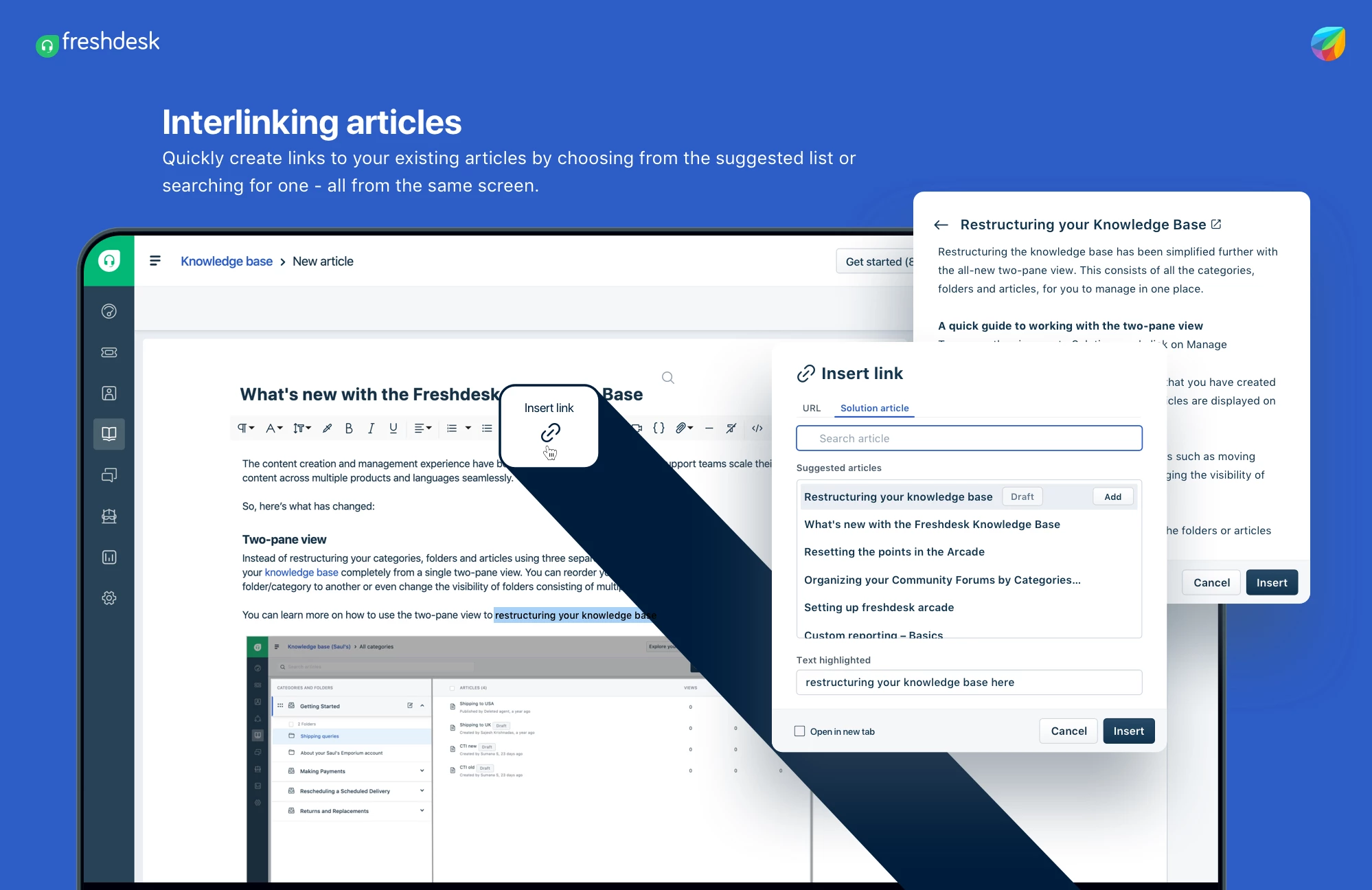
No more going back and forth between tabs to get the link of an article to be hyperlinked. I know it has been a difficult process so far and we have an answer to it now. 


With the new Interlinking article capability, you can quickly search for articles in your Knowledge Base (or choose from suggestions), even give it a quick read and add the right ones as links - all from the same screen. 


Give it a try by simply clicking on the Insert link iconon the knowledge base editor or use the shortcut Command (⌘) + K and let us know how it works. 
 

- Sajesh


  • Community Debut
  • April 10, 2020

Hi Sajesh,


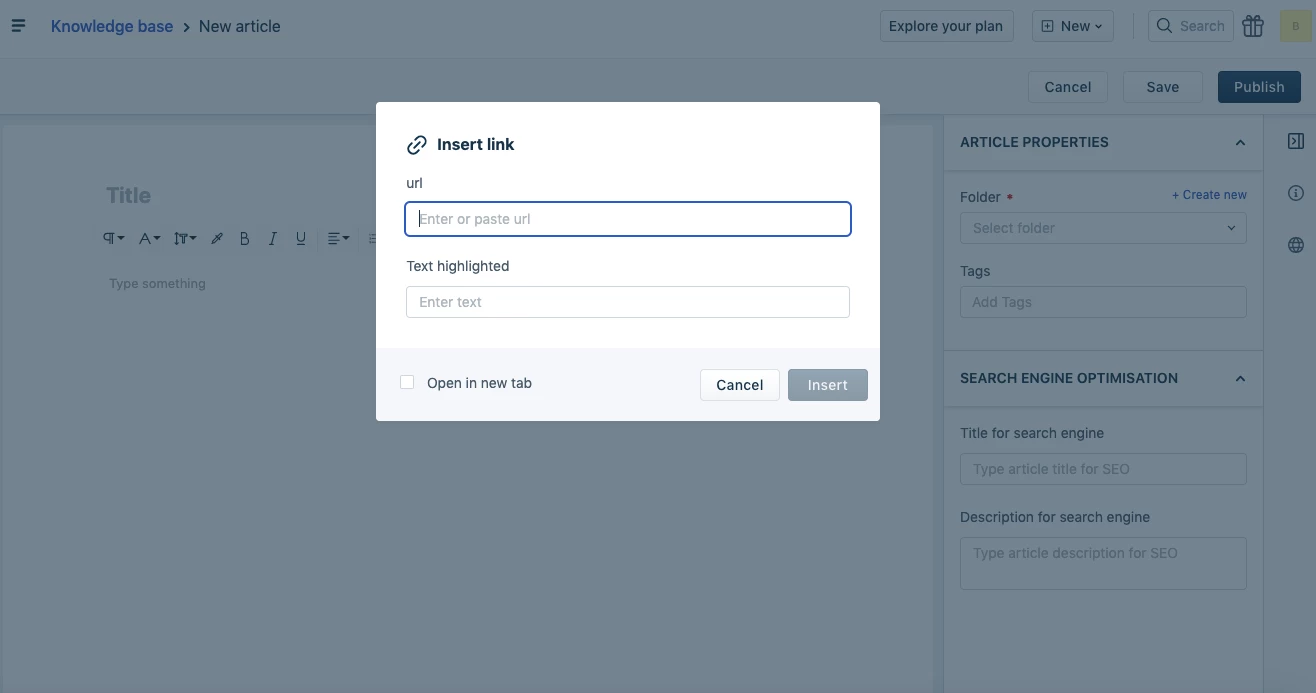
This is great news. This is what we've been waiting for! I just tried the feature though and it doesn't seem to show up. (See screenshot.) Does its availability depend on which plan one has?

Best,

Diego

image


sajesh.krishnadas
Contributor
Forum|alt.badge.img+6

Hi Diego,


Glad to know about your interest. Can you please help me with you account URL or please send an email to support@freshdesk.com. We will get it checked.


- Sajesh


  • Contributor
  • May 8, 2020

 Only thing that would make me REALLY happy, is if this feature was added to links created out of images as well!


sajesh.krishnadas
Contributor
Forum|alt.badge.img+6

Merel, that's an interesting thought, so do you usually link images with existing articles? 


  • Contributor
  • May 26, 2020

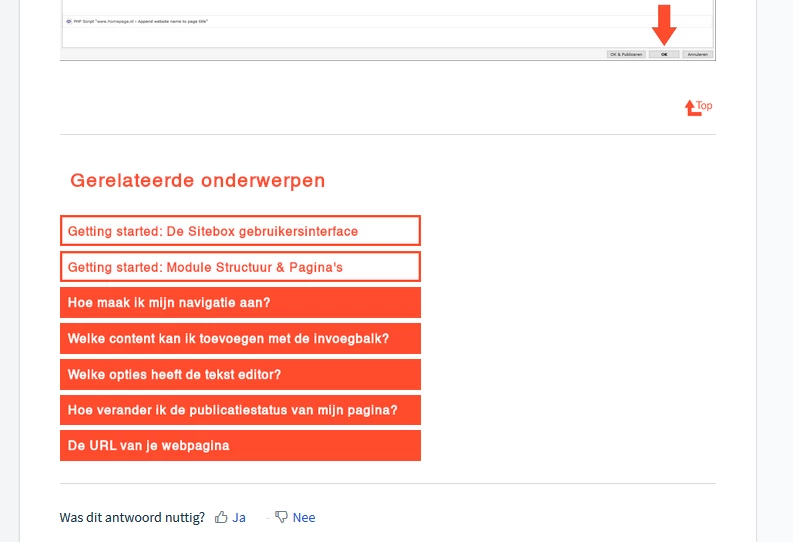
I do this all the time. Basically each article in our knowledgebase ends with an overview of directly related articles. These are buttons (images) that link to said articles. This works as a solution for any button that isn't coded in the stylesheet and used through headers.

Right now this means I have to manually search for the URL and copy that to the right field. Being able to choose an article from a menu would make this task a lot easier.


image


sajesh.krishnadas
Contributor
Forum|alt.badge.img+6

Makes sense. I am assuming you are not using the automatically generated related articles list because you want to define the list of articles and curate it for every article. If we come up with the option to manually choose the list of articles for the related topics section, does that solve your usecase? I am just thinking out loud to see what would be the best solution. 


  • Contributor
  • May 26, 2020

It would solve the issue with the related articles. However, the wish to be able to fast-link an article to an image would remain. I also use it to add buttons to other articles within the text. Though admitedly not as often as I use it for the related articles. With the option to manually choose which articles show up in the related topics section, the remaining hassle to link images to articles isn't quite as annoying as it is now.


  • Contributor
  • May 26, 2020

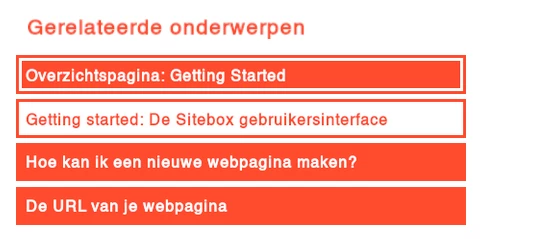
Though I would have to add that right now I also have the option to add overview pages to the list of related topics, which I often do. And I can make the distinction between overview pages (overzichtspagina in the image), getting started articles and other articles easy to spot through the colour of the button. So on second thought the option to choose the articles in the related articles section might not truly cut it.

image