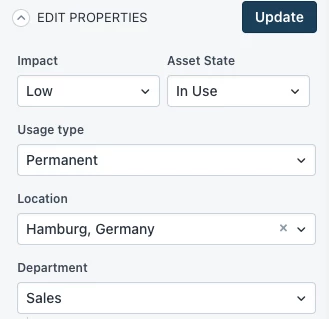
I believe there may be room for improvement regarding the ‘State’ field when managing individual Assets within your Asset Inventory.
Currently, the ‘State’ field is not a Default Field, and so it is not visible on the right-hand side for making quick adjustments to individual Assets:
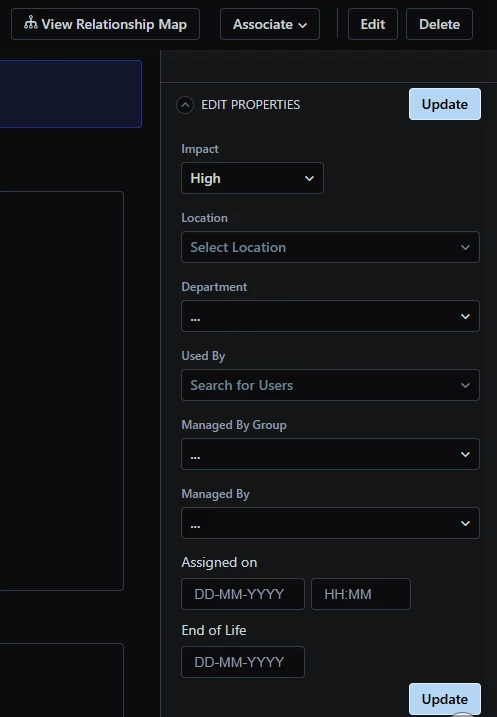
This means that you must hit ‘Edit’ on the Asset, scroll down and find the ‘State’ field (where its position may be wildly different per Asset type:
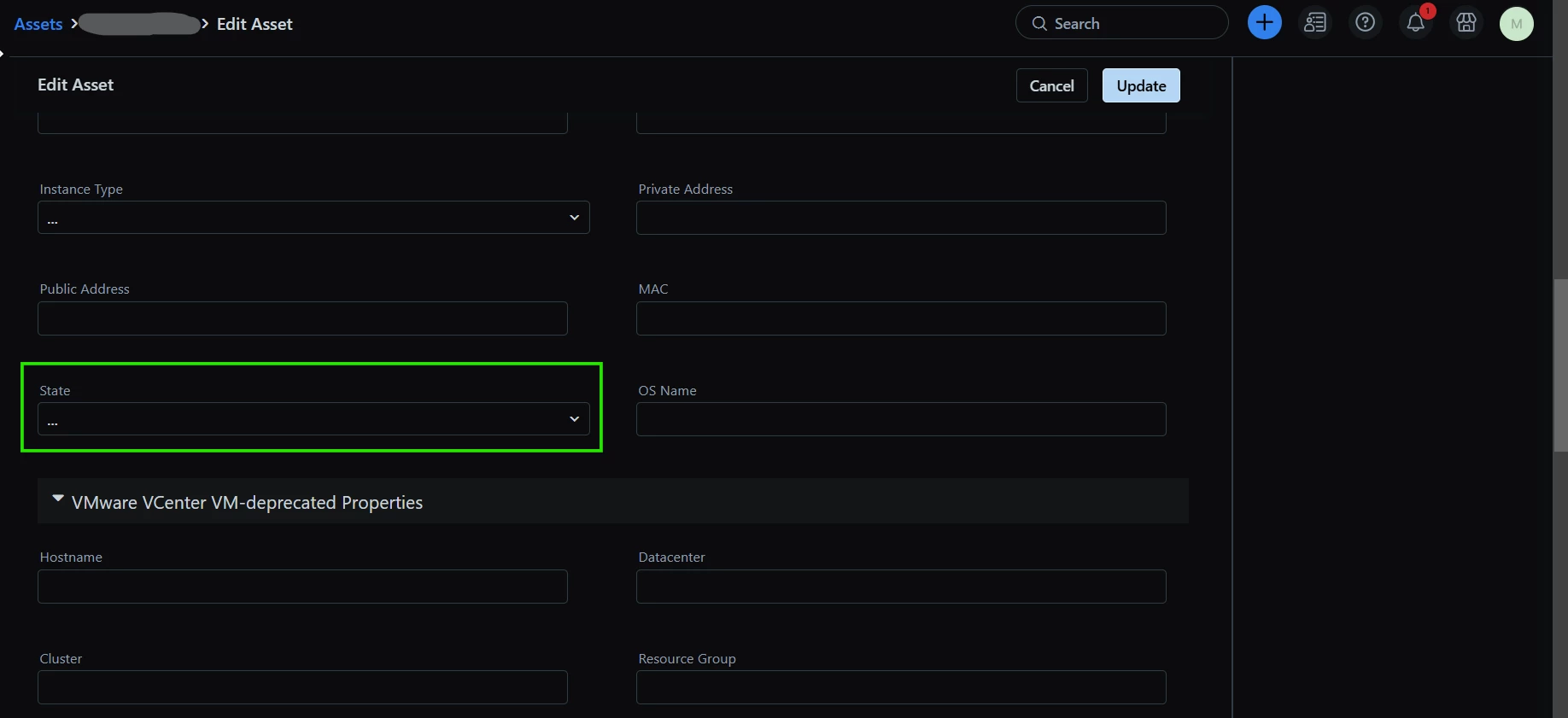
I can tell you, based on a colleague’s experience, that doing this repeatedly in your day-to-day role will become very tedious very quickly in larger organisations.
The common scenarios where you might be coming in to manually adjust this field on Assets:
- Comissioning, rebuilding, repurposing or decomissioning physical or virtual servers
- Individual Laptop or Desktop stock adjustments/rebuilds
- Individually assigned pieces of equipment like Monitors, Mice, Keyboards, Docking stations...you name it
I believe placing the ‘State’ field in the right-hand pane would make sense as it is likely to be, like the ‘Location’ or ‘Used By’ fields, a commonly adjusted field.
Also, I think it would make sense if you could at least adjust the labels of individual State choices...
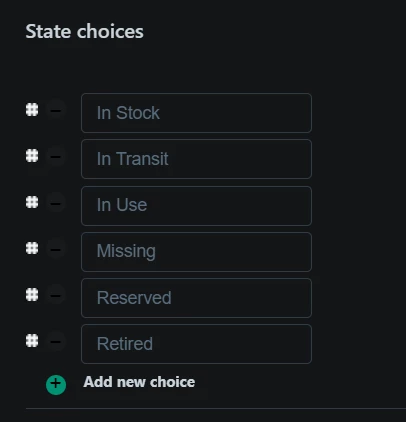
...allowing you to repurpose existing choices or correct spelling mistakes (which inevitably will happen).
Alternatively, State choices should have a toggle button next to them and/or be deletable.