


Future Consideration

Ticket lifecycle - Freshdesk

Related products:Freshdesk
  • Nov 9, 2022 12:19 PM UTC
  • 4 replies
  • 377 views

dbaras
Active Contributor
Forum|alt.badge.img+4

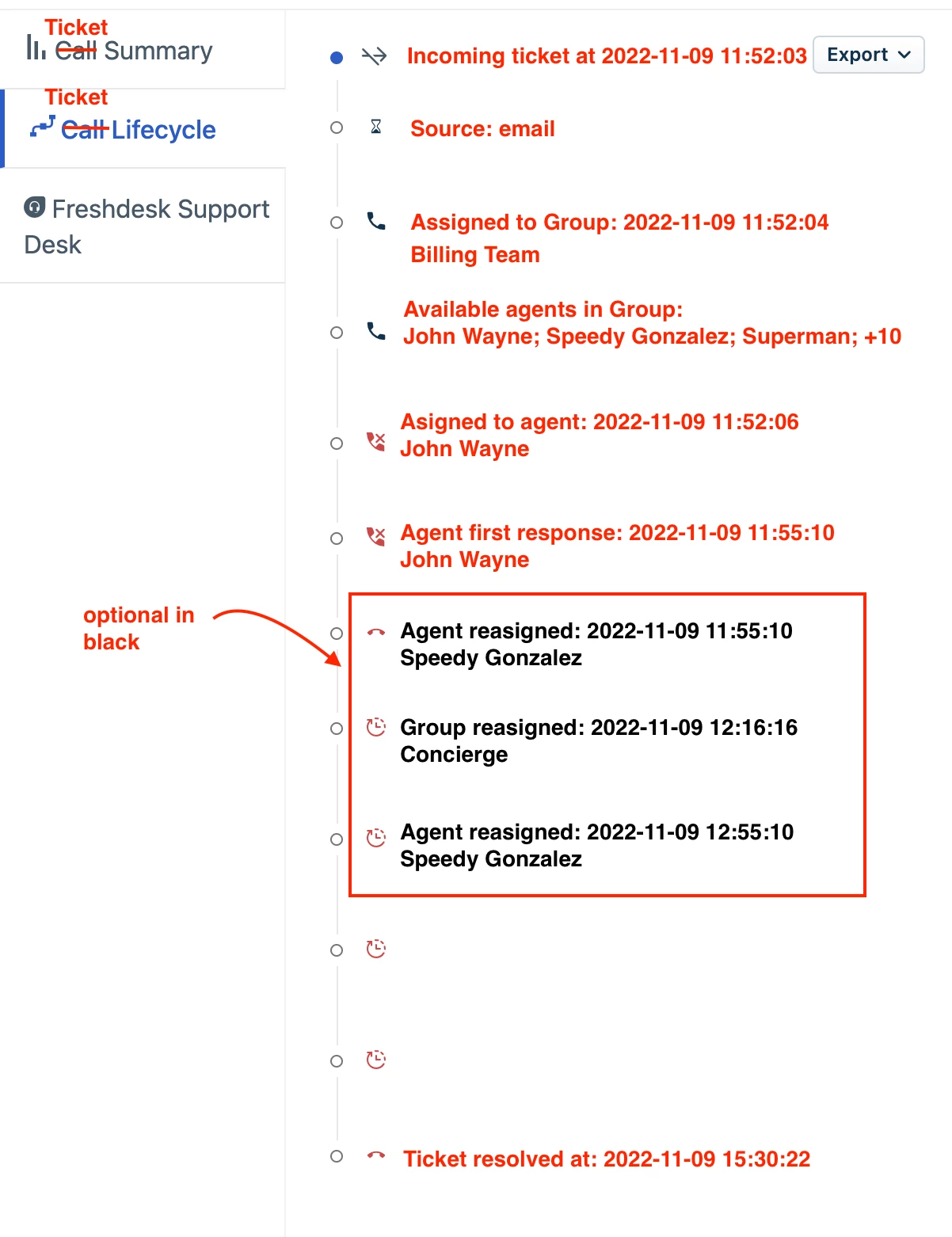
Many times to find information related to the SLA violation of a ticket I found myself going through Freshdesk logs or I had to pull API to get ticket statistics; also sometimes I just wanted to know which agents were available or simply why a ticket was assigned to a specific agent and I miss the clear and transparent way in which Freshcaller shows the lifecycle of the call.

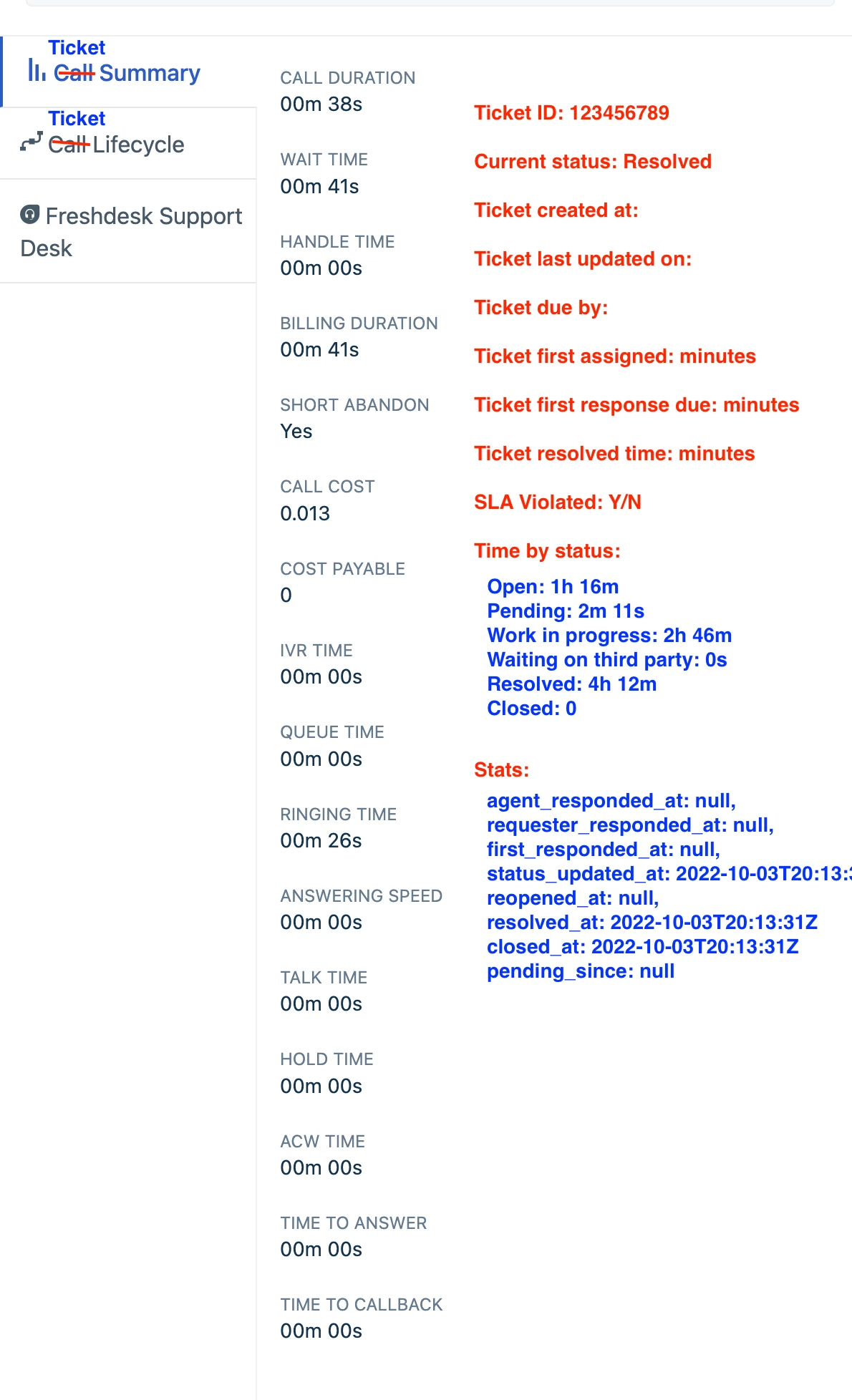
I fully understand that we have within the ticket the "show activities" option that shows you all the event log of the ticket but I am missing some summary data that would help me to identify at a glance the essential statistical data of the ticket and especially the ticket assignment part where I can see which agents were available to attend that ticket.

I leave you some modified screenshots with the information that I consider useful and I will be waiting for your opinions about it.
 

Looking forward to hearing from you 

Thank you

4 replies

dbaras
Active Contributor
Forum|alt.badge.img+4
  • Author
  • Active Contributor
  • Nov 9, 2022 12:28 PM UTC

Of course the same can be extended to Freshchat

Omnichannel power :)


CarolinaVeal
Community Debut
  • Community Debut
  • Nov 9, 2022 7:11 PM UTC

Agree


German Rojas
Community Debut
  • Community Debut
  • Nov 9, 2022 7:42 PM UTC

aceptar


sheetal.thakkar
Community Debut

Looking for Ticket lifecycle where from ticket crated to ticket resolved how many agents has worked for how much time. There is a current report available but its not fulfilling our requirement.

  1. Group Transfers and Agent Assignments

  • The report captures only the initial and most recent group/agent assignment details.

  • The intermediate group transfers and agent reassignments are not captured.

  • Although the report provides the total number of transfers or reassignments, it does not specify the actual movement of tickets between groups and agents.

  • The corresponding date and time of each transfer or reassignment are also unavailable.

2. Agent-wise and Group-wise Time Spent

  • The report calculates the time based on the duration between status changes, which may not accurately represent the actual time an agent spent handling a ticket.

  • We require a detailed breakdown of the time spent at each group and agent level, including the duration for which a ticket remains assigned to an agent before being transferred or reassigned.

The report lacks a stage-wise breakdown of the overall TAT, making it difficult to analyze time metrics throughout the ticket lifecycle.

As a product company , its necessary to see that ticket raised by the client is handled in an efficient way without any delay and from management quick view this Lifecycle journey would be very helpful to identify any gap.