Closed for Voting

Time Sheet calculation in Customer Portal

Related products:Freshdesk
  • October 3, 2012
  • 8 replies
  • 18 views

Integrate the time sheet calculation into a customer portal. That the customer can view the total time of each ticket.


8 replies

  • Community Debut
  • December 12, 2012
Is there any update to this?

  • Contributor
  • March 20, 2013

This would be a major benefit to our customer relationships.


annapoorna.venketaraman
Skilled Expert
Forum|alt.badge.img+8

Hey guys,


Thank you for writing in our Forums. 


We are not in the plans of addressing this feature in the immediate future. I understand that it is very important to maintain a good customer relationship. We will definitely consider and will keep you updated once we take this up.


Thanks,

Annapoorna 


  • Community Debut
  • April 1, 2016

3 years - any progress


aravind.sundararajan
Skilled Expert
Forum|alt.badge.img+12

Hello,


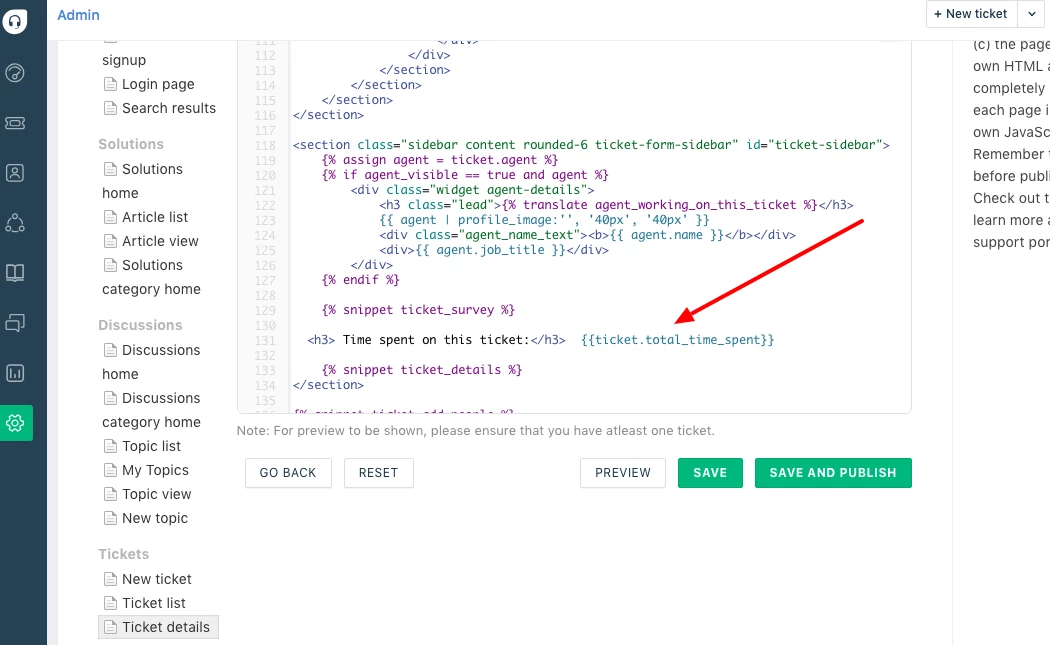
This would be possible by using the portal customisation feature on the Estate plan. You can display the time tracked per ticket using the placeholder {{ticket.total_time_spent}} in the ticket details page. 


To do this, you can navigate to Admin-> Portals -> Customise portal -> Portal pages -> Ticket Details page and add the following code as described in the pic below.


<h3> Time spent on this ticket: {{ticket.total_time_spent}} </h3>
<br/>


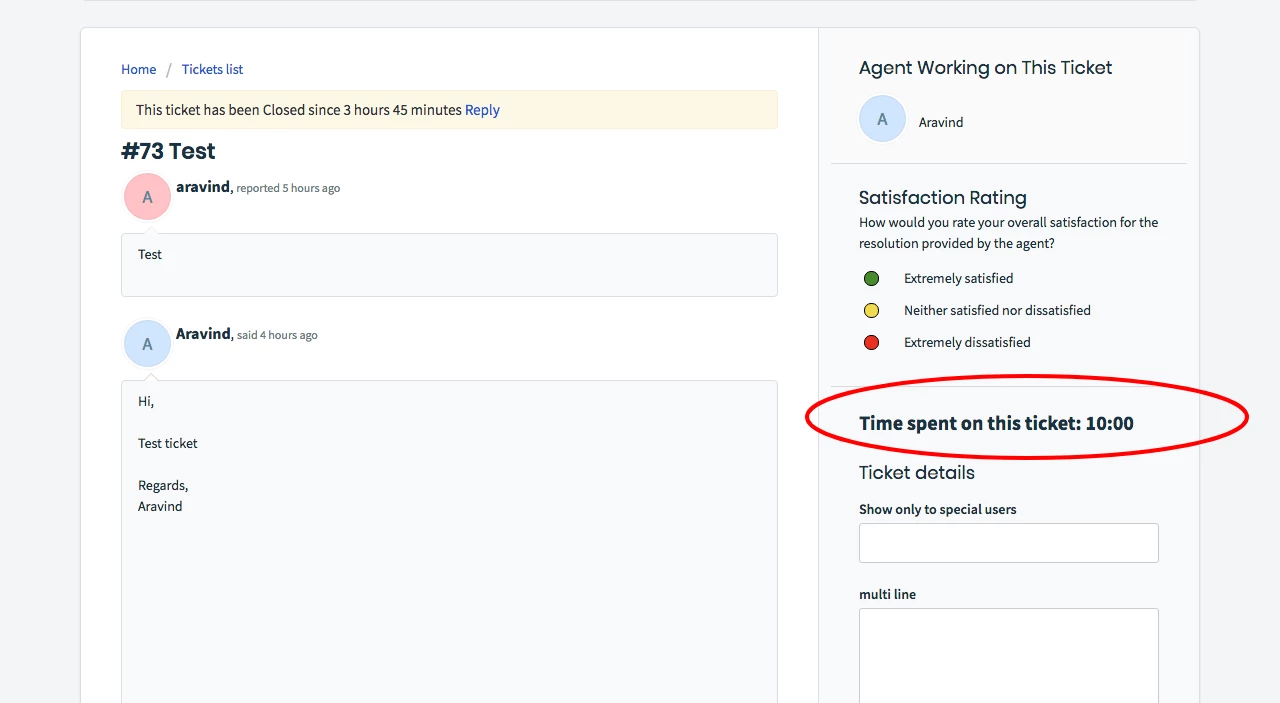
This will add the time logged on the ticket to the ticket properties side bar on the portal.


save image


Cheers!


  • Community Debut
  • March 6, 2019

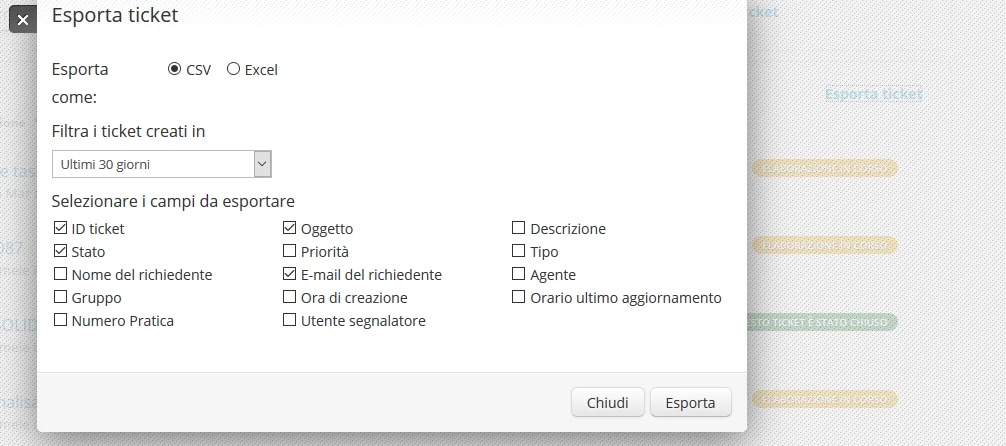
Can the customer export Time spent on this ticket: in excel report ? 

image


  • Community Debut
  • April 12, 2019

I want the customer to be able to see how much of the time is billable, and how much is non-billable. Are there placeholders for that?


Hello Tola,


Did you get a chance to try out {{ticket.billable_hours}} to obtain Billable hours? 


Do it give it a try and write to us support(at)freshdesk.com should you require further assistance. 


Cheers!