Question

"Example" Product In Ticket Fields! How To Rename That?

  • Sep 16, 2023 6:50 PM UTC
  • 7 replies
  • 294 views

ollygogo
Contributor
Forum|alt.badge.img+1

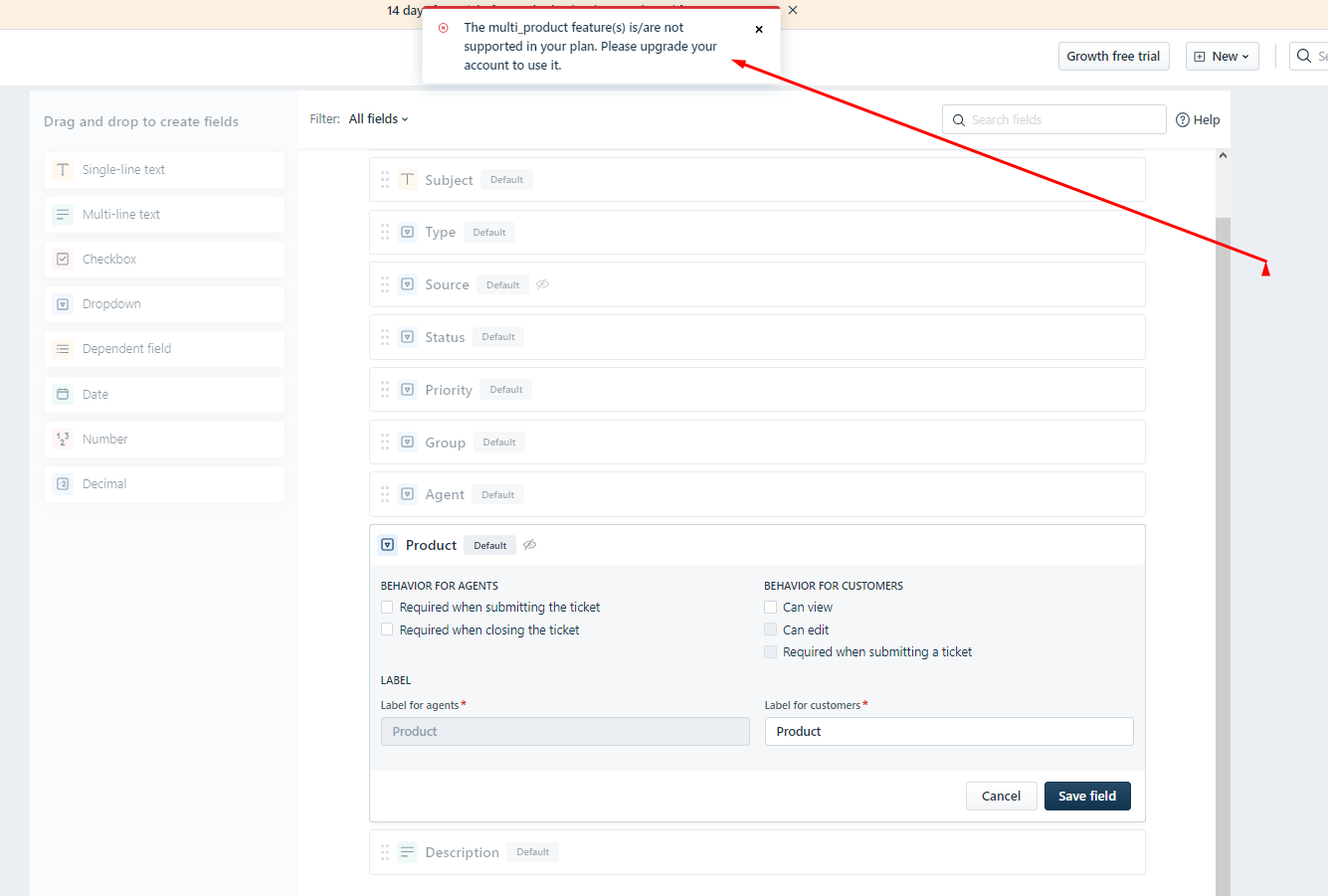
We have this product field showing up in ticket field. May I know how to remove it or atleast rename the “example” product?

It is a little annoying! 

7 replies

eeha0120
Top Contributor ⭐
Forum|alt.badge.img+12
  • Top Contributor ⭐
  • Sep 16, 2023 9:34 PM UTC

Hi.

In Admin - Asset Management - Product Catalog you can populate / maintain the Products you use or don’t use.

In Admin - Field Manager, you can hide it from Requesters.

In Admin - Business Rules, you could create a rule for hiding such field, for both, for requesters and agents.


Hope this helps.


Regards,


ollygogo
Contributor
Forum|alt.badge.img+1
  • Author
  • Contributor
  • Sep 17, 2023 5:41 AM UTC

I cannot hide it as it says multiple products are not enable in my plan. I just dont want the filed. How to get rid of that field?


ollygogo
Contributor
Forum|alt.badge.img+1
  • Author
  • Contributor
  • Sep 17, 2023 5:43 AM UTC

this


ollygogo
Contributor
Forum|alt.badge.img+1
  • Author
  • Contributor
  • Sep 17, 2023 5:49 AM UTC

+


eeha0120
Top Contributor ⭐
Forum|alt.badge.img+12
  • Top Contributor ⭐
  • Sep 17, 2023 5:51 AM UTC

Hi.

Did you try Business Rules?


Regards,


ollygogo
Contributor
Forum|alt.badge.img+1
  • Author
  • Contributor
  • Sep 17, 2023 6:03 AM UTC

I dont see any rules that would hide a ticket here in automations. Do you mind telling me what rule exactly to use?


eeha0120
Top Contributor ⭐
Forum|alt.badge.img+12
  • Top Contributor ⭐
  • Sep 17, 2023 6:20 AM UTC

Hi.

Apologies; in FreshService this is called Business Rules.

In FreshDesk the suggestion would be Dynamic Forms.

How can I create dynamic forms and have different fields based on the different values? : Freshdesk


Sincerely,