Answer

Assigning a Ticket to the Agent's Group Performing The Action

  • October 3, 2024
  • 2 replies
  • 43 views

Forum|alt.badge.img+11

Hi everyone,

Has anyone figured out a way to reliably automatically assign a, for example, unassigned ticket to the Agent’s Group where the Agent performing the event is a member?
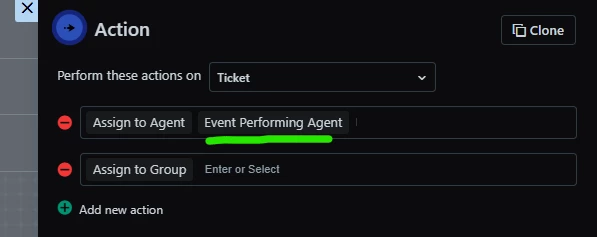
In principle it is very similar to the ability in Workflows to ‘Assign to Agent: Event Performing Agent’ but this is unavailable for the ‘Assign to Group’ Action.

Ideally it would assign to that Agent's ‘primary’ Agent Group but I don’t believe that is a concept in Freshservice?

In the scenarios where an Agent is a member of multiple Agent Groups (which is very common in our environment) the API is going to return an array of Agent Group ID’s for that Agent with no way for it to understand which is their preferred/primary Agent Group.

I’ve looked at leveraging a custom Agent User Field where an Agent’s ‘Primary’ Agent Group could be set but there doesn’t appear to be a way to reference an existing Data Source here like there is in Field Manager:
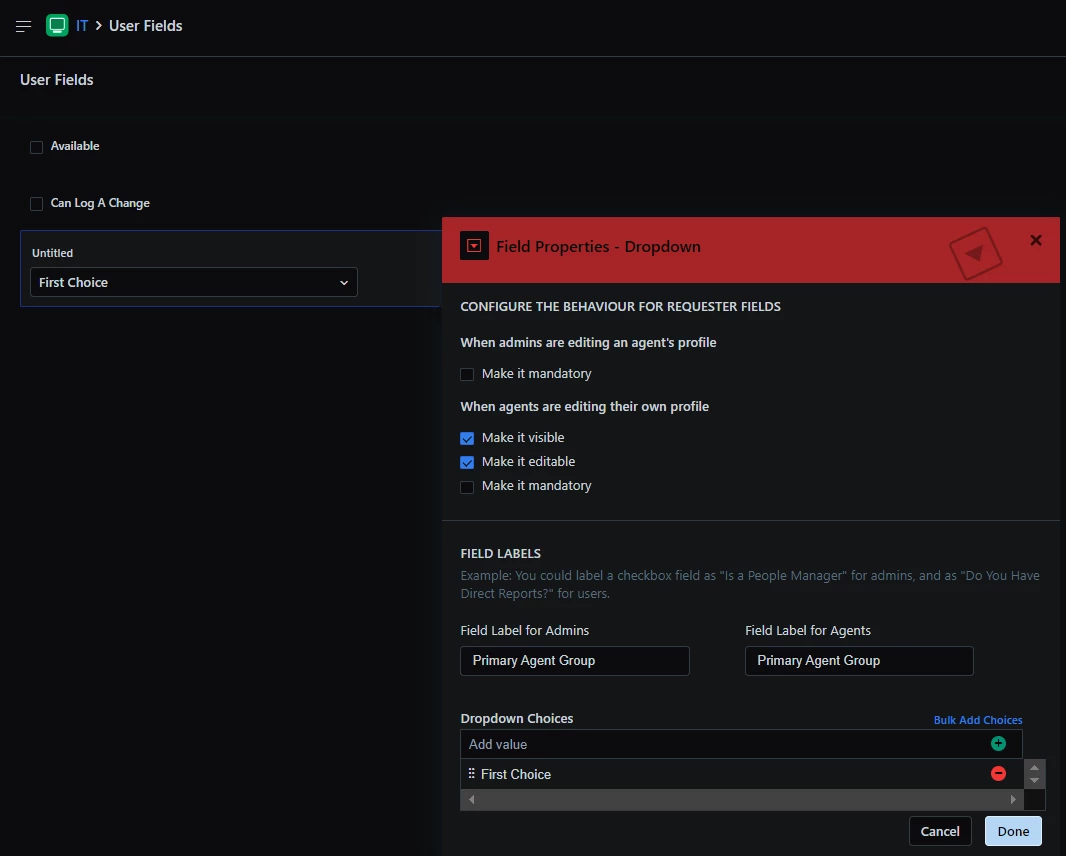
I would of course use the ‘Agent Group’ data source here I’m out of luck in this instance.


Anyone have any better ideas?

Best answer by eeha0120

Hi.

Not sure if it may work, but  here’s a shot:

You could try creating a custom object for Agent and Agent Group, both being Lookup fields; technically, they would not be related, but you could create an entry for each agent and set their corresponding primary group.

Then, in the workflow, use the Event Performing agent to get who it is working, and read the custom object entry for the agent who is performing the action; grab the group, and then use it in the next action.


Regards,

2 replies

eeha0120
Top Contributor ⭐
Forum|alt.badge.img+12
  • Top Contributor ⭐
  • Answer
  • October 3, 2024

Hi.

Not sure if it may work, but  here’s a shot:

You could try creating a custom object for Agent and Agent Group, both being Lookup fields; technically, they would not be related, but you could create an entry for each agent and set their corresponding primary group.

Then, in the workflow, use the Event Performing agent to get who it is working, and read the custom object entry for the agent who is performing the action; grab the group, and then use it in the next action.


Regards,


Forum|alt.badge.img+11
  • Author
  • Skilled Expert
  • October 10, 2024

Hi Elvis,

Thanks for this suggestion.

I gave this a shot and it works, for the most part…

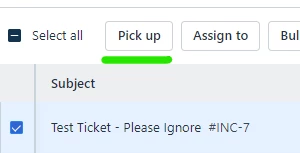
...except, oddly, it doesn’t work every time if an Agent happens to use the ‘Pick up’ action which, sadly, appears to be the most common scenario whereby a ticket would be left in the ‘None / <Agent Name>’ state.

This wouldn’t be the end of the world as I can certanly setup at least one Scheduled Workflow that does this very same thing on matching Tickets. :)

Thanks again though Elvis; one widespread issue mitigated via your suggestion.