Question

Change Management

  • January 9, 2026
  • 2 replies
  • 20 views

Lorenzo Aguayo2026
Apprentice
Forum|alt.badge.img

How can I have only agents in a support group create changes for their group and not submit changes for others they are not assigned to?

2 replies

Forum|alt.badge.img+6
  • Top Contributor ⭐
  • January 9, 2026

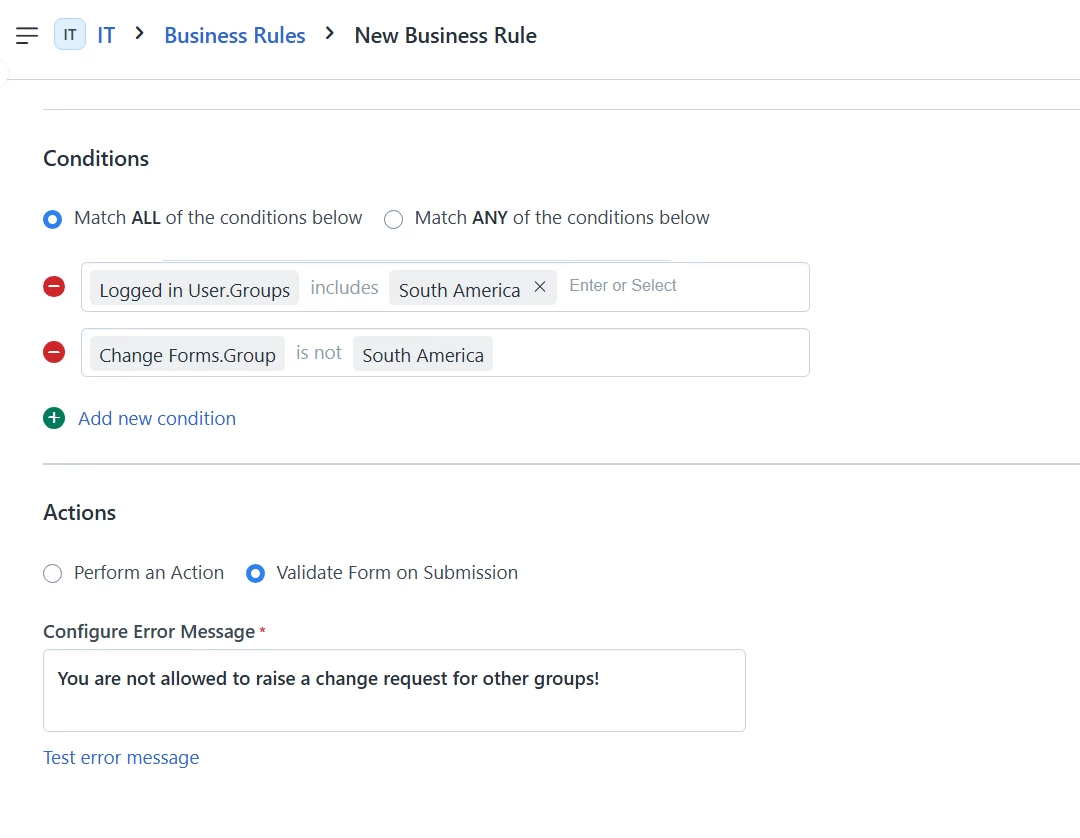
Hey, you can try using business rules to achieve this. For example, create a new business rule for change request that is configured as shown below.

Under Conditions:

“Logged in user.group - includes” - select the group to which the agent belongs, in this case, they belong to an agent group called “South America”

then, use the condition, “change forms.group - is not - South America”.

Under Actions:

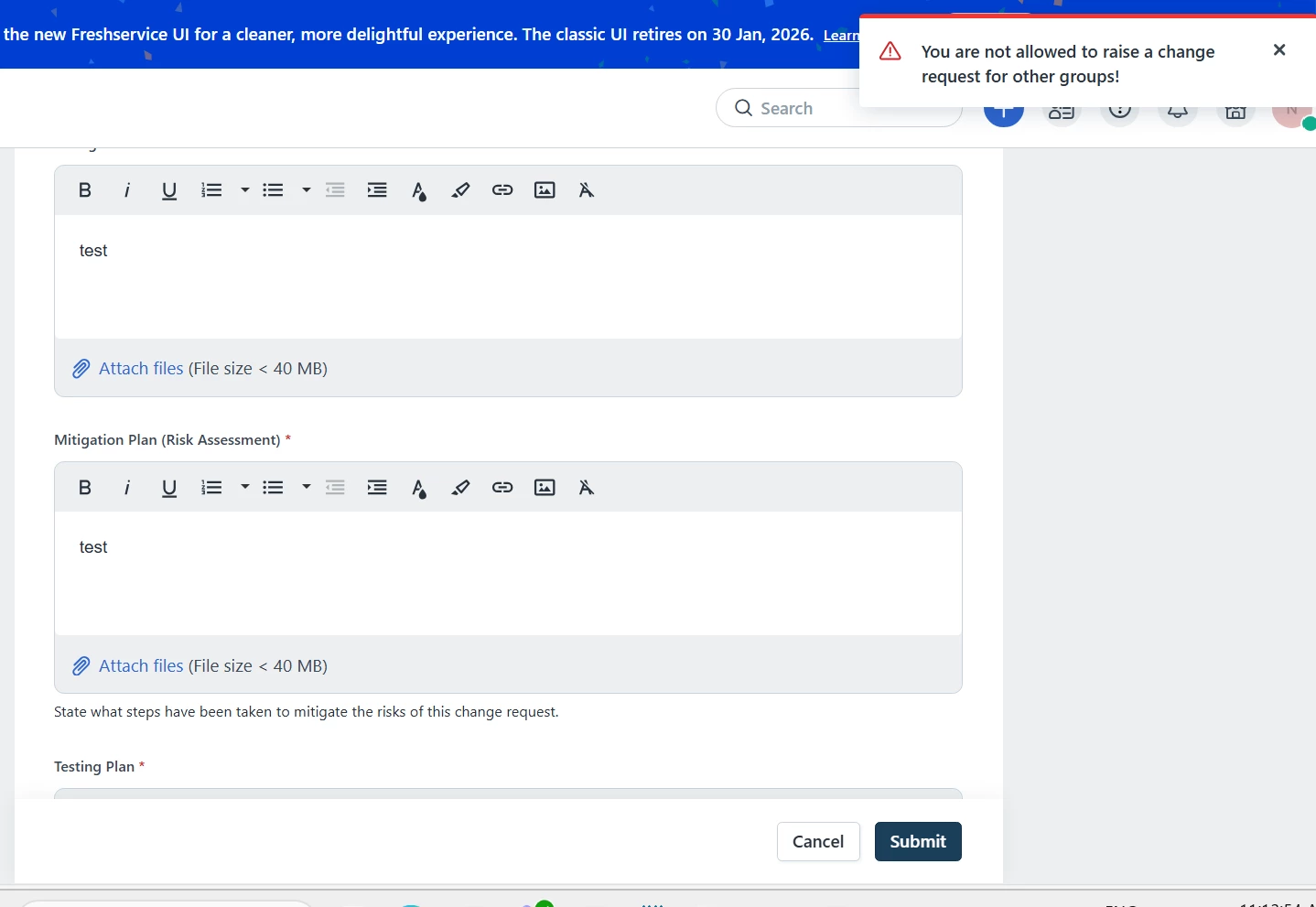
Click on “Validate form on submission” and then enter the error message. This will ensure that if the agent from South America group tries to raise a change request for some other group, say “North America”, it will throw the error “You are not allowed to raise a change request for other groups!” and that change request cannot be submitted. 


Error screenshot:


Lorenzo Aguayo2026
Apprentice
Forum|alt.badge.img

Good day ​@Nav_in  thanks for the feedback and will test this in Sandbox. Have a good weekend.