


Answer

Change project status and delete project in Freshservice

  • December 13, 2021
  • 2 replies
  • 817 views

Forum|alt.badge.img

Hi,

I just can’t find how to change the status of a project in Freshservice. I can’t find how to delete them either. I could only find how to change the status of a task, but not the entire project. The project’s status doesn’t change to completed or something to that effect when all sub-tasks are closed. Surely there must be a way to do this?
Best answer by sanofar.allahpichai

Hi @MagaliHeroux,

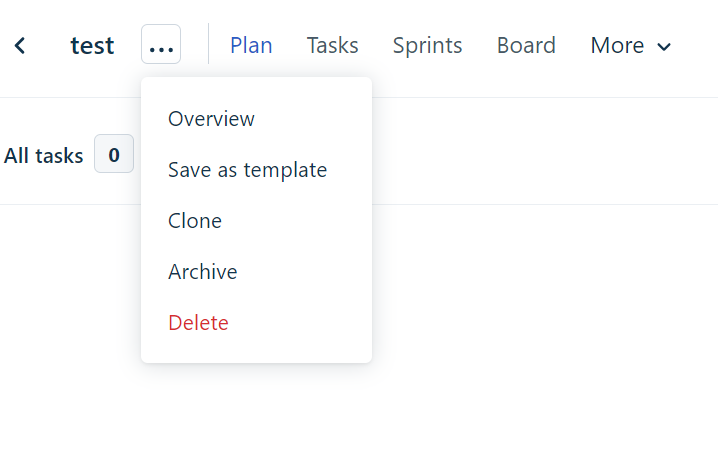
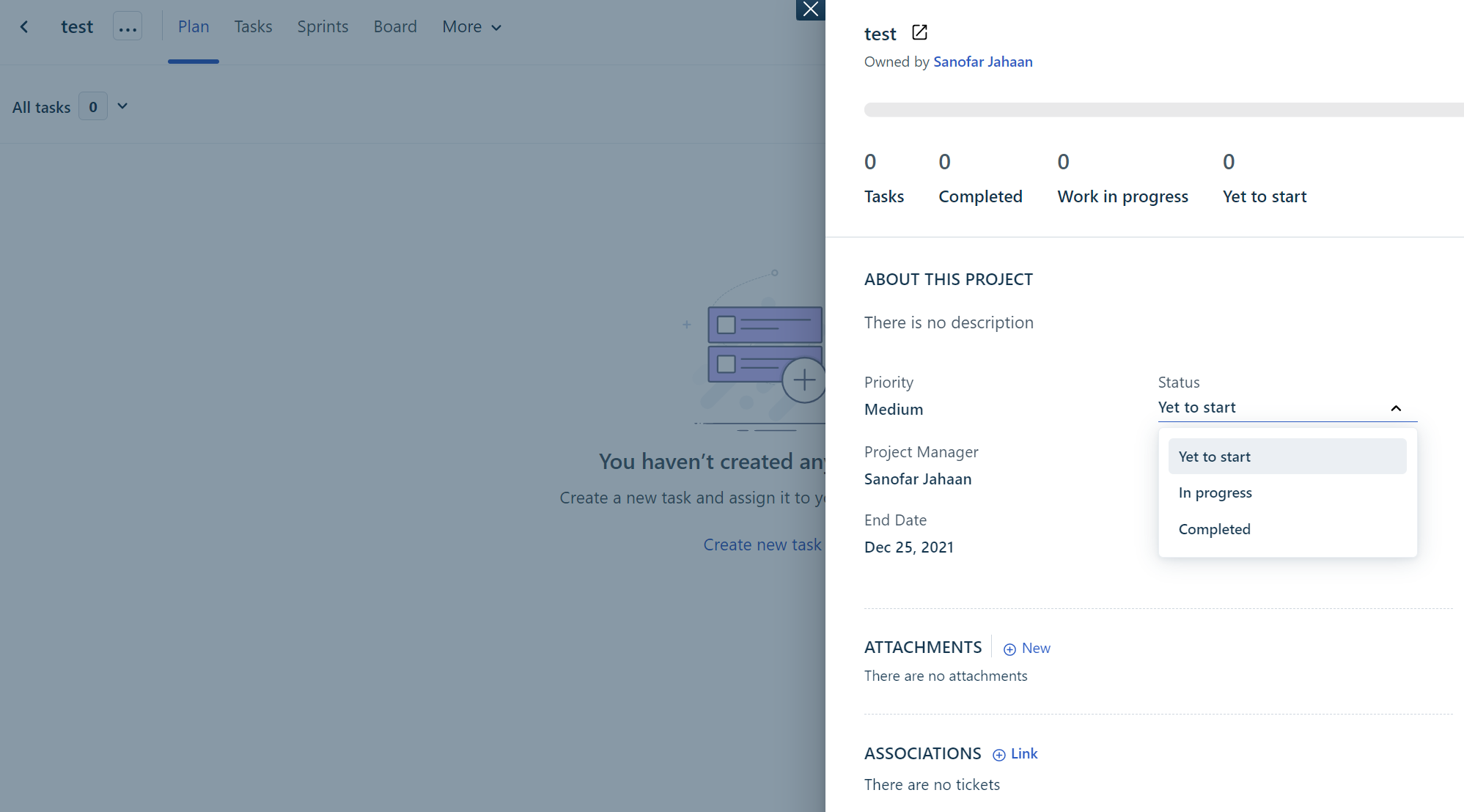
In the new-gen project management feature, here is how you can change the status of a project and also delete it:

Click on the 3 dots … icon and click on ‘Delete’


Click on ‘Overview’ to change the ‘Status’


I hope this helps.

2 replies

Forum|alt.badge.img+6

Hi @MagaliHeroux,

In the new-gen project management feature, here is how you can change the status of a project and also delete it:

Click on the 3 dots … icon and click on ‘Delete’


Click on ‘Overview’ to change the ‘Status’


I hope this helps.


Forum|alt.badge.img
  • Author
  • Apprentice
  • February 18, 2022

Thanks, for some reason I wasn’t seeing the 3 dots in this location, I only saw those that show up on the right of the screen…

