Custom Field through portal on Freshservice - non login user

  • October 24, 2023
  • 4 replies
  • 94 views

Forum|alt.badge.img+3

Hi there,

Is it possible to show a custom field through portal that requester whos didn’t want to login to Freshservice?
We currently have a requirement that requester can report an issue from portal without login to the instance. How can I configure if it’s possible?

Could anyone help with?

4 replies

rajagopal.baladhandayutham
Community Manager
Forum|alt.badge.img+6

Hi @aldo 

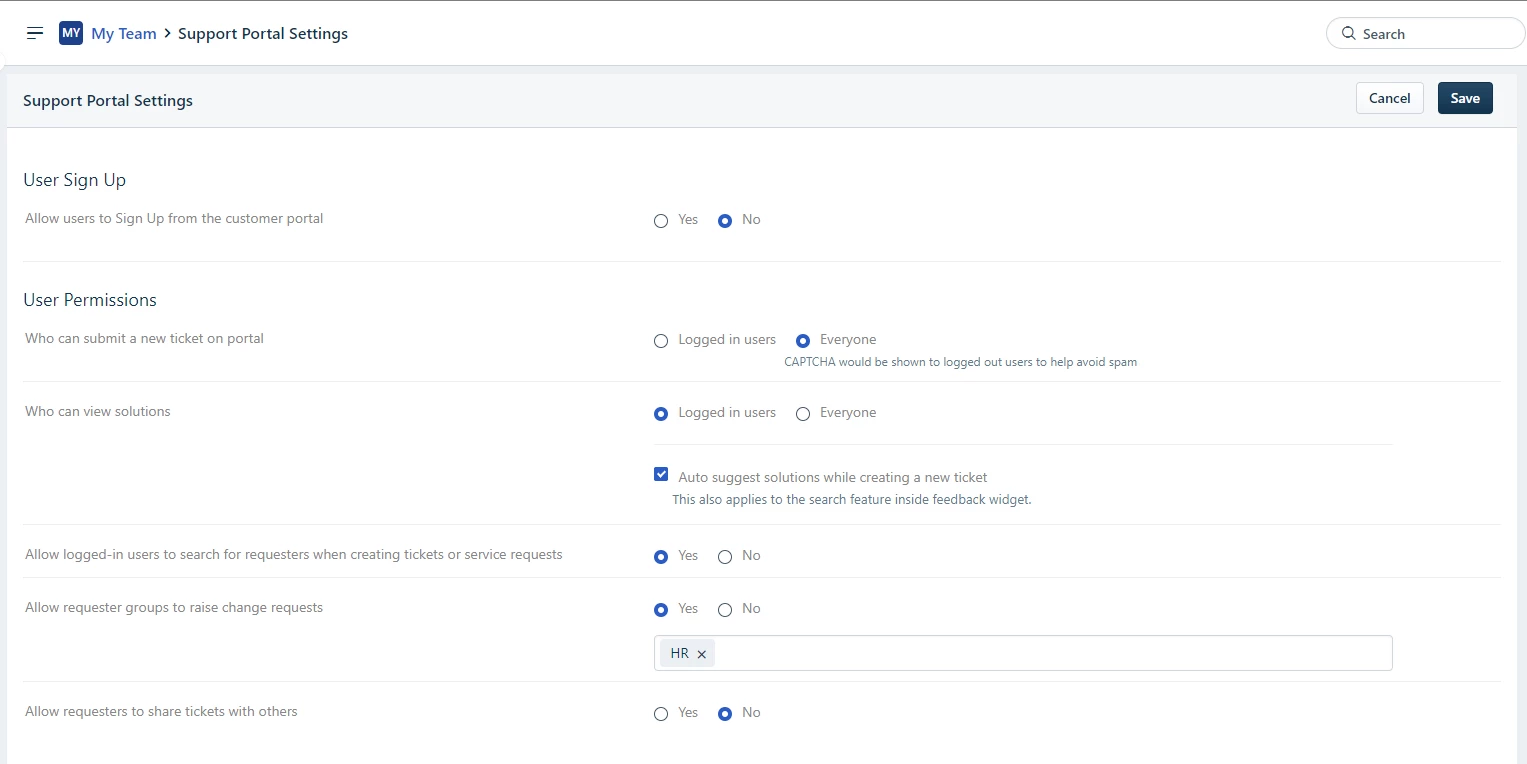
If you are looking to allow requesters to create tickets without logging into the end user portal, we have an option to allow users to submit tickets without logging in, please find the below screenshot:

You can also refer to this article: https://support.freshservice.com/en/support/solutions/articles/157126-logging-in-and-accessing-your-service-desk

If you are looking to configure custom fields to be available on the end user portal for ticket submission, you can configure this under Admin-->Field Manager-->Ticket Fields, article here


Forum|alt.badge.img+3
  • Author
  • Skilled Expert
  • January 8, 2024

Hi @rajagopal.baladhandayutham thank you for your suggestion.


Ashtondaviss
Community Debut
Forum|alt.badge.img
  • Community Debut
  • August 23, 2024

Hi! In Freshservice, non-logged-in users can't fill out custom fields directly through the portal. Custom fields are typically available to logged-in users or within forms where authentication is required. To allow non-logged-in users to interact with custom fields, consider using public forms or integrating with external tools that support such functionality. Let me know if you need more details! 🙂


Ashtondaviss
Community Debut
Forum|alt.badge.img
  • Community Debut
  • August 23, 2024

Hi! In Freshservice, non-logged-in users can't fill out custom fields directly through the portal. Custom fields are typically available to logged-in users or within forms where authentication is required. To allow non-logged-in users to interact with custom fields, consider using public forms or integrating with external tools that support such functionality. Let me know if you need more details! 🙂