



Question

Customizing Project Cards in Freshservice

  • April 9, 2024
  • 1 reply
  • 39 views

Forum|alt.badge.img

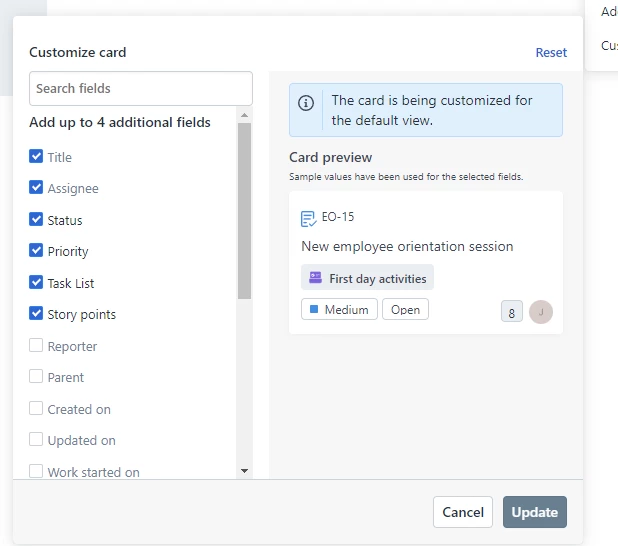
When trying to customize a card in the Project module (task), I am unable to update the fields. I take it that the message about the card being customized for the default view has something to do with it, but I can’t find out how to get past this spot and add fields.


Also, is there a way to affect the color of the cards based on values in the card (Priority or tags/labels for instance)?


1 reply

rajagopal.baladhandayutham
Community Manager
Forum|alt.badge.img+6

@jzeglen You would be able to add 4 additional properties apart from the Title and Assignee details. As per your screenshot it seems to be the case where you have already selected 4 items and hence you might be unable to select additional items. 

The color of the card can’t be completely customized, however, based on priority of the task the priority gets highlighted on the card.