Question

generate a PO report in PDF format

  • November 18, 2025
  • 4 replies
  • 26 views

Sampath1985
Apprentice

I am looking for

When we raise a hardware request such as a laptop and enter all the required details, the request goes for approval. Once it is approved, I would like to generate a PO report in PDF format. Is it possible to set this up in the Freshservice helpdesk ticketing tool?

4 replies

Forum|alt.badge.img+6
  • Top Contributor ⭐
  • November 28, 2025

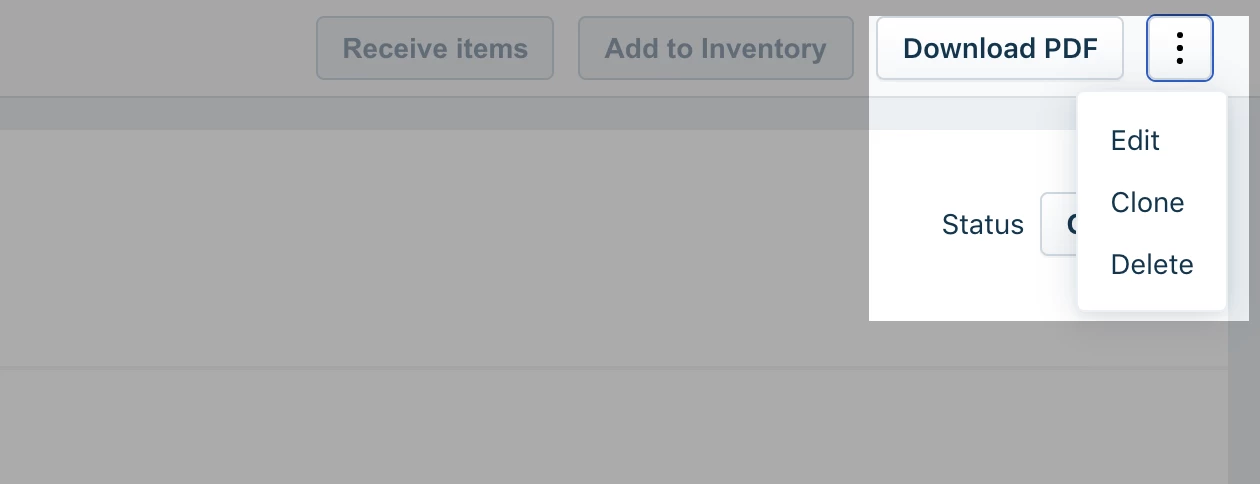
Hi, you can implement a workflow to create a purchase order when the hardware request has been raised. The PO can be generated using web request  node. However, I don’t think it’s possible to generate a PO pdf file using the same. You will need to manually download the pdf file: 


Daniel Söderlund
Top Contributor ⭐
Forum|alt.badge.img+14

Hi, you can implement a workflow to create a purchase order when the hardware request has been raised. The PO can be generated using web request  node. However, I don’t think it’s possible to generate a PO pdf file using the same. You will need to manually download the pdf file: 


@Sampath1985  as ​@Nav_in  say nee do use API to create a PO but you need manually download the PO and send it by your mail client. 

I have been contemplating a solution to use the Document generation function in Fresh.
It’s not ment to be used that way but I think it could be done. 


  • Community Debut
  • November 30, 2025

Yes, this is absolutely possible to set up in Freshservice and is a fantastic way to automate your hardware procurement process. The key is using Freshservice's Workflow Automator to generate and send a PDF once the request is approved.

Here’s a breakdown of how you can achieve this:

The core component is the “PDF Generator” node within Workflow Automator. After your hardware request is approved (which you can detect using a trigger like "Ticket Updated" and a condition checking for "Status - Changed to - Approved"), you can add this node to your workflow.

Within the PDF Generator, you can design a custom template that pulls all the relevant data from the ticket. This includes:

  • Requester Details: Name, Department.

  • Hardware Specifications: All the custom fields you filled out (e.g., Laptop Model, RAM, Storage).

  • Approval Details: Approver's name and the date of approval.

  • Pricing: If you have a field for cost, it can be included here to form a complete PO.

Once the PDF is generated, the same workflow can automatically:

  1. Attach the PDF directly to the ticket for record-keeping.

  2. Email the PO to your vendor or procurement team.

I've written a detailed, step-by-step guide on my blog that walks through creating this exact automation, including screenshots of how to configure the Workflow Automator and design the PDF template with merge fields. You can find it here for a seamless setup.


avalynn11
Contributor
Forum|alt.badge.img
  • Contributor
  • December 3, 2025

Yes, it is possible, but you need some setup.

Freshservice can generate PDF reports, but you must:

• Create an automation or workflow after approval, and
• Use a report or custom app to export the PO as PDF.

If you are not sure how, Freshservice support can guide you step-by-step.