Question

How are people clearing out old requestors?

  • January 2, 2026
  • 2 replies
  • 69 views

Forum|alt.badge.img+8

Happy New Year All!


I have had some time to think over the festive period and was wondering how people are managing their requestors? I am finding that we often have employees emailing in from their personal email addresses which in turn creates them as a requestor.


With the lack of GDPR compliance functionality within Freshservice, I am wondering how you are clearing out old requestors when not required?


Looking forward to hearing from you.


Matt

2 replies

Forum|alt.badge.img+6
  • Top Contributor ⭐
  • January 7, 2026

Hey Matt, Happy new year to you as well! If you can get the requester ID of users from any integrated tool like workday, then a postman script is more than enough to remove all unwanted requesters. If not, you might need to do an export, filter out personal email IDs, and then deactivate/delete them manually. The second option is what we had to do.

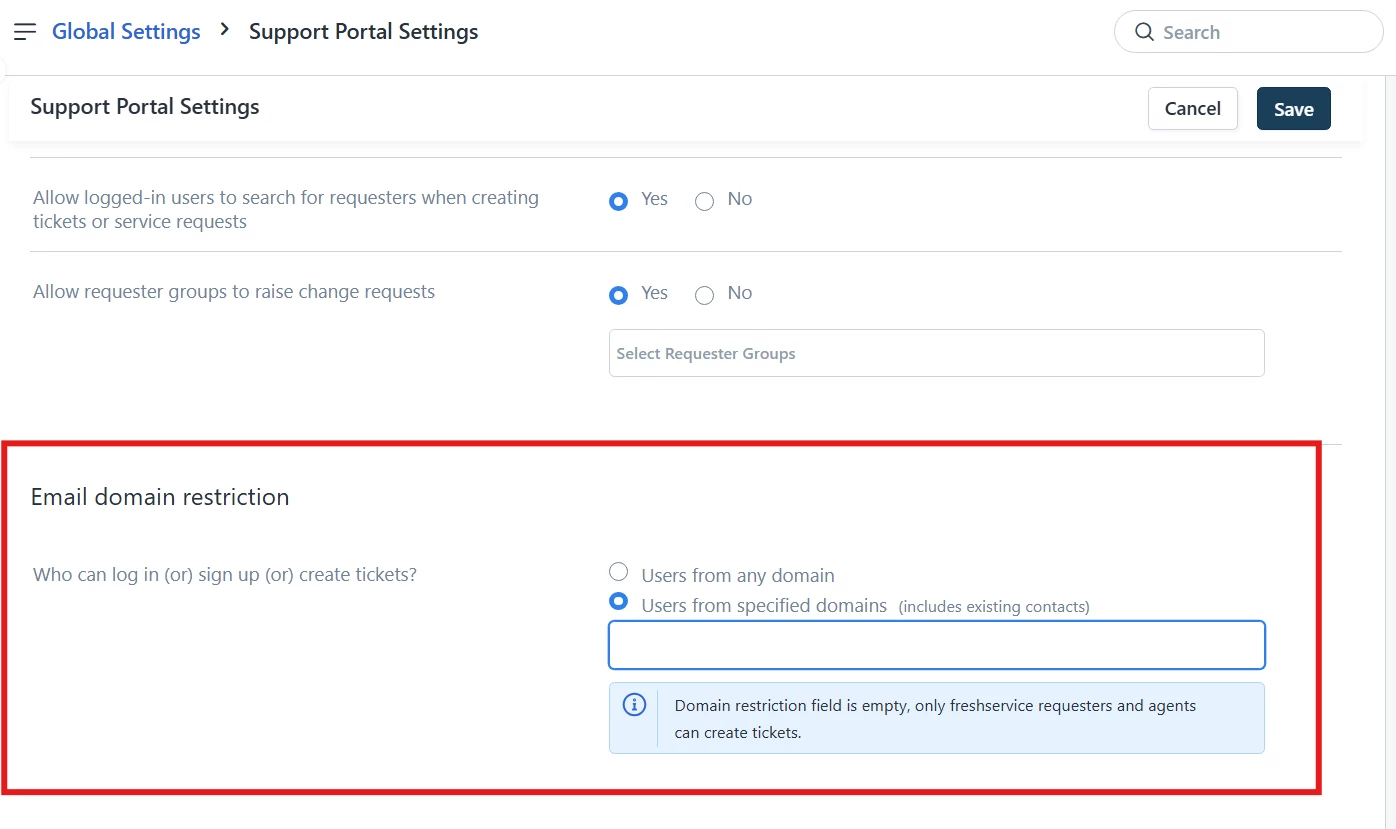
A much easier, long-term solution would be to restrict such users from creating tickets (which is how they are predominantly added as requesters) by adding only required/approved email domains under Global settings > Support portal settings> Email domain restriction as shown below. This will prevent users with personal email IDs to raise tickets or getting added as requesters.


Forum|alt.badge.img
  • Community Debut
  • January 15, 2026

I don’t do it. 

But, if I were needing to clean up bulk amount of users I would use FreshService API using the PowerShell Module to do it.  

Depending on the business requirements  your mileage will vary.  But for a simple disable or forget using the PowerShell module.  

Create a ‘Data Export’ accessible via API for users over 1 year old . does NOT contain your office/work domain, and hasn’t updated ticket in 9 months. (I kept the default User columns checked.)

Then simply

  1. download/import your csv,
  2. loop through the email addresses and run  Get-FreshServiceRequester with the primary_email filter to get the ‘id’ of the user.
  3. once you have the id run the  Remove-FreshServiceRequester command to either deactivate or forget the user.

If you set it up properly, you can schedule it to run unattended.