Answer

How can I create a ticket or add a note to a ticket with an attachment in Powershell

  • January 25, 2022
  • 8 replies
  • 900 views

Forum|alt.badge.img

Hello dear reader,

I hope you are well and safe

I am trying to add a note to a ticket with an attachment in Powershell but I always receive a 400 HTTP code (bad request)

I’ve already used a lot FreshService’s API and I always managed to make it work (adding note without attachment, creating service requests...).
But this time, attachments are really making me struggling a lot.

I’ve never send an attachment through an API (FreshService or something else) in any programming languages.
I’ve some problem understanding what should I send (type of object ?, path of the file ?, bytesof the files ?) in the body so FreshService’s API can recognize my file and I even tried to achieve that with other method (such as cURL) but I always failed.

If you have any tips or PowerShell code sample to help me, it would be very cool from you 


Have a great day and stay safe

Regards

Lucas

Best answer by sanofar.allahpichai

Hi@Lucas,


Here is how you can create a ticket in Freshservice with an attachment:

https://api.freshservice.com/#create_ticket

Sample cURL:

curl -v -u user@yourcompany.com:test -F 'attachments[]=@/Users/user/Desktop/api_attach.png' -F 'subject=Support Needed...' -F 'description=Details about the issue...' -F 'email=tom@outerspace.com' -F 'priority=1' -F 'status=2' -X POST 'https://domain.freshservice.com/api/v2/tickets'

Please follow the guidelines listed below:

  • Only files on your local machine can be attached using API.

  • The Content-Type should always be multipart/form-data for create/update requests with attachments.

  • The name of the file is preserved after it is attached i.e the filename sent in the response will be the same as the one in the request

https://api.freshservice.com/#attachments


We hope this helps!

Regards,
Sanofar
Team Freshservice


8 replies

zachary.king
Top Contributor ⭐
Forum|alt.badge.img+16
  • Top Contributor ⭐
  • January 31, 2022

Hello @Lucas, I would suggest dropping your question in the developer community at https://community.developers.freshworks.com/. I am sure you will find a solution to your issue.

-Zach


Forum|alt.badge.img
  • Author
  • Apprentice
  • February 7, 2022

Hello Zach,

Thank you for your answer
I’ll go ahead and follow your tips
I’ll keep this thread updated if I have an helpful answer from the devs

Lucas


Forum|alt.badge.img+6

Hi@Lucas,


Here is how you can create a ticket in Freshservice with an attachment:

https://api.freshservice.com/#create_ticket

Sample cURL:

curl -v -u user@yourcompany.com:test -F 'attachments[]=@/Users/user/Desktop/api_attach.png' -F 'subject=Support Needed...' -F 'description=Details about the issue...' -F 'email=tom@outerspace.com' -F 'priority=1' -F 'status=2' -X POST 'https://domain.freshservice.com/api/v2/tickets'

Please follow the guidelines listed below:

  • Only files on your local machine can be attached using API.

  • The Content-Type should always be multipart/form-data for create/update requests with attachments.

  • The name of the file is preserved after it is attached i.e the filename sent in the response will be the same as the one in the request

https://api.freshservice.com/#attachments


We hope this helps!

Regards,
Sanofar
Team Freshservice


Forum|alt.badge.img
  • Author
  • Apprentice
  • March 10, 2022

Hello Sanofar,

Sorry for the delay I was out of office


Unfortunately I am using not using cURL but PowerShell.

However I am unable to translate this cURL sample code into PowerShell working code.
I tried but I am missing something but I can’t find out what …


Anyway thank you for trying to help me


Regards,
Lucas


Manoj Dhadke
Community Debut
  • Community Debut
  • June 21, 2022

Hello,

Please find Powershell version of above command

$headers = New-Object "System.Collections.Generic.Dictionary[[String],[String]]"
$headers.Add("Authorization", "Basic <BASE64 Encoded Api Key>")

$multipartContent = [System.Net.Http.MultipartFormDataContent]::new()
$multipartFile = '/Users/manojdhadke/Downloads/Temp Download/sample.json'
$FileStream = [System.IO.FileStream]::new($multipartFile, [System.IO.FileMode]::Open)
$fileHeader = [System.Net.Http.Headers.ContentDispositionHeaderValue]::new("form-data")
$fileHeader.Name = "attachments[]"
$fileHeader.FileName = "sample.json"
$fileContent = [System.Net.Http.StreamContent]::new($FileStream)
$fileContent.Headers.ContentDisposition = $fileHeader
$multipartContent.Add($fileContent)

$stringHeader = [System.Net.Http.Headers.ContentDispositionHeaderValue]::new("form-data")
$stringHeader.Name = "body"
$stringContent = [System.Net.Http.StringContent]::new("Note content")
$stringContent.Headers.ContentDisposition = $stringHeader
$multipartContent.Add($stringContent)

$stringHeader = [System.Net.Http.Headers.ContentDispositionHeaderValue]::new("form-data")
$stringHeader.Name = "private"
$stringContent = [System.Net.Http.StringContent]::new("true")
$stringContent.Headers.ContentDisposition = $stringHeader
$multipartContent.Add($stringContent)

$body = $multipartContent

$response = Invoke-RestMethod 'https://<freshservice domain>/api/v2/tickets/<ticket_nemuric_id>/notes' -Method 'POST' -Headers $headers -Body $body
$response | ConvertTo-Json


Note: Make required changes as per need


  • Apprentice
  • August 1, 2022

Hello,

I tried the same as Lucas. Unfortunately with no success.
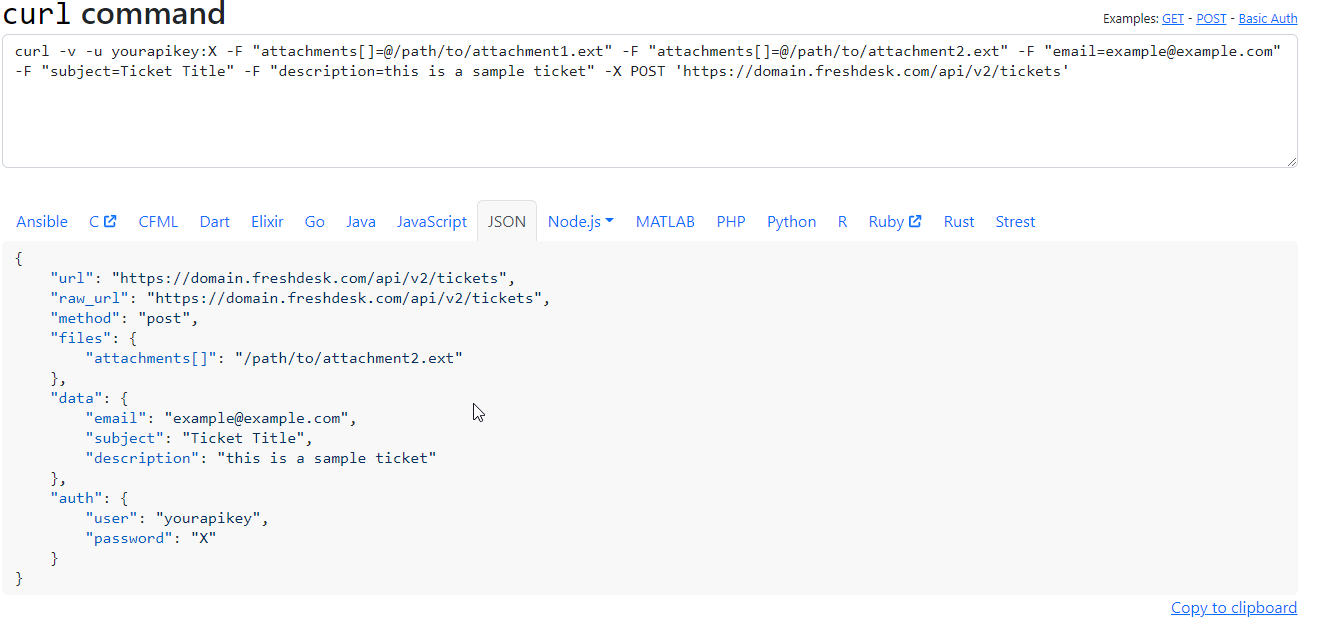
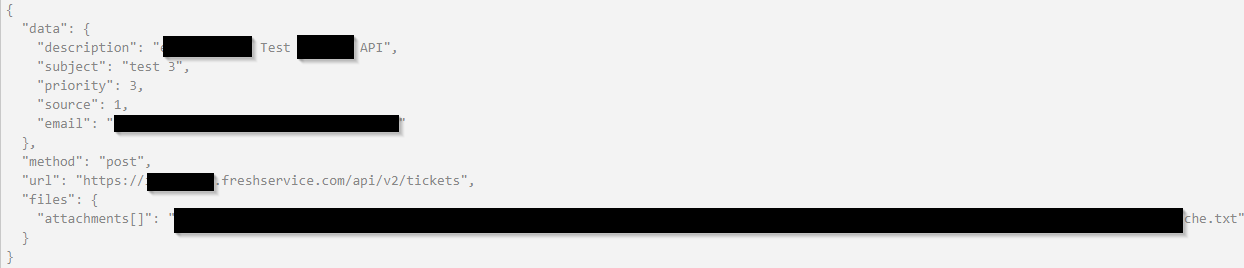
After converting the curl-expressing into an JSON and building this in PowerShell I get following error message. 

Can you help?


Manoj Dhadke
Community Debut
  • Community Debut
  • August 5, 2022

Hello,

If you see response closely, you get an idea. It says you must provide at least one required input like email, phone or … 

Please recheck if email is correctly passed in the request.


  • Apprentice
  • August 5, 2022

Hi Manoj,


as you can see email is provided.(Last tag in data array)
The provided email is a known FS mail adress. By using a curl expressing (without an attachment) a ticket is created. Working fine at Linux but not  by using PowerShell at Windows.


Cheers