Answer

how to build custom forms

  • November 30, 2021
  • 6 replies
  • 616 views

vijay_2am
Skilled Expert
Forum|alt.badge.img+6

@All,


How can create a custom regular forms in Freshservice.

When i say custom forms, its not related to Service Catalgs.


TIA

Vijay

Best answer by rajagopal.baladhandayutham

@vijay_2am The Custom Objects inside data source will be available only when you have created a custom object which has its data source configured as a Lookup field

In the above case, I have selected the field type to be as Lookup and hence the field object will be referenced inside a service item as shown below:
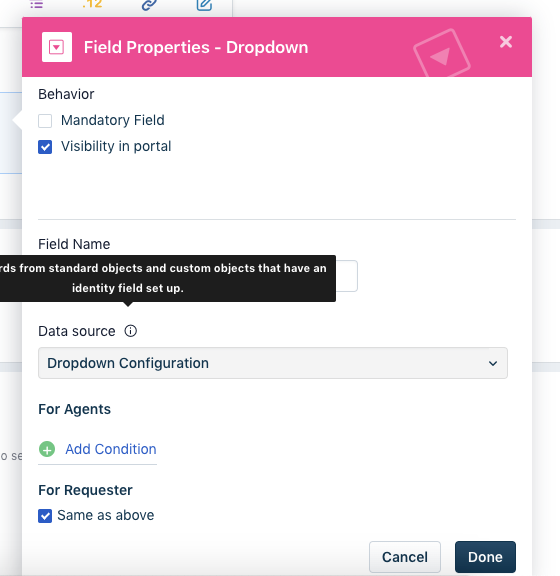
 

For your use case, I recommend we build the custom dropdown on the service item and then reference it inside the custom object by selecting the corresponding data source. Building the values fromc custom objects would not be visible on the options as explained above.

Thanks.

6 replies

rajagopal.baladhandayutham
Community Manager
Forum|alt.badge.img+6

Hi @vijay_2am ,

Can you share us an example use case you are trying to achieve using custom forms? In Freshservice, currently we only have the option to build out a ticket form or a service catalog. In the ticket forms, if you wish to have different form options available based on specific conditions, you can make use of the Business rules or the Dynamic sections feature available.

Thanks,

Rajagopal

Team Freshservice


vijay_2am
Skilled Expert
Forum|alt.badge.img+6
  • Author
  • Skilled Expert
  • December 2, 2021

Hello @rajagopal.baladhandayutham ,


My use case is, i am building a service item with a drop down field. in that drop i want to have a values from my custom table. 


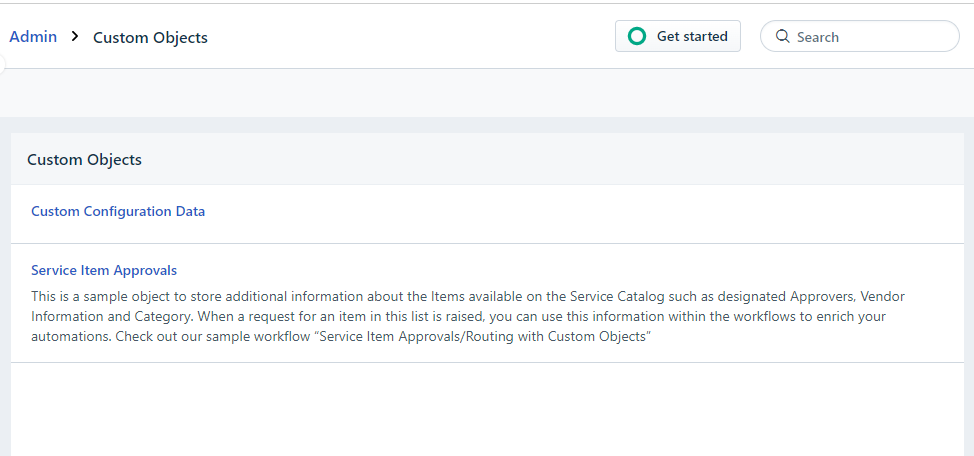
The custom table i have created is “ Custom Configuration Data”


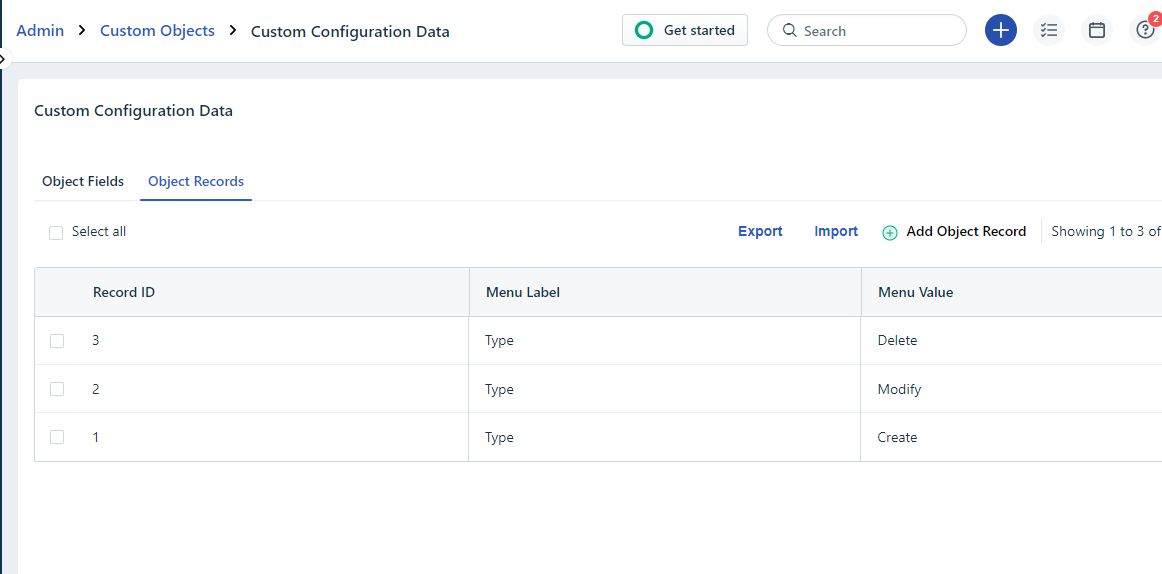
I have few records on this table


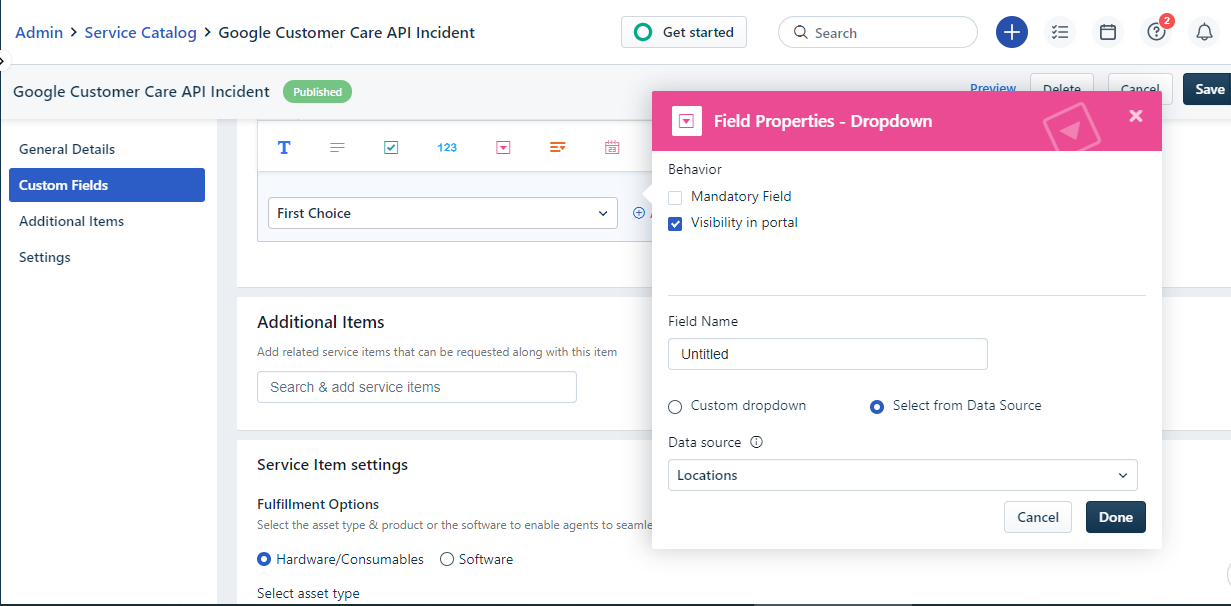
I want these values to be shown in the drop down field which i will add in the service item as below


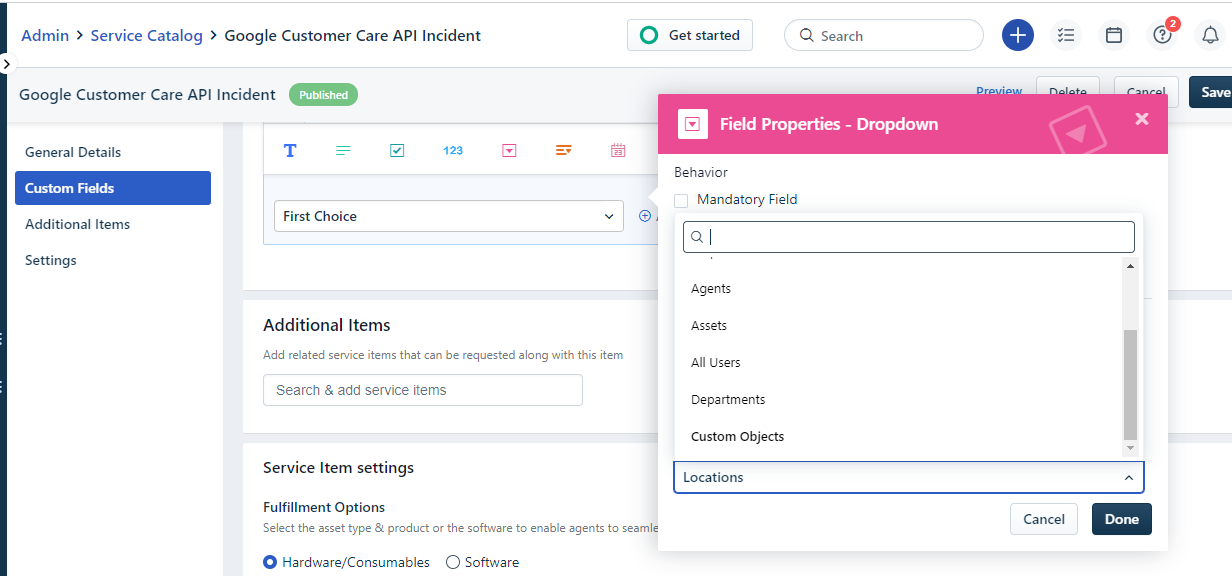
instead of contant values, i select data source. in data source locations i should be able to see the custom object i created “Custom Configuration Data” but i am not able to see it.


hope these details help.


Thanks

Vijay


vijay_2am
Skilled Expert
Forum|alt.badge.img+6
  • Author
  • Skilled Expert
  • December 3, 2021

@rajagopal.baladhandayutham 


Any further updates on this?


rajagopal.baladhandayutham
Community Manager
Forum|alt.badge.img+6

@vijay_2am The Custom Objects inside data source will be available only when you have created a custom object which has its data source configured as a Lookup field

In the above case, I have selected the field type to be as Lookup and hence the field object will be referenced inside a service item as shown below:


For your use case, I recommend we build the custom dropdown on the service item and then reference it inside the custom object by selecting the corresponding data source. Building the values fromc custom objects would not be visible on the options as explained above.

Thanks.


Bewitchingmaker1
Contributor
Forum|alt.badge.img+1

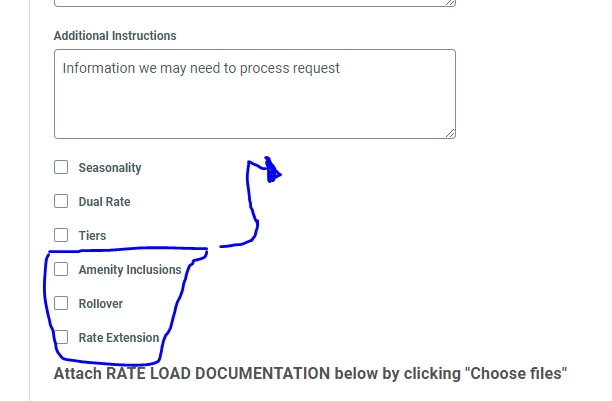
I would love to be able to customize the form appearance. For example, we have 6 checkboxes I would like them to show up in 2 columns. Is this possible?


vijay_2am
Skilled Expert
Forum|alt.badge.img+6
  • Author
  • Skilled Expert
  • December 10, 2021

Hello,


I guess that is not possible as of now for the custom fields, but i see this is available for the out of the box field.

Hope it will be available in the future.