



Question

How to install MS teams Collaboration

  • August 21, 2023
  • 2 replies
  • 35 views

Forum|alt.badge.img+5

Hi there,

who knows what MS Teams permissions in a M365 tenent the Freshservice MS teams Collboartion requires to initialize?

after Clicking Install a MS login prompt appears telling me to have an Admin privilege missing: 
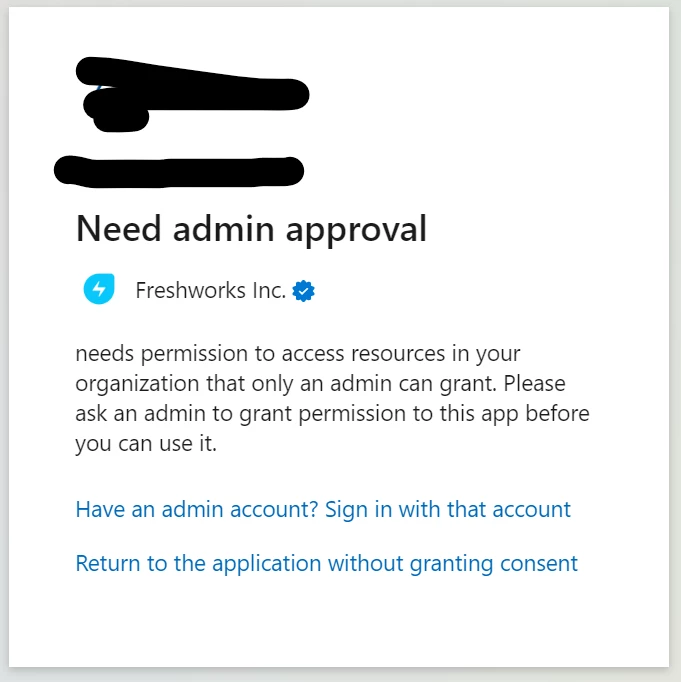

please advise what permissions the user needs to have in Azure? 
is there some Manual on how to setup the azure side for this?

thanks,

 stague71

 

2 replies

Forum|alt.badge.img+5
  • Author
  • Skilled Expert
  • August 21, 2023

Is it possible to get any more narrowed down - since we do not want to do all with Global Admin) what admin permissions are required? In Azure there are 50+ admin roles possible. to me “Cloud Application Administrator” seems the best guess.


eeha0120
Top Contributor ⭐
Forum|alt.badge.img+12
  • Top Contributor ⭐
  • August 21, 2023

Is it possible to get any more narrowed down - since we do not want to do all with Global Admin) what admin permissions are required? In Azure there are 50+ admin roles possible. to me “Cloud Application Administrator” seems the best guess.

Hi.

Just to clarify a little bit this:

This is required only for enabling the feature. It won't be used anywhere else.

The guide, on FS side, would be:

https://support.freshservice.com/en/support/solutions/articles/50000006387-collaboration-on-tickets-ms-teams


As suggested, you may also request further information in a support ticket: support@freshservice.com


Hope this helps.


Regards,

