
Question

MSP Mode Email Notifications - Portal URL, Signature, Logo

  • August 27, 2022
  • 3 replies
  • 77 views

jeffh77
Apprentice

We recently switched our account to MSP mode to bring our sister company onto Freshservice.  After creating a new portal for them, any email notifications sent to Requestors from the new portal (new Company) have our original URL and company and not that of our sister company.


How can the {{ticket.url}}, {{helpdesk_name} and Email From display name be setup to match the portal that relates to the ticket?


3 replies

Forum|alt.badge.img+3
  • Contributor
  • January 13, 2023

Also wondering the same thing.


If one were to create separate portals for each customer, but the ticket URLs are all the default one, it defeats the purpose a bit.


Forum|alt.badge.img+6
  • Community Debut
  • January 13, 2023

Hello @jeffh77 and @LukeAC 

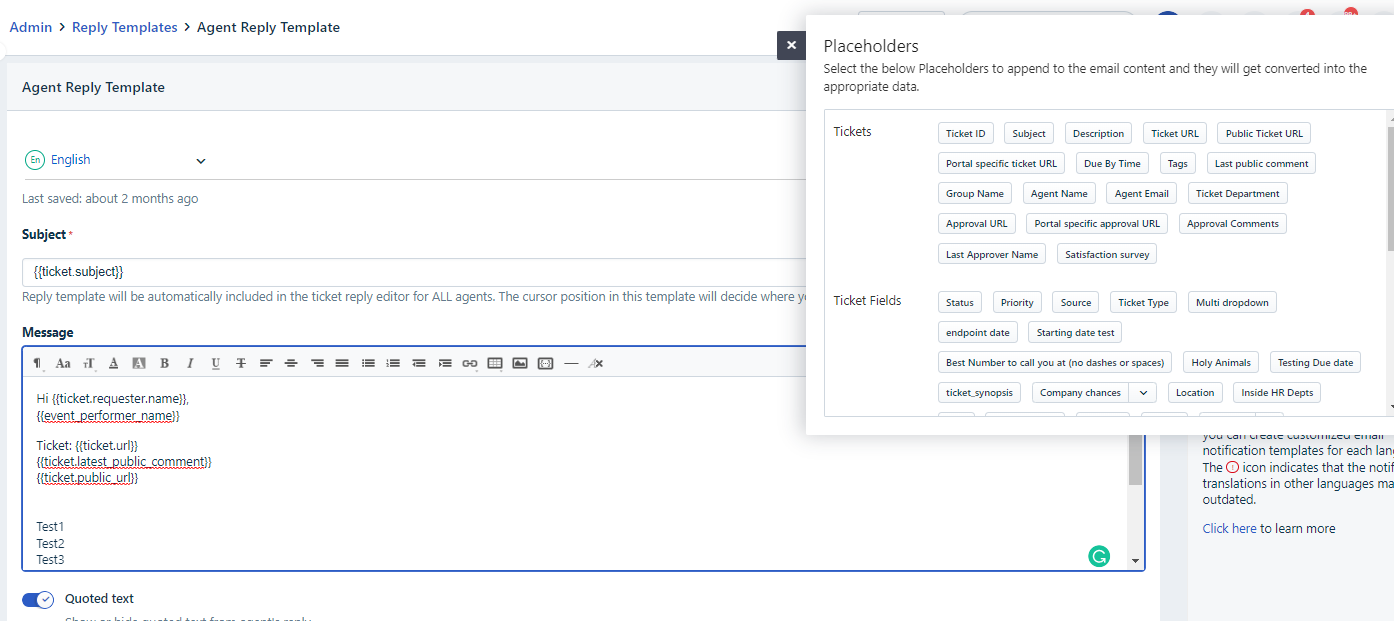
If you navigate to Admin-->Email Notifications-->Agent Reply Template:

You can see Portal specific Ticket URL in the Insert Placeholders.


However, I’m unsure if the behavior for the Helpdesk Name applies to Single Account MSP.

Hope this helps!


Forum|alt.badge.img+4
  • Skilled Expert
  • March 20, 2024

Also wondering the same thing.


If one were to create separate portals for each customer, but the ticket URLs are all the default one, it defeats the purpose a bit.

We are having the same issue, but sending activation email , we get the default url  to the main portal and as you said it defeats the purpose 😓