Answer

Offboarding module always assigns initiator department (HR)

  • December 6, 2024
  • 6 replies
  • 48 views

Forum|alt.badge.img+5

First noticed this problem in trying to create a simple report to track offboards by department. You can’t currently. For example, you should easily be able to list 10 Sales Offboards, 10 Manufacturing Offboards, etc, but that does not seem to be possible.

After an offboard, we want to create a ticket if Sales or Accounting was chosen as the offboarded user’s department. 


The problem is, the initiator of the offboard (always HR), becomes the ticket’s department, and “Set department as” doesn’t accept a placeholder. Last I heard from FS support, when I’m even able to explain this issue, is that it’s a bug.

Others must need to filter by department - how are you guys doing this?


P.S. I got this working for onboarding by adding a service item, but that functionality doesn’t exist for the offboarding module (there is no ability to add items).


Best answer by Gerald

Response from FS was:


Our engineering team has clarified that the issue reported is a product bug. We aim to implement a fix by 11 December 2024.

6 replies

ITMike
Top Contributor ⭐
Forum|alt.badge.img+9
  • Top Contributor ⭐
  • December 6, 2024

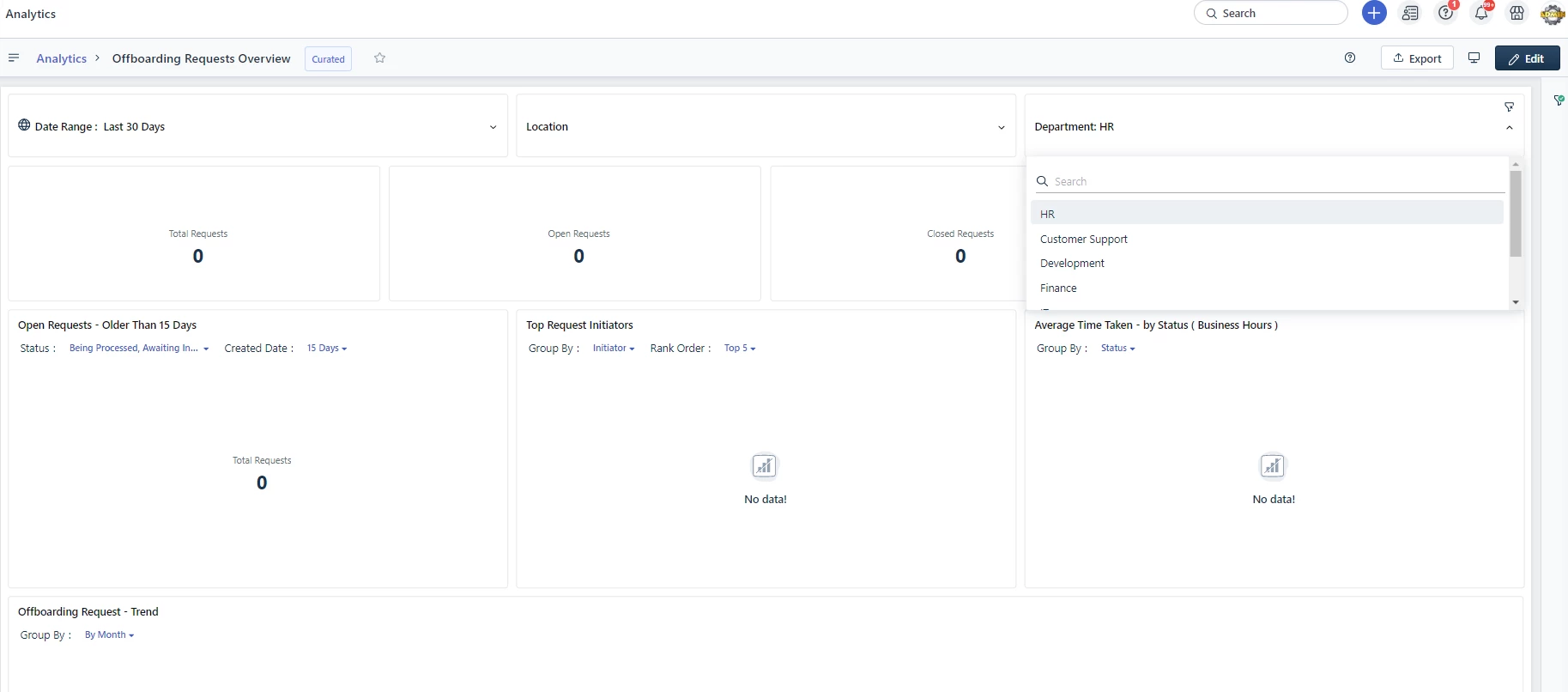
@Gerald if you go to analytics and use the curated report it has a department indicator on there.  We don’t use departments in our environment so I’m not sure if it is showing the originator department or the requesteds offboarding department, but it is a good place to look.  Let me know if that's what would help you so that I also have a better understanding of what it does.


Forum|alt.badge.img+5
  • Author
  • Top Contributor ⭐
  • December 6, 2024

Hi ITMike, 


It’s funny you say that, because you’ll notice in that curated report you cannot sort by Department. You probably can’t tell if you don’t use departments, but using their premade widget and curated report won’t work, either. I was on with a FS engineer who said the same thing and it’s evidently a bug which they asked me to submit - they need many people to submit to fix it I guess.

That’s how I first noticed it. Employee Offboarding also only shows as “offboarding,” which showed in the dev’s environment as well. 


Forum|alt.badge.img+5
  • Author
  • Top Contributor ⭐
  • Answer
  • December 7, 2024

Response from FS was:


Our engineering team has clarified that the issue reported is a product bug. We aim to implement a fix by 11 December 2024.


Forum|alt.badge.img+1
  • December 8, 2024

How can we create a report to track offboards by department, showing counts like 10 for Sales or Manufacturing, and automatically generate a ticket if the offboarded user belongs to Sales or Accounting?


Forum|alt.badge.img+5
  • Author
  • Top Contributor ⭐
  • December 9, 2024

How can we create a report to track offboards by department, showing counts like 10 for Sales or Manufacturing, and automatically generate a ticket if the offboarded user belongs to Sales or Accounting?

The problem is you can’t sort by Department. There was a sort of roundabout way to do it using all tickets rather than their built in widget of offboard and onboards, but I don’t recall now.


lewis0932
Community Debut
  • Community Debut
  • December 14, 2024

Why does the Offboarding module always assign the initiator department as HR? Can this behavior be customized or changed to reflect the actual initiating department?