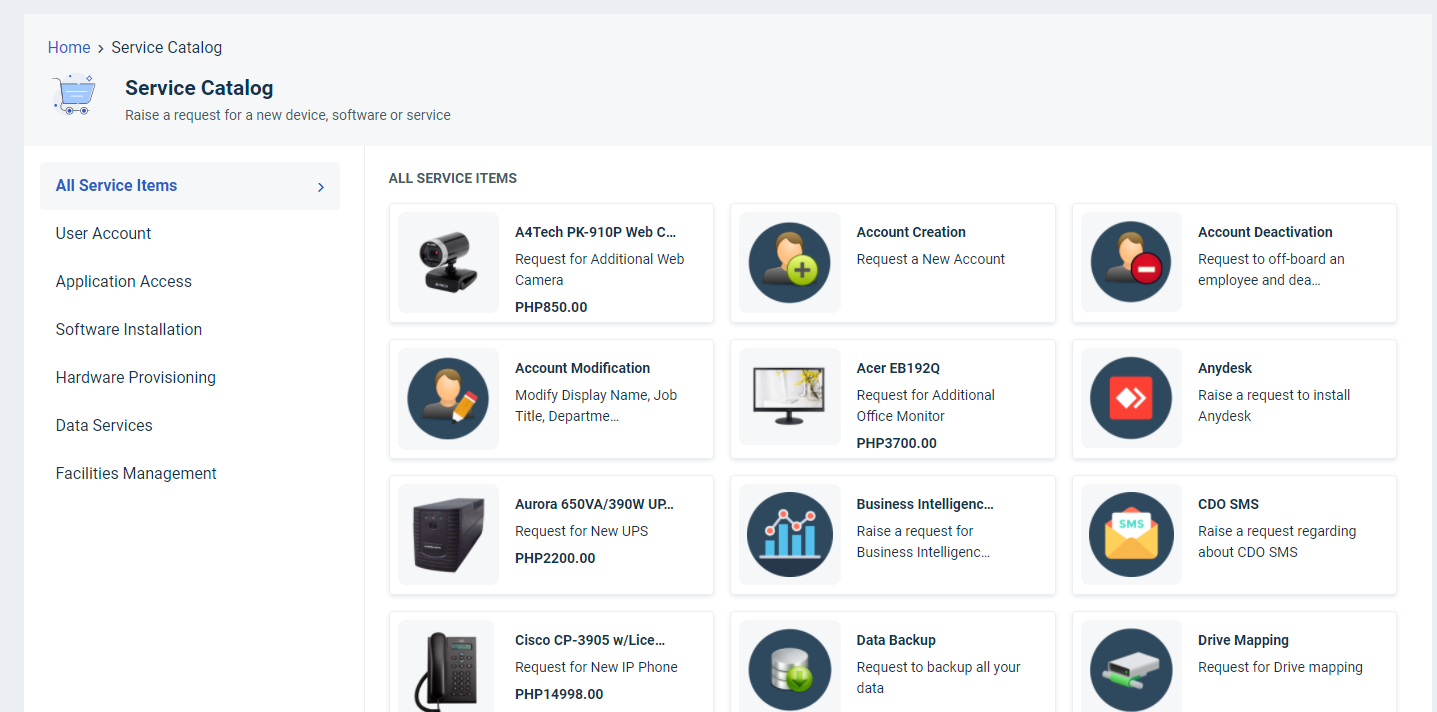
Please add the following code to the portal to hide All services and to direct it to a service category by default.
Pre-requisites: Fetch the URL of the landing category page. (click on the category to fetch the URL)
Example: /support/catalog/items?category_id=19000101426
Note: The category ID is unique for every account. Kindly do not use the example provided.
Add this code in Admin > Helpdesk Rebranding > Customize Portal > Stylesheet
#categories-list > li:nth-child(1){
visibility: hidden;
}
Add the following code in the layout and pages > Footer
<script>
 CARDS.map(function (card) {
   if (card.url == '/support/catalog/items') {
     card.url    = "<NEW URL>";
   }
 });
 jQuery(document).ready(function(){
 jQuery("a[href='/support/catalog/items']").attr('href', '<NEW URL>');
 });
</script>
Replace <NEW URL> with the Landing page URL (refer to the example above).