View More Issue

  • April 24, 2020
  • 2 replies
  • 20 views

Hello. Is there a way to turn off the View More option in Service Request forms? It is impeding communication with the customer. It is more effective to not hide descriptive information and make the information accessible and easier for the customer to read. (In other words, many overlook the "View More", don't receive the information. Why hide it?

2 replies

Forum|alt.badge.img+6

Hi Donna,


We can help you remove the ‘View More’ option from the service item forms in the requester portal such that the description is expanded by default as you require. This can be done via Portal Customization feature which is available in Estate and Forest plan.


Here is how you can disable the ‘View More’ toggle:


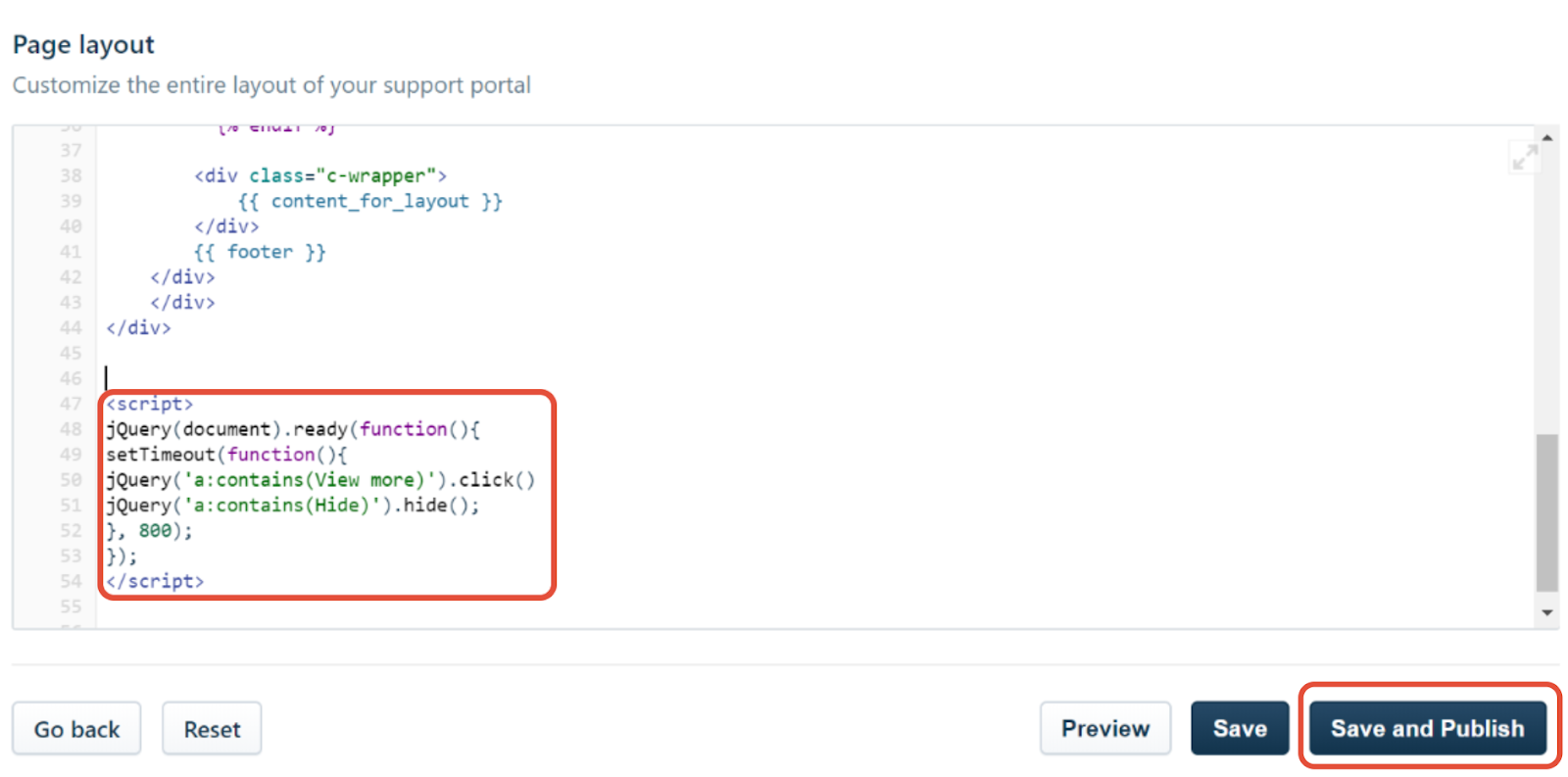
Step 1: Navigate to Admin >> Helpdesk Rebranding >> Customize Portal Layout & pages >> Portal Layout


Step 2: Paste the below code snippet at the bottom of the Page Layout section and click on Save and Publish


<script>
jQuery(document).ready(function(){
setTimeout(function(){
jQuery('a:contains(View more)').click()
jQuery('a:contains(Hide)').hide();
}, 800);
});
</script>


We hope this helps.


Regards,

Sanofar


  • Author
  • Contributor
  • April 24, 2020

PERFECT! This made our day. Thank you so much!


Be well, be safe.


-Donna