Closed for Voting

Can't edit font on reply

Related products:Freshdesk
  • January 16, 2019
  • 9 replies
  • 41 views

We can't edit font size from the reply in the ticket

Really bothering the clients and the agents


Please assist

Thank you

Avital

9 replies

  • Apprentice
  • February 6, 2019

I agree and it really a pain.

Specially when you need to polish your email to make it look professional.

The CLEAR FORMATTING options does not work at all, maybe only on text you just type


@FreshWorks, please assist and do something about it.


Thanks.


Nadeem


I agree, the font options are too limited and make it hard to write a structured mail.


Forum|alt.badge.img+7
  • Community Manager
  • July 23, 2019

Hello,


@Avital@ServiceDesk

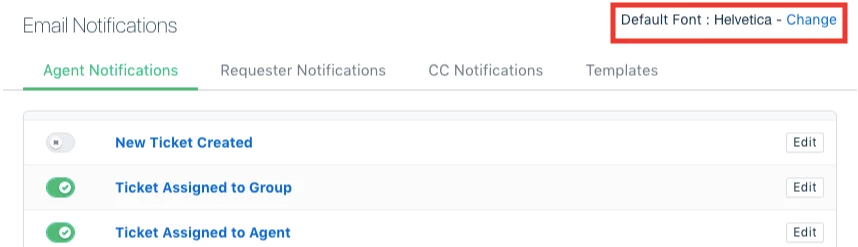
The font for all email notifications and replies can be changed. This font becomes the default font associated with your Freshdesk account. You can find this option under Admin → Email Notification → Change (against Default Font).


The available fonts include Helvetica, Courier New, Garamond, Georgia, and Verdana, among others. As of now, we offer the option to change the font and not their size. We'll definitely look into the option for changing font size.


@Nadeem
I understand that the clear formatting option works on the text that you've typed out. Could you please specify the instances when the option didn't work at all?


Hi Karthik,


Thank you for your response. I was able to change the default font.

Another thing we struggle with, is the spacing in our mails.

We have to send out multiple test mails before implementing a mail notification because it doesn't look the same in the preview/the text as in the final mail.


  • Author
  • Contributor
  • July 23, 2019

@Karthik Kumar


Thank you for your answer,

We know the default reply font option, we are using it

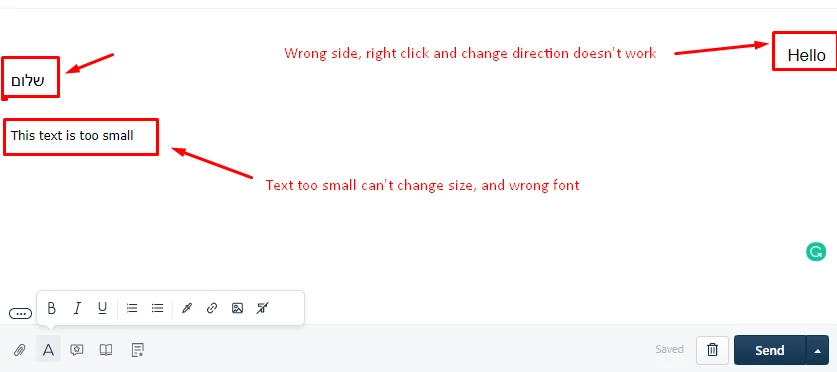
The main issue is that we can't change the font, size, and text-align from the reply pane in the ticket

For example:


image


Thank you,

Avital


Forum|alt.badge.img+7
  • Community Manager
  • July 25, 2019

Hello,


@Yaisa:

Could you please elaborate on the issue that you’re facing with spacing? Which parts of the message change between the preview and the actual mail?


@Avital

We’ve recently rolled out an update for the reply editor which fixes the alignment, especially for RTL languages. Please let us know if this issue persists.


The font size appears different when the text is copy-pasted into the editor. Please try copy-pasting just the text and not the format. This can be achieved by using Ctrl+Shift+V (or Cmd+Shift+V) which pastes the text and not the format. Unfortunately, we don’t have an option to change the font settings from within the reply editor itself. As mentioned earlier, it can only be changed under Admin → Email notifications → Change the default font.


Hi Karthik,


Thank you for your help.

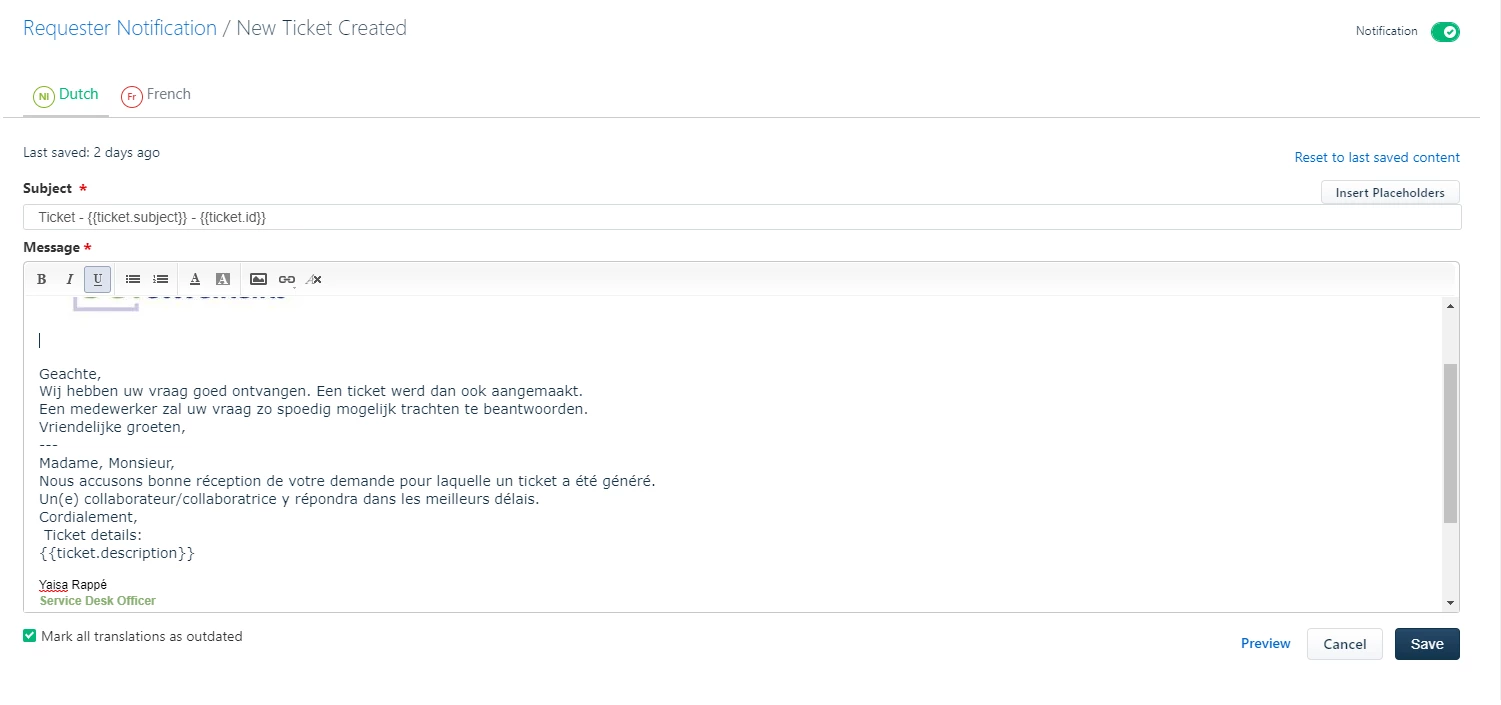
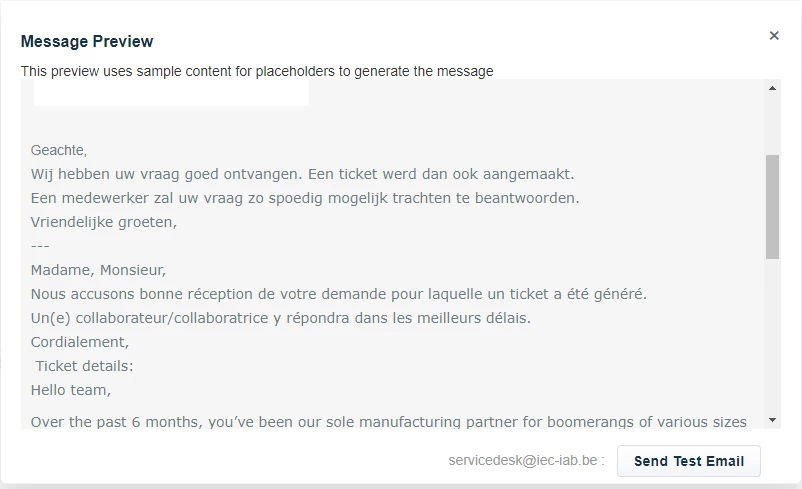
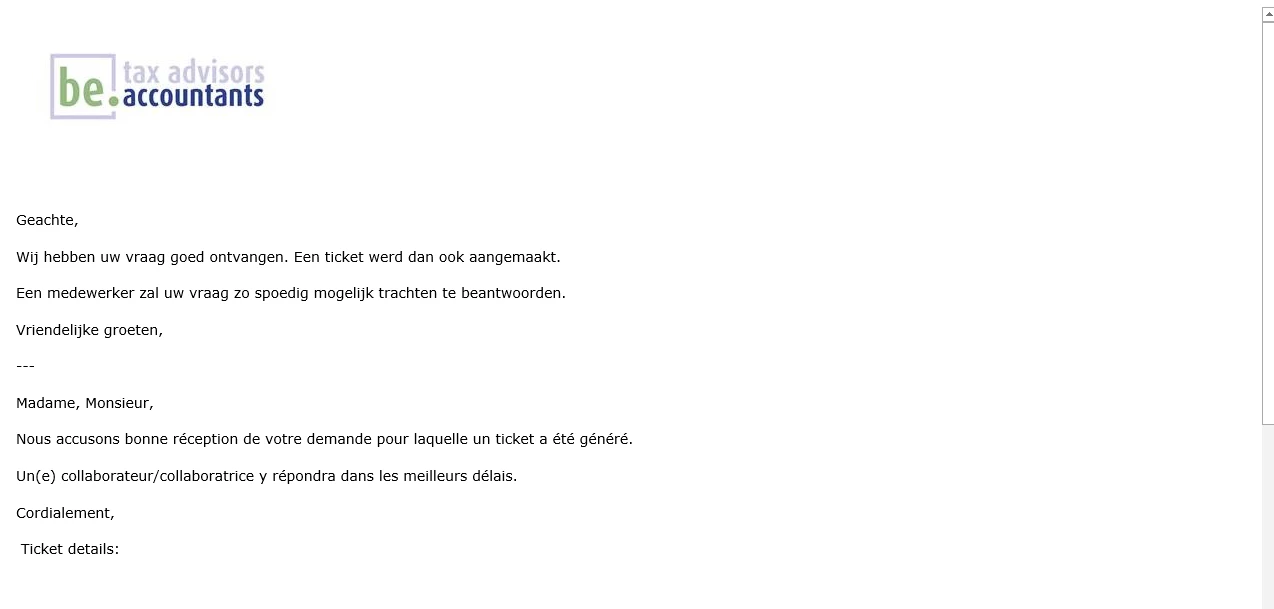
You can clearly see the spacing issue in the automatic mail below.

There's always more spacing in the actual mail then in the preview. 


image

image


image


Hello Yaisa,


Sorry for not being active here. Do you still face this issue? If yes, please drop an email to support@freshdesk.com and one of our support ninjas will get this analyzed further and fixed.


Cheers!


geebranz
  • March 9, 2021

Not really a big of a deal


www.eyelashextensionsfortcollins.com