i’m a total FreskDesk noob - and i’m an intermediate CSS’er.
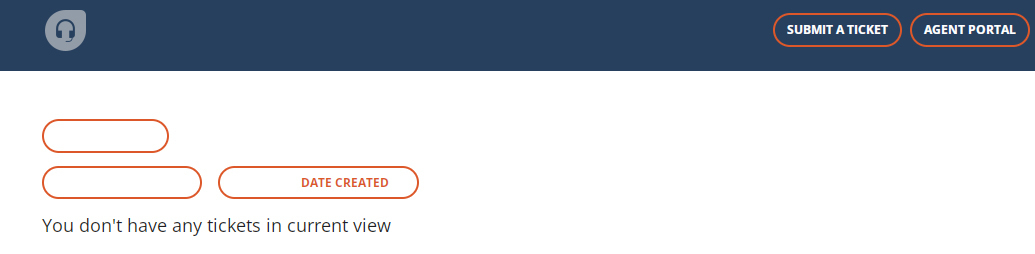
I’ve changed up the header buttons to match a mock up that we’ve done, BUT it’s made other buttons go bad.
Please see the screenshot and let me know if any of you have ever experienced this, and if so, how did you resolve it? Any insight and direction would be super helpful!!
A bit of a time crunch on this one. it’s impacting the usability throughout the site.
I understand you are facing issues with your CSS snippet hindering the usability of the website, I am afraid our scope of support is restricted with regards to the code correction for your elements, you would have to reach out to any third-party developers to have this sorted out.
This apart, please let me know if you have any further queries and I will be happy to help :)
I understand you are facing issues with your CSS snippet hindering the usability of the website, I am afraid our scope of support is restricted with regards to the code correction for your elements, you would have to reach out to any third-party developers to have this sorted out.
This apart, please let me know if you have any further queries and I will be happy to help :)