


Solved

Widget not displaying properly.

  • Jul 24, 2024 11:45 AM UTC
  • 2 replies
  • 91 views

CalinCociubei
Apprentice
Forum|alt.badge.img

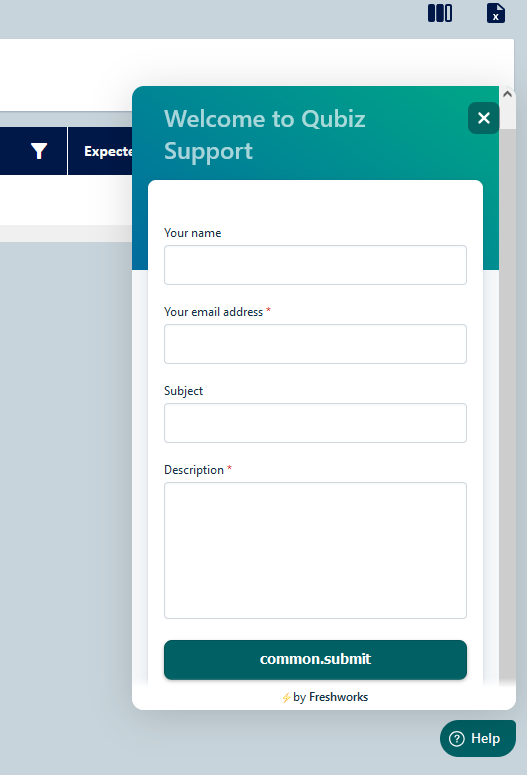
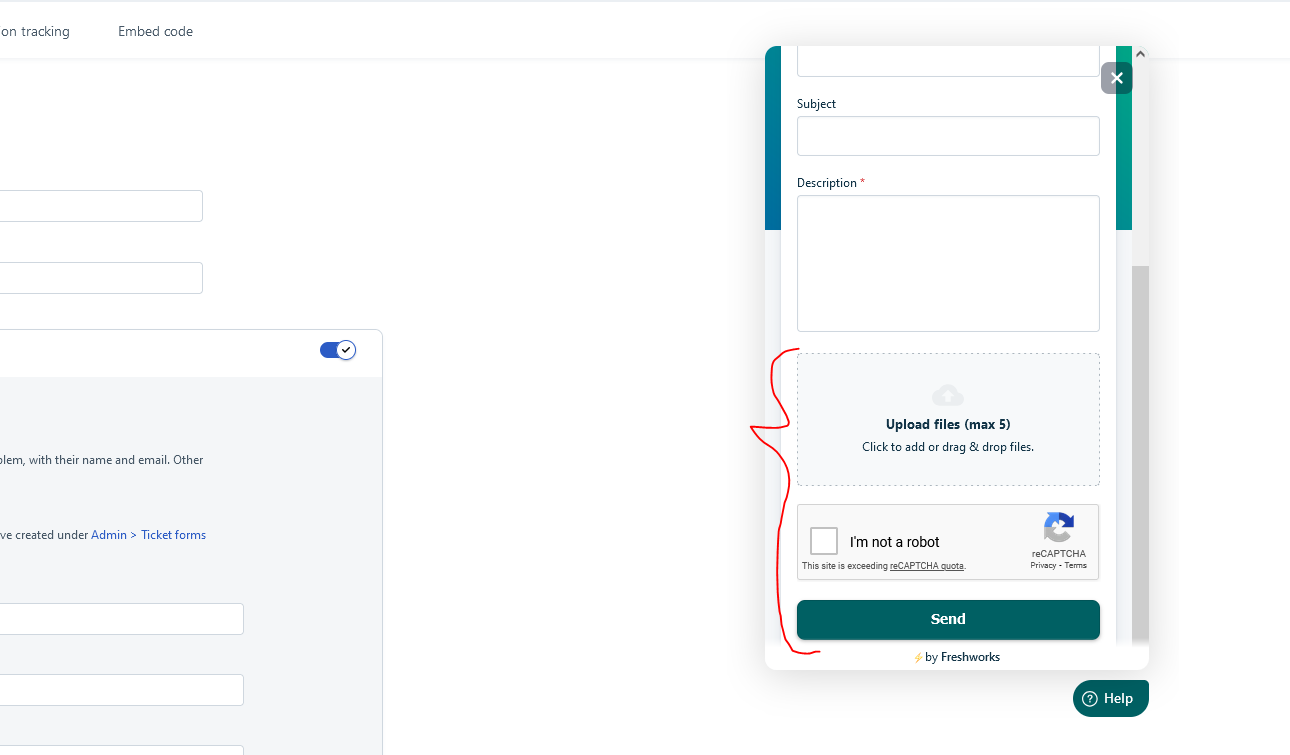
The widget is not showing the attachment box and the Captcha section. Also the button text isn’t saying the correct text.

This is the Not OK version:
 

This is how the widged should look according to the sample.
This is the embeded code for it:
<script>
    window.fwSettings={
    'widget_id':201000001499
    };
    !function(){if("function"!=typeof window.FreshworksWidget){var n=function(){n.q.push(arguments)};n.q=[],window.FreshworksWidget=n}}()
</script>
<script type='text/javascript' src='https://euc-widget.freshworks.com/widgets/201000001499.js' async defer></script>

Best answer by mahendarsingh

Hi Calin,

I hope you are doing well :)

I understand the issue related to widget is fixed post switching to show form with ticket fields options. With simple contact form Your customers can describe the problem, with their name and email. Other ticket fields will not appear.

Feel free to respond to this thread for any queries :)

Thank you

View original

2 replies

CalinCociubei
Apprentice
Forum|alt.badge.img
  • Author
  • Apprentice
  • Jul 30, 2024 10:04 AM UTC

Switched to the ‘ Show form with ticket fields‘ option for contact form and now it is working.


mahendarsingh
Community Manager
Forum|alt.badge.img+9
  • Community Manager
  • Answer
  • Sep 10, 2024 10:31 AM UTC

Hi Calin,

I hope you are doing well :)

I understand the issue related to widget is fixed post switching to show form with ticket fields options. With simple contact form Your customers can describe the problem, with their name and email. Other ticket fields will not appear.

Feel free to respond to this thread for any queries :)

Thank you
