
















Preparing for the Agentic Era: Slot 2
Use the Freshdesk API and webhooks to connect your own systems.
Recently active
Hi folks, I’m Navin, a technical writer here at Freshworks. I’d love for you to join our upcoming Freshdesk Latte & Link—an informal, three-day, text-based conversation, live from November 12 - 14, 2024! It is focused on helping you make the most of Integrations in Freshdesk. This is an opportunity to discuss and learn more about using the different apps you can integrate Freshdesk with to improve your customer experience strategy. We’d love to hear from you, so please send us your queries, and our experts will respond within three days. Topics include navigating the Marketplace, Integration best practices, suggestions/feedback on existing integrations, and new apps you’d like to see in the Marketplace.Whether you're new to Integrations or looking to dive deeper, get the answers you need at your convenience.Here are some of the most commonly installed apps we have recently launched, for which you can raise queries:CRM - Salesforce, Hubspot, and Pipedrive (Connector Apps). These ap
If you’re a Freshdesk admin, support operations lead, or Jira admin responsible for connecting support and development workflows, you’ve probably faced a simple request: “Can we just sync Freshdesk with Jira?” Then the real questions begin.Should every Freshdesk ticket create a Jira work item? Should all comments move across? What happens when support changes the priority in Freshdesk and engineering changes it again in Jira? Should every development status be visible to the support team?These are the decisions that make Freshdesk–Jira integration more complicated than simply connecting two systems.In my previous post here, I looked at the handoff between support teams working in Freshdesk and development teams working in Jira. This time, I want to focus on one of the most practical questions behind that workflow: what information should actually be synchronized between the two platforms?The temptation is to open the field list and start mapping. But more synchronization does not auto
Hello Freshworks Community,We are testing background listener stability and remote webhook payload handling when integrating Freshworks CRM and ticketing API endpoints into automated enterprise systems.Technical Setup: Our integration architecture at Frontline Sales Consultancy (flsc.co.uk) triggers automated B2B notifications and REST API syncs over HTTPS (TLS 1.3). The Issue We're Facing: Under heavy concurrent load spikes, background POST webhook listener sockets occasionally report HTTP 504 gateway timeout responses before acknowledging payload completion. Direct REST API requests to the same remote host resolve normally under 150ms thresholds. Are there recommended network socket keep-alive settings or queue worker retries to prevent connection drops during high-volume data syncs? Any advice on managing asynchronous background worker threads would be appreciated!Thanks!
Is there a way, either natively or via an add on app to allow me to import time entries into Freshdesk?
Hi Freshworks Community!Migrating to Freshdesk can be a huge step forward for your support team—but only if it’s done right. Here are the top 5 migration pitfalls—and what to do instead 👇1️⃣ Migrating without cleaning up old dataThe mistake: Migrating broken, outdated, or half-filled records—spam tickets, soft-deleted contacts, or misconfigured canned responses and automations.Why it hurts: These records can cause migration failures or unexpected results. For example, tickets linked to soft-deleted contacts end up in the Spam folder.How to avoid it:Clean your data before migrating. Reactivating or removing 50–100 records now is far easier than fixing issues across 60,000 later.2️⃣ Not setting up Freshdesk properly firstThe mistake: Starting the migration before Freshdesk is fully configured.Why it hurts: If features like the Help Center, custom fields, agents, or canned responses aren’t set up, that data can’t migrate correctly.How to avoid it:Activate the Help Center (for knowledge b
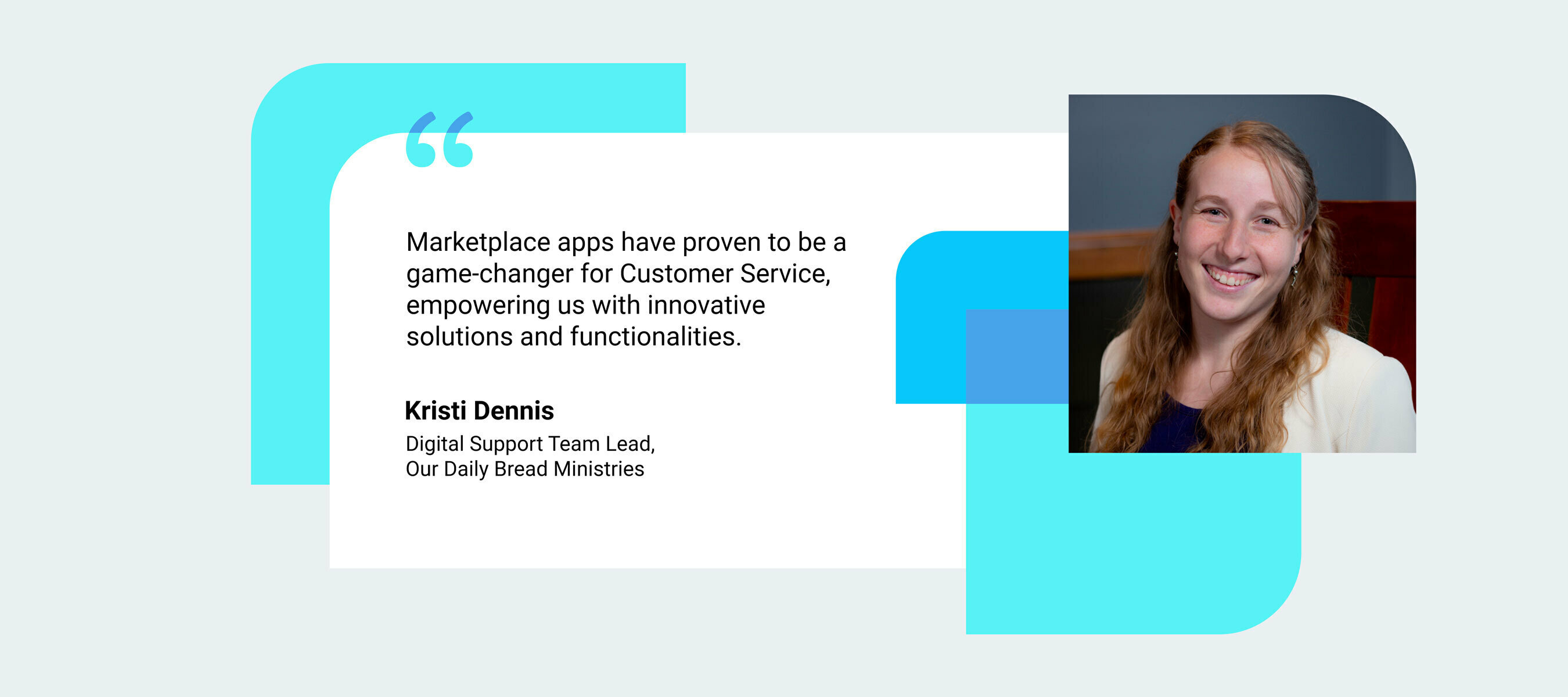
In the latest edition of the ‘Unleashing the Power of Marketplace Apps’ blog series, we are thrilled to share some excerpts from our recent discussion with Kristi Dennis, Digital Support Team Lead at Our Daily Bread Ministries (ODBM) on their usage of Freshworks Marketplace apps. Our Daily Bread Ministries ODBM, founded by Dr. Mart DeHaan in 1938, is a Christian organization based in Grand Rapids, Michigan. The non-profit organization is widely recognized for its production of various devotional publications, with Our Daily Bread being a flagship offering. Optimizing Customer Service Operations To optimize its customer service operations, ODBM relies on Freshdesk as its preferred platform. Additionally, they leverage several marketplace apps to complement Freshdesk's offerings and suit their unique needs. Let's delve into the apps that have proven instrumental in shaping their day-to-day activities. Enhancing Productivity and Efficiency ODBM has always prioritized creating a personal
Hi Freshworks Community! ✋I’m joining the Freshworks Community from Getint, and I wanted to start with a topic that sits right between customer support and development: what happens when a Freshdesk ticket needs to become work for a team using Jira?There’s also a reason for the timing. Our Jira Freshdesk Connector by Getint is now available on the Freshworks Marketplace, so this felt like a good opportunity not only to introduce it, but also to open a broader discussion about how your teams handle this workflow in practice.Connecting the tools is only one part of the story. The more interesting challenge is what happens between the moment a support agent identifies a problem and the moment the development team starts working on it.How much information needs to move? Who owns the issue after escalation? How does support learn that something changed in Jira?These decisions can have a much bigger impact on the workflow than simply creating a connection between the two platforms.The famili
Most Freshdesk migrations don't fail during the data transfer. They fail in the two hours before it starts — missing fields, active automations, agents not set up, no one told about the cutover window. The technical part is straightforward. The preparation is where things go wrong.Here's what to sort out at each stage.Before you start, prepare Freshdesk to receive dataThe most common mistake is connecting your source platform before Freshdesk is ready. If the fields don't exist on the target side, the data has nowhere to go.Create all custom ticket, contact, and company fields in Freshdesk before the migration runs. Missing fields mean silent data loss. Set up all agents and groups, matched to your source platform. Unmatched agents mean unassigned tickets. Activate the Freshdesk Help Center if you're migrating Knowledge Base articles. Only the account owner can do this — it has to happen before the migration, not after. Handle inactive or deleted agents. Tickets assigned to them need r
Hi everyone,I am trying to integrate the Freshchat web widget into a custom HTML5 application for bug reporting and user feedback, but I am running into a CSS/touch-event conflict on mobile viewports.I recently integrated the snippet into hang 5, which is a daily word puzzle web app. The game relies entirely on a custom on-screen keyboard built with CSS grid at the bottom of the screen.The Freshchat bubble sits in the bottom right corner. While the visual bubble itself is small, the invisible iframe container (or the surrounding padding) seems to overlap the "Enter" and "Backspace" keys on my game's keyboard when viewed on iOS Safari and mobile Chrome. This causes players to accidentally open the chat widget when they are just trying to submit a word.Has anyone found a clean way to override the widget's default bounding box or z-index so it strictly wraps the bubble without an invisible overlay? Or is there a custom initialization parameter to add more bottom/right margin specifically
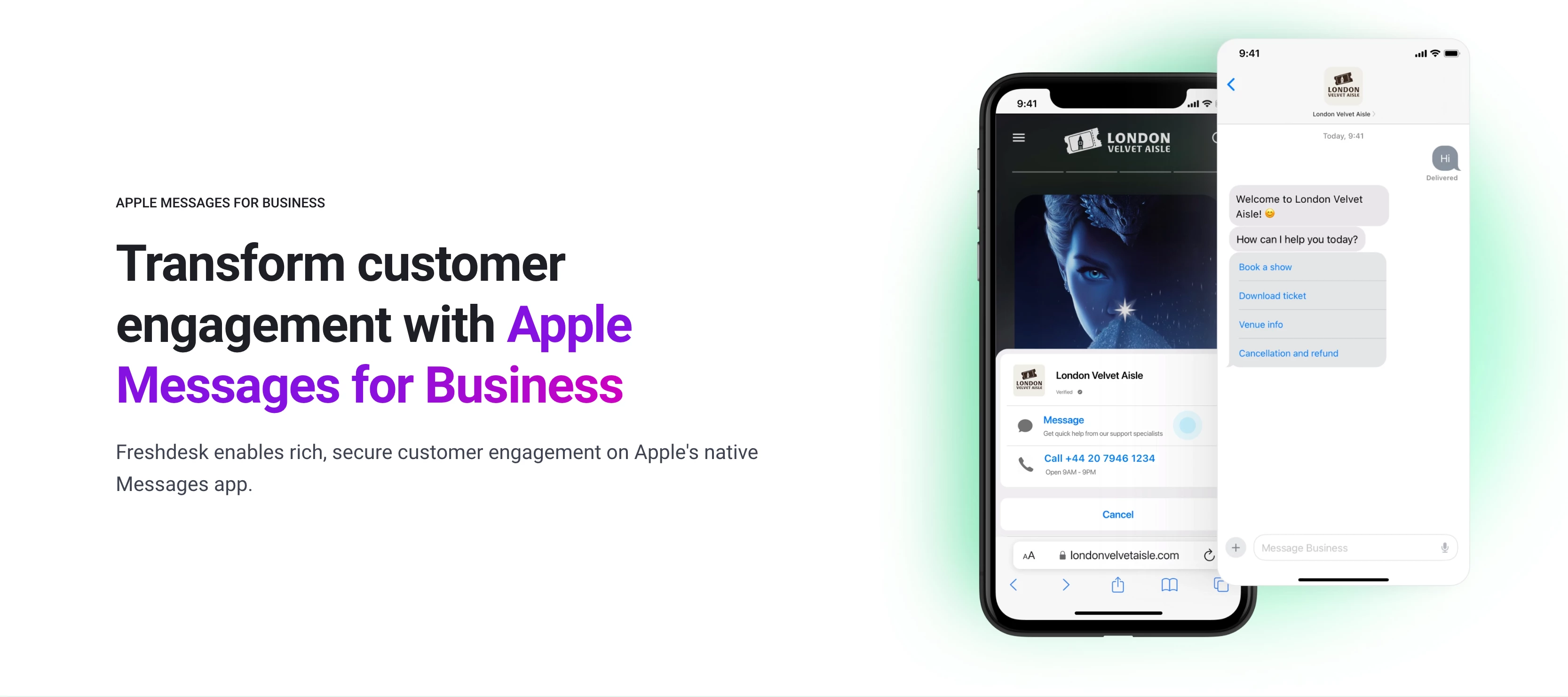
Hello Freshworks Community ! I’m Sanjay Sharma, Product Manager at Freshworks, and I’m excited to share that Apple Messages for Business (AMB) is now part of Freshdesk Omnichannel and Freshchat.Here’s the hard truth: customers don’t care about your “digital transformation roadmap.” They care about getting what they want, when they want it, with zero friction. In a world where attention spans are measured in seconds, every extra click is an invitation for them to take their business elsewhere, so don't force customers to work for you.That’s why Apple Messages for Business (AMB) now lives inside Freshdesk Omnichannel and Freshchat. Why This MattersWith the AMB integration, customers don’t have to dig through your website or download another clunky app to reach out to support. They just open Apple Messages—from Maps, Safari, Siri, wherever they are—and talk to you. Direct. Native. Instant.And for your teams, every conversation—whether it’s sales, support, or booking—drops straight into th
Not all your tickets need to migrate. Filtering lets you move only what matters.Most teams migrate everything by default. Then they spend days after go-live cleaning up resolved tickets from three years ago, closed spam, and test records that never should have moved. Data filtering during migration prevents that.It lets you define exactly which tickets transfer to Freshdesk or Freshservice. Less data means faster migration, a cleaner target system, and less noise for agents from day one.Why filtering mattersMoving all your data sounds safe. It isn't always. Here's what unfiltered migrations lead to:Agents waste time in a cluttered system full of outdated or irrelevant tickets Reporting gets skewed by historical data that no longer reflects current performance Migration takes longer, increasing the window of risk Storage costs in the new system grow from day oneFiltering gives you a cleaner starting point.One important thing to understand firstThe filters available during migration depe
Most enterprise help desk migrations run on standard shared infrastructure. It means multiple organizations, one common environment, data processed in a pool that your security team doesn't control. For enterprises without strict regulatory obligations, that's workable. For those that do, it's a non-starter.Private Cloud Help Desk Migration is built for enterprise teams operating under strict security policies, data residency mandates, or regulatory frameworks that shared infrastructure can't satisfy. If your legal, security, or compliance team needs to sign off on how and where your data is processed during a migration, standard tooling typically can't give them what they need .If your team is asking questions like "where exactly is our data processed during the transfer?" or "can we guarantee it doesn't leave a specific region?" — shared infrastructure doesn't have a satisfying answer. That's the gap Private Cloud Help Desk Migration exists to fill.What actually changes with Private
when I send latest public comment in email, it sends the attachment as hyperlink and not as an attachment which is causing issue of logging in again to freshworks. Can you suggest any way to send comment attachment through API or email?
Did we save the best for the last day of November? Let’s find out.@sukanya.arunachalam, Customer Success Engineer, Freshworks, is all set to take the stage at a special ‘Ask Me Anything’. A little note about our host 💎I got lucky to start and continue my career with a customer-facing job in an expeditiously growing company with over 8 plus years of experience. Starting as a Support Engineer really helped me to shape myself to have a "Customer First" attitude and to become this ardent customer experience representative.Having gained some technical exposure on how SaaS-based products function and have found some success in the areas of Implementation, customer support, framing/coordinating processes, and coaching analysts, I am working on understanding the workflow model of different businesses across SaaS to help offer recommendations which in turn would help deliver better ROI and improve our customers KPI’s! 🎥 Topic: 1. API’s: Overview and capabilities 2. Custom Objects💡 You will
Hello! I am back with another list of tips and tricks for our Super-Agents! We hope these are helpful in making your crucial work just a little bit more efficient. Remove quoted text app:Often, the customer willingly or unwillingly responds to your emails with the quoted text expanded. This causes long ticket threads to appear in your Freshdesk account. The Remove quoted text app will automatically remove the quoted text in the reply of an agent so that you don 't have to worry about it anymore. Attachment manager app:When a ticket has multiple conversations, it is quite tedious for the agents to go through every conversation and access attachments associated with it. In such cases, the attachment manager app allows you to organize all your ticket attachments, access them from a common location and download all the attachments in a single click. Reassign previous agent app: Consider a scenario where a ticket comes in and the agent working on it decides to assign it to another ag
Using: /api/v2/search/tickets?query=[query]:The official FreshDesk docs provide this limitation: "The number of objects returned per page is 30; also, the total count of the results will be returned along with the result" and "To scroll through the pages, add page parameter to the URL. The page number starts with 1 and should not exceed 10." This implies that I can only account for a maximum of 300 objects (tickets). What if I have more than 300 objects to account for in a specified interval, say within an hour?The ‘created_at’ parameter is strictly a date datatype (YYYY-MM-DD), so I cannot partition the data according to hours, which would otherwise have been a solution that circumvents the pagination limitation. Using: /api/v2/tickets?:Another significant limitation is the ‘updated_since’ parameter. It only applies to tickets that have been updated at least once during their lifespan. Tickets that are not updated will not appear in the API response, further restricting the data that
Hi Freshworks Community!Your help desk migration has a blind spot. Every ticket is updated as the data transfers.Businesses lost $3 billion globally in 2025 from poor customer experiences. A migration that drops active tickets contributes directly to that number.The standard approach: freeze ticket activity, move the data, resume work. Tickets still arrive during that window. Agents can't respond. A backlog forms fast, and when migration finishes, updates get missed, conversations get crossed, and SLAs break.Delta migration solves this. It captures every ticket created or updated after your full data migration began, and transfers them to the target system. Your team keeps working on the source the entire time.Why Delta migration matters for live support teamsIt's the right fit when:Ticket volume is high — even a short freeze creates a backlog Your team spans time zones — there's no clean window to pause global support SLA commitments are strict — paused activity triggers escalations f
It appears that recently all of our Freshdesk tickets linked to a case in Jira using the Atlassian Jira Plus are not showing anymore the links to Jira cases. It shows this instead Before, when we click on the “Atlassian Jira Plus” icon integration, it showed the Jira’s ticket link. Not sure what could have happened. Is anyone having the same issues? How can we solve this to see again our Jira’s linked tickets in Freshdesk? Thanks
Managing support via Gmail or other shared inboxes works—until it doesn’t. As requests grow, teams face scattered conversations, a lack of ownership, and limited reporting. That’s where Freshdesk makes a difference with structured ticketing, automation, SLAs, and analytics.So, how do you move your data from Gmail to Freshdesk without losing context?Why migrate from Gmail to FreshdeskSwitching isn’t just about tools—it’s about scaling support:Centralized ticketing: No more lost or duplicated emails Clear ownership: Assign agents and track accountability Automation: Route, prioritize, and respond faster Reporting: Measure performance with built-in analytics Customer context: Keep full conversation history in one placeManual migration: Gmail → CSV → FreshdeskWith manual methods, CSV acts as the bridge between Gmail and Freshdesk.Typical flow:Export Gmail emails (via Google Takeout or Data Export) Convert/export data into CSV format Import CSV into FreshdeskThis approach works, but it come
Moving to Freshdesk or Freshservice? Preserve ticket structure, workflows, and automation with accurate data mapping. Your new system runs like your old one—no downtime, no broken processes.Why data mapping mattersProper mapping is crucial for a smooth help desk migration. It ensures data lands correctly, preserving ticket structure and workflows. Key benefits:Protects ticket context, history, and attachments Maintains workflows and automation Keeps required fields accurate Reduces errors in ticket handling Preserves reporting and SLA trackingWhat can be mapped?Field mapping is available for:Freshdesk: tickets, customers (contacts), organizations Freshservice: incidents, problems, changes, customers, organizationsYou can map both default fields and custom fields.Understanding default, system, and custom fieldsFields in Freshdesk and Freshservice fall into three categories:System FieldsExamples: Subject, Tags, Organization, Group, CC, Assignee, Contact, Comments, Created date, Updated d
Hi,I realize this question is better posted to the FreshservicePS Slack channel, but I haven’t received a response in that forum so I’m trying my luck here.I’m using the FreshservicePS PowerShell module and have a question regarding the data retrieved with Get-FreshServiceTicket. I have a ticket that was created from a Service Catalog form, and when I view the SR in the WebUI the form data is visible but it is not retrieved with Get-FreshServiceTicket.How do I retrieve this data using powershell or via the API directly?Thanks!
Hello, I can aceess https://domain.freshservice.com/api/v2/tickets/{ticket_id}, but I can't access https://domain.freshservice.com/api/v2/tickets/{ticket_id}/csat_response. I get:Failed to retrieve ticket: 403{"code":"access_denied","message":"You are not authorized to perform this action."}The account from which I'm using the API key has all the roles and permissions. Thank you!
I’m making requests to bring ticket data and I’ve included the stats. However, I noticed that in some requests the first_responded_at field has a date before created_atExample: "created_at": "2025-08-04T21:17:28Z", "updated_at": "2025-08-29T14:40:53Z", "associated_tickets_count": null, "tags": [ "PROD02221-594" ], "stats": { "agent_responded_at": "2025-08-06T20:43:38Z", "requester_responded_at": "2025-08-06T19:47:42Z", "first_responded_at": "2024-12-02T21:53:47Z", "status_updated_at": "2025-08-11T15:30:51Z", "reopened_at": null, "resolved_at": null, "closed_at": null, "pending_since": null What could be causing this?
Hi Everybody,We are currently trying to use the intune connector app to sync our mobile devices from intune to FS. According to the app's developer techaffinity the value "Used by" in freshservice should be mapped to emailAdress in Intune but for some reason when trying to sync we only get the error: "It should be in the valid email address format".Has anyone come across this error before and knows how to solve it?Thanks in advance
Instagram released its Messenger API to businesses on June 2, 2021. With this release, omnichannel customer support tools like Zendesk, DelightChat, Reamaze, and many others now integrate Instagram DM support directly into their products.Currently, Freshdesk only supports Instagram comments and hasn’t integrated with DMs yet.The question is why? This is really important for customers, for me is a “must have” and now I’m thinking in moving to another platform because i really need to have all channels in one place. Please Freshdesk team, let us know if you have this feature in short term backlogThanks in advance
Already have an account? Login
No account yet? Create an account
Enter your E-mail address. We'll send you an e-mail with instructions to reset your password.