Solved

Request for a Change card on customer portal

  • Jun 20, 2024 3:13 PM UTC
  • 2 replies
  • 314 views

AndyRussell
Skilled Expert
Forum|alt.badge.img+5


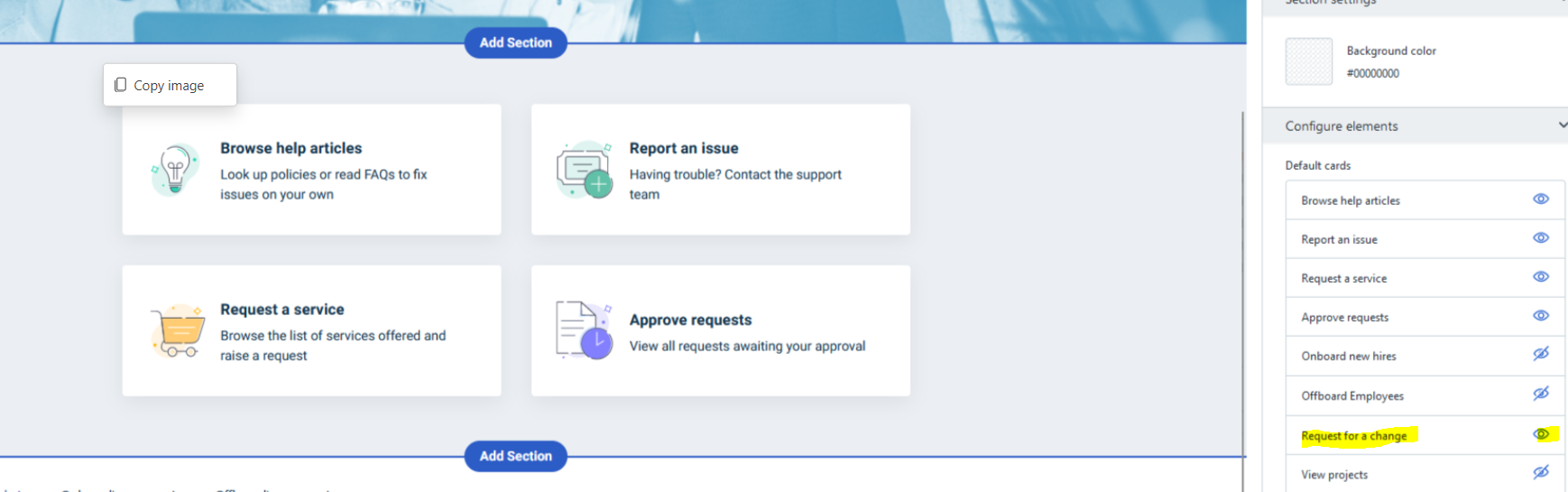
Hi, we’re customizing our portal for our staff and all seems to work OK except if we ‘unhide’ the Request for a Change card it doesn’t become visible in the preview and doesn’t show up when published. All the other cards turn on and off the cards as expected.  

Anything obvious we’re likely to be missing.  See image below.

thanks

Andy

Best answer by daminsky

I believe under the Support Portal Settings, you’ll also want to select Yes for allow requestor groups to raise change requests and indicate which requester groups.


View original
This topic has been closed for replies.

2 replies

daminsky
Contributor
Forum|alt.badge.img+3
  • Contributor
  • Answer
  • Jun 25, 2024 6:38 PM UTC

I believe under the Support Portal Settings, you’ll also want to select Yes for allow requestor groups to raise change requests and indicate which requester groups.


AndyRussell
Skilled Expert
Forum|alt.badge.img+5
  • Author
  • Skilled Expert
  • Jun 27, 2024 8:08 PM UTC

thanks, you’re right - until you do that you don’t see the button, odd that it doesn’t even show in the preview when using the home page designer but glad it works :-)

Andy