Question

Business Rule for Forms: Date Field Validation

  • September 5, 2025
  • 5 replies
  • 58 views

Forum|alt.badge.img

Hello,

I have a due date Date Field on several forms and I want to be able to do a validation on the date that is entered when the user submits the form. I know I can do this via Business Rules for Forms, but I am having challenges getting it to work with my specific scenario.

I want to check that the date selected for the due date, for example, is seven days from the current date or after.

How exactly do I set the conditions to get this to work correctly? Every option I’ve tried does not work.

Thank you!

5 replies

Roxwell
Top Contributor ⭐
Forum|alt.badge.img+9
  • Top Contributor ⭐
  • September 7, 2025

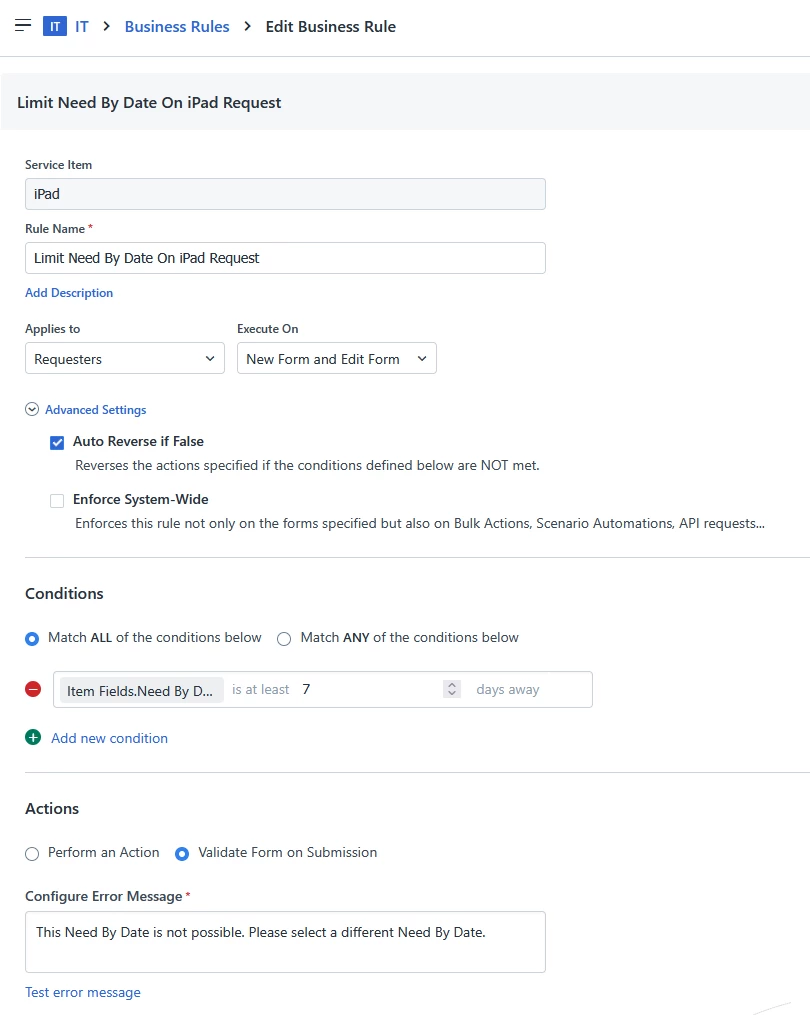
You can only do it on a a Business Rule related to a specific service item, it doesn't work on the incident form.


Business Rules » New Rule » Service Item » [Service Item Name]


and then set it up like this


Forum|alt.badge.img
  • Author
  • Contributor
  • September 8, 2025

Hello,


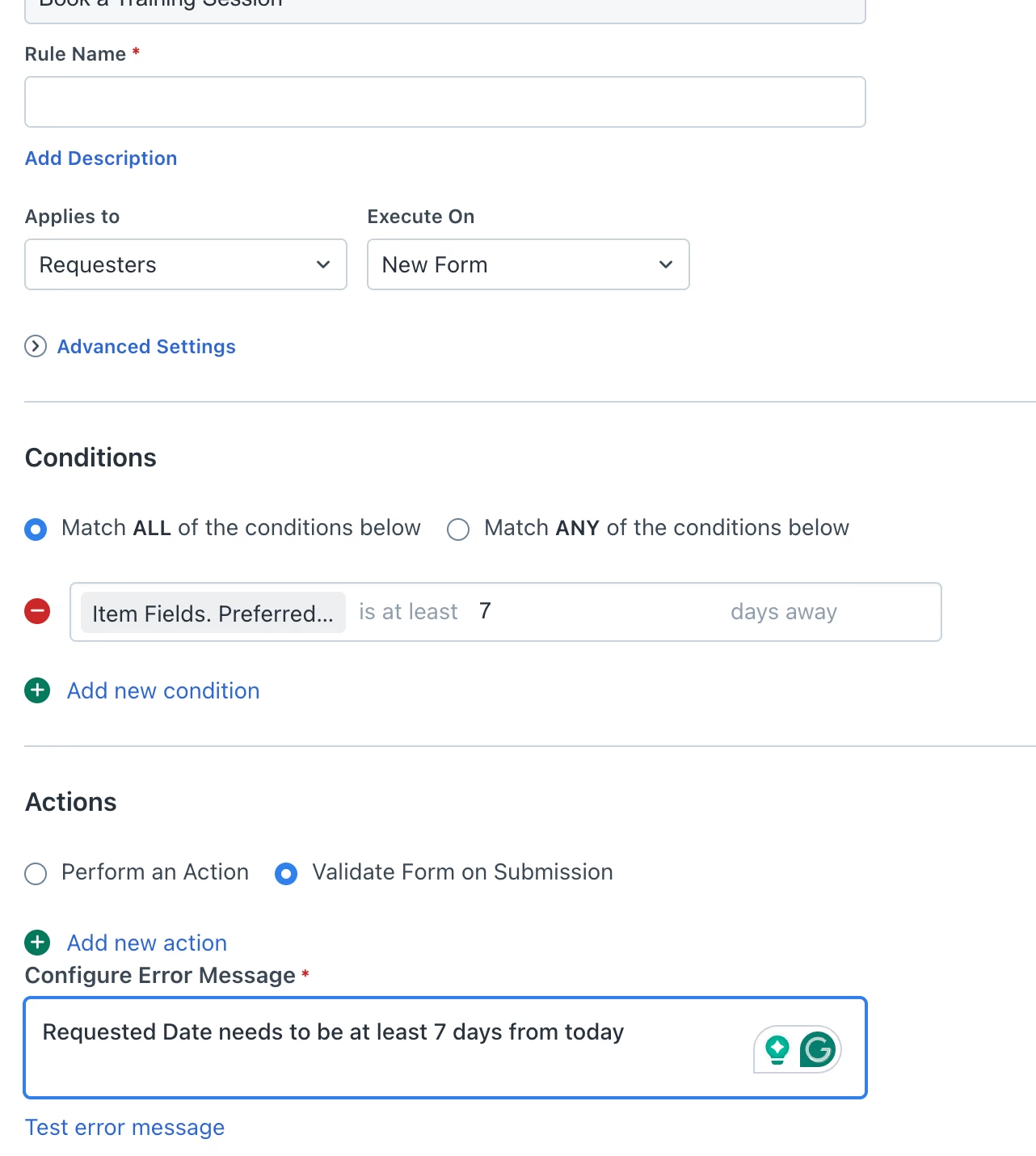
I tried that option; however, it is still allowing me to enter invalid dates. With the configuration shown below it allowed me to submit the form with today’s date.


Roxwell
Top Contributor ⭐
Forum|alt.badge.img+9
  • Top Contributor ⭐
  • September 8, 2025

If you switch it to IS NOT AT LEAST ? 

Time always make my head hurt :D


Forum|alt.badge.img
  • Author
  • Contributor
  • September 8, 2025

That works!


Thank you so much.


cellsmash
Community Debut
  • Community Debut
  • September 8, 2025

Set a Business Rule where Due Date ≥ Today + 7 days. If the condition fails, show an error message like “Due Date must be at least 7 days from today.” This ensures only valid dates are accepted.