Answer

Business rule for forms, that only affects one service item

  • June 30, 2025
  • 4 replies
  • 37 views

Forum|alt.badge.img+3

Hi, 

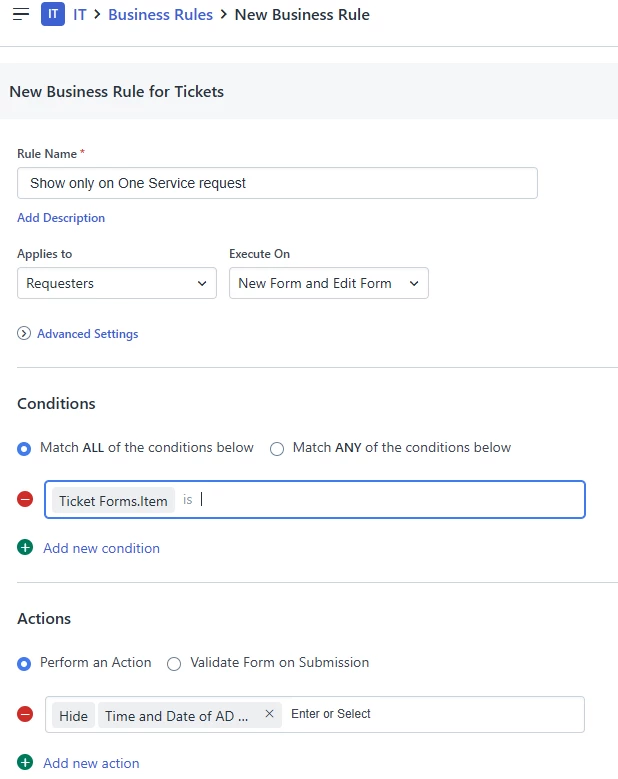
I’m trying to make a business rule that will hide a ticket field in all instances unless the ticket is a specific service request. 

Here in the conditions field of the business rule both “Current Ticket.Item” and “Ticket Forms.Item” dont show when typed in. The fields take the input, I can backspace for as many letters as I type before the begins taking out the condition and the field. But no dropdown appears and pressing enter does nothing.

Anybody know how I can hide a field on all tickets but one specific request item? 


Best answer by Roxwell

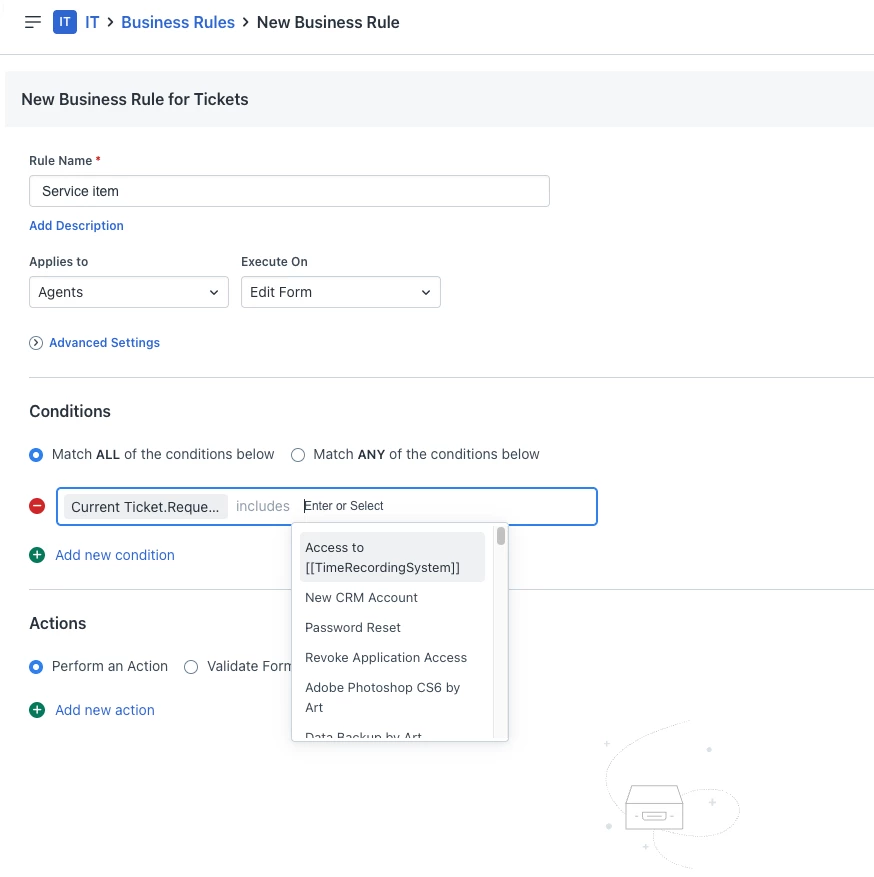
It needs to be “Edit” form only, and Current Ticket. Requested Item.


I get the same issue with Item on mine, it doesn’t search

4 replies

Roxwell
Top Contributor ⭐
Forum|alt.badge.img+9
  • Top Contributor ⭐
  • June 30, 2025

is the requested item you want to reference published or in Draft?


Forum|alt.badge.img+3
  • Author
  • Contributor
  • June 30, 2025

is the requested item you want to reference published or in Draft?

It is published


Roxwell
Top Contributor ⭐
Forum|alt.badge.img+9
  • Top Contributor ⭐
  • Answer
  • June 30, 2025

It needs to be “Edit” form only, and Current Ticket. Requested Item.


I get the same issue with Item on mine, it doesn’t search


Forum|alt.badge.img+3
  • Author
  • Contributor
  • June 30, 2025

thank you, this is very helpful!