Answer

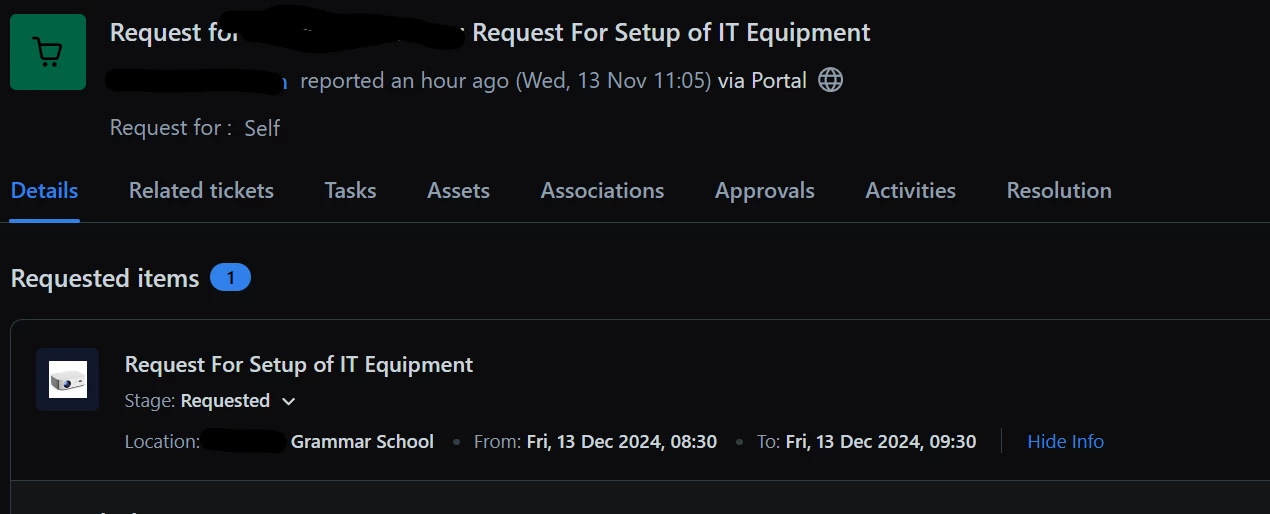
Querying a Service Request to extract location

  • November 13, 2024
  • 15 replies
  • 82 views

shs_tim.hobson
Skilled Expert
Forum|alt.badge.img+6

Is there way I could extract the Location from a Service Request as I’m struggling to get a Workflow Automator to pick this up so it auto assigns the organisation.



Best answer by shs_tim.hobson

It’s turned out that using a Service Request with “Mark as Loner”, it’s not possible to extract the Location, Date To and Date From fields.


We’ve got round that by not using “Mark as Loner” and use custom fields to make the conditions.


We have managed to get a custom From Date and Time field to update the Resolution SLA.

15 replies

Roxwell
Top Contributor ⭐
Forum|alt.badge.img+9
  • Top Contributor ⭐
  • November 13, 2024

Hi @shs_tim.hobson 


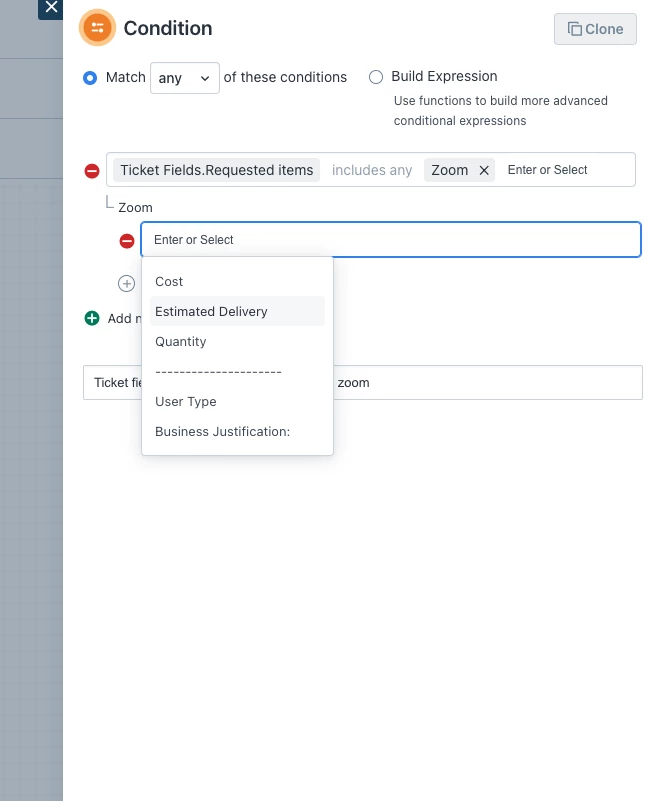
Depending on how many routes you have will depend on the best way to do it. But simply in order to make a decision based on a field in an SR, it’s 


  • Condition box
  • Ticket Fields. Requested Items includes [your item]
  • Then “add new sub-condition”
  • Select the field
  • Set the condition


shs_tim.hobson
Skilled Expert
Forum|alt.badge.img+6
  • Author
  • Skilled Expert
  • November 13, 2024

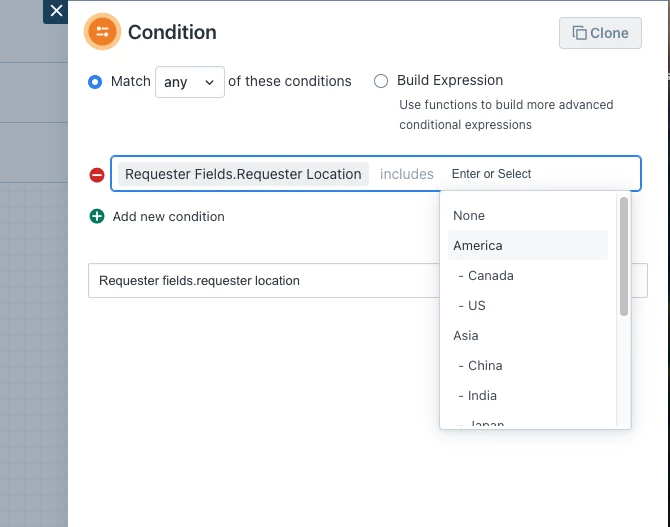
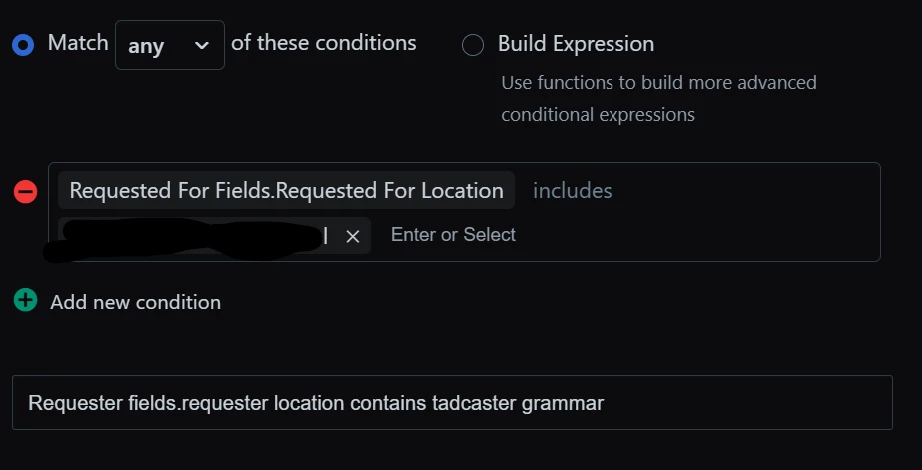
I’ve tried that and it’s not working. it will not look up the Requester fields.requester location includes *Name of site*


Roxwell
Top Contributor ⭐
Forum|alt.badge.img+9
  • Top Contributor ⭐
  • November 13, 2024

Do you want to route it based on the Requstors location or you want to do it on location on the service request?


shs_tim.hobson
Skilled Expert
Forum|alt.badge.img+6
  • Author
  • Skilled Expert
  • November 13, 2024

Im trying to get Request For so it’s to do with the location rather than the requester’s location.


Roxwell
Top Contributor ⭐
Forum|alt.badge.img+9
  • Top Contributor ⭐
  • November 13, 2024

Yes, so when you run it, it’s not working?

is the location of the user set on the record?


shs_tim.hobson
Skilled Expert
Forum|alt.badge.img+6
  • Author
  • Skilled Expert
  • November 13, 2024

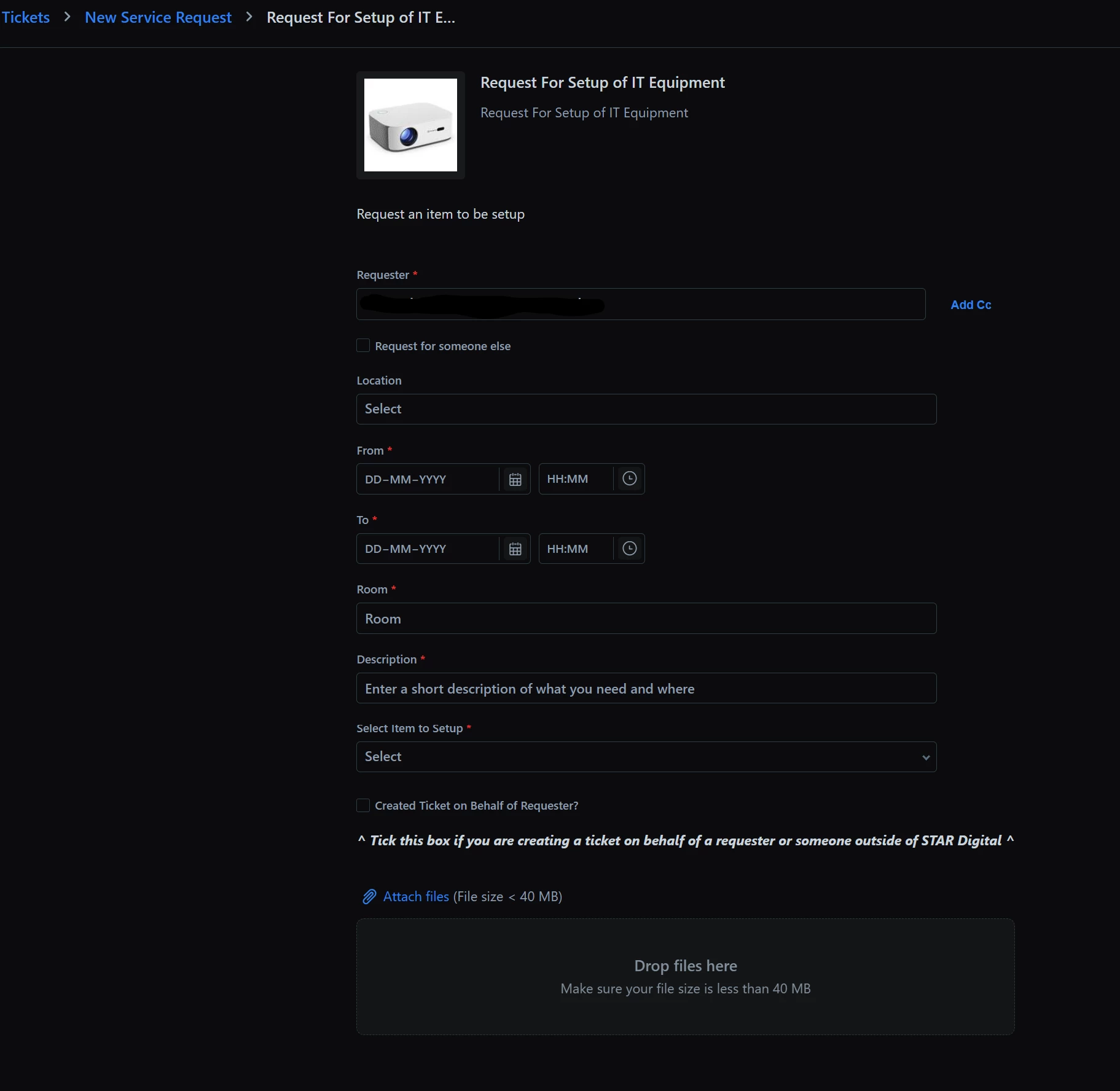
The location field on on this form shows our sites which is a mandatory field that cannot be changed. I’m aware this drop down list is being picked up from LOCATIONS in Assets because FreshService is so disjointed at the moment.

I cannot work out why it’s not picking this up.


Roxwell
Top Contributor ⭐
Forum|alt.badge.img+9
  • Top Contributor ⭐
  • November 13, 2024

You haven’t selected the location on the form, you’ve selected the location that’s listed on the “Requested For” being the person that the ticket was requested for on the ticket that is “requestor” and it’s looking for the location listed on the PERSONs record, not the location listed on the service request. 


shs_tim.hobson
Skilled Expert
Forum|alt.badge.img+6
  • Author
  • Skilled Expert
  • November 13, 2024

So how do i get it working as I think i’m missing the point a bit.


Roxwell
Top Contributor ⭐
Forum|alt.badge.img+9
  • Top Contributor ⭐
  • November 13, 2024

Hi @shs_tim.hobson 


Depending on how many routes you have will depend on the best way to do it. But simply in order to make a decision based on a field in an SR, it’s 


  • Condition box
  • Ticket Fields. Requested Items includes [your item]
  • Then “add new sub-condition”
  • Select the field
  • Set the condition


It should be something like this, requested ITEMS includes [your service request] not “requestor”, then the sub attribute action should open up for you. 


shs_tim.hobson
Skilled Expert
Forum|alt.badge.img+6
  • Author
  • Skilled Expert
  • November 13, 2024

@roxwell

I’m being thick.. might have got it working.


Roxwell
Top Contributor ⭐
Forum|alt.badge.img+9
  • Top Contributor ⭐
  • November 13, 2024

@roxwell

I’m being thick.. might have got it working.


Oh good, It happens to all of us. :D 


shs_tim.hobson
Skilled Expert
Forum|alt.badge.img+6
  • Author
  • Skilled Expert
  • November 13, 2024

Ah nope, still not working..

I don’t see the Add New Sub-condition after adding “Ticket Fields.Requested Items”


Roxwell
Top Contributor ⭐
Forum|alt.badge.img+9
  • Top Contributor ⭐
  • November 13, 2024

so close, it will be something silly, I pinged you separately 


shs_tim.hobson
Skilled Expert
Forum|alt.badge.img+6
  • Author
  • Skilled Expert
  • November 16, 2024

I’m going to request this as a feature request with FreshWorks because the subcondittion needs to apply to [“Ticket Fields.Requested Items” does not include X ] or have the ability to pick up the location off a service request without actually having to have a new subcondition. The more I’m trying to do with FreshService the more it appears it’s only half finished. 


shs_tim.hobson
Skilled Expert
Forum|alt.badge.img+6
  • Author
  • Skilled Expert
  • Answer
  • November 21, 2024

It’s turned out that using a Service Request with “Mark as Loner”, it’s not possible to extract the Location, Date To and Date From fields.


We’ve got round that by not using “Mark as Loner” and use custom fields to make the conditions.


We have managed to get a custom From Date and Time field to update the Resolution SLA.