











Questions, tips and how-tos for Freshdesk, our customer support product.
Recently active
Hello everyone,We would like to understand the recommended procedure for deactivating contacts in Freshdesk.Specifically: Is there a way to deactivate a contact without permanently deleting it? What happens to existing tickets associated with that contact after deactivation? Are there any best practices to ensure reporting and historical data remain unaffected? Is bulk deactivation possible? We want to ensure we follow a clean and compliant process while keeping our historical ticket data intact.Thank you in advance for your guidance.
Hello Folks!Here’s a quick look at what’s new with Freddy AI for Customer Service this month. These updates are aimed at improving both agent productivity and admin control—plus, a few exciting features are now in public beta! What’s new with Freddy AI for customer service this month? There’s a lot of new updates and enhancements that we’re rolling out to customers using our customer service products with Freddy AI! Here’s a quick summary for everyone here. Reply Suggester is now in Public Beta: Agents now have access to AI-powered reply suggestions (generated using solution articles) to respond to incoming customer queries, resolving tickets faster and more accurately.Learn more | Freshdesk and Freshdesk Omni Freddy AI Agent can evaluate itself: AI agents will generate a diverse set of customer queries to self-test their responses to identify knowledge gaps that need to be patched with more knowledge sources.Learn more | Freshchat and Freshdesk Omni The enhancements that are hap
when I send latest public comment in email, it sends the attachment as hyperlink and not as an attachment which is causing issue of logging in again to freshworks. Can you suggest any way to send comment attachment through API or email?
We have thousands of contacts setup who have never created a ticket with us. In 2025 we’re launching our customer portal, and I only want to invite people who have previously logged a ticket, rather than all people who were migrated from our previous system.Is there a way to easily identify which contacts have never logged a ticket, and delete them?
Hi, We have been using the built in Freshdesk out of office functionality for the best part of 18 months. We’ve had the following issue since the very start. The Out of Office setting allows you to choose a start date and end date for the OOO period. However when the period ends, the agent availability should be automatically turned back on. This does not work, so an administrator or supervisor is having to remember to manually slide the agents availability back on when they come back into work.Surely this is not correct? When I raised this about a year ago I was informed it was a known bug with no ETA for a fix. Please can we have an update on this. It’s essential functionality for a helpdesk and makes the Out of office functionality useless.
Most teams migrate to Freshdesk, turn on Freddy, and wonder why accuracy is low. The answer is almost always the same: the data went in the wrong order.Why Freddy fails after most migrationsFreddy AI draws on two sources to do its job: your Knowledge Base and your closed-ticket history. Both matter, but the sequence in which they arrive on the platform matters just as much as the content itself.If you migrate tickets before your KB articles are in place, Freddy starts indexing ticket content that references articles it cannot yet retrieve. The AI routes intent correctly but generates responses from a blank KB — or worse, hallucinates content that isn't there.If you migrate unresolved or low-rated tickets, the problem runs deeper. Freddy's auto-triage and article suggestion features learn from the interactions you feed them. Open tickets have no resolution, so they add noise rather than signal. Low-CSAT tickets teach Freddy the patterns behind your team's worst responses — the apologies
We have tried to add dependent fields to our ticket form, but they will not drop down when you go to submit a ticket in the portal. Does anyone have any solutions or similar problems?
Hi! My company has a portal for Solutions (articles) and another for Support (tickets). I would like to have a place to present videos and other information for new customers to explain them how account configuration works and guide them. Should I create a new portal or a custom section in the theme (we have a custom theme with Breezy)? I’m not sure what is possible.
Is there a feature available on Freshdesk to be able to do a a search and replace across solution articles on a knowledge base. We have multiple portals that have similar solution articles but are client specific. It would be great when we need to make the same change on articles across these portals we can search ‘opening hours’ it pulls back the articles and we can make the change. Some of our portals have 100’s of solutions so it would be good if we could search for example ‘postal address’ and then update it in bulk rather than going into each individual article seperately. Is this possible at all? I remember seeing something about ‘cards where by you can maintain details in 1 place and apply them to different articles. But i believe this never actually got implemented.
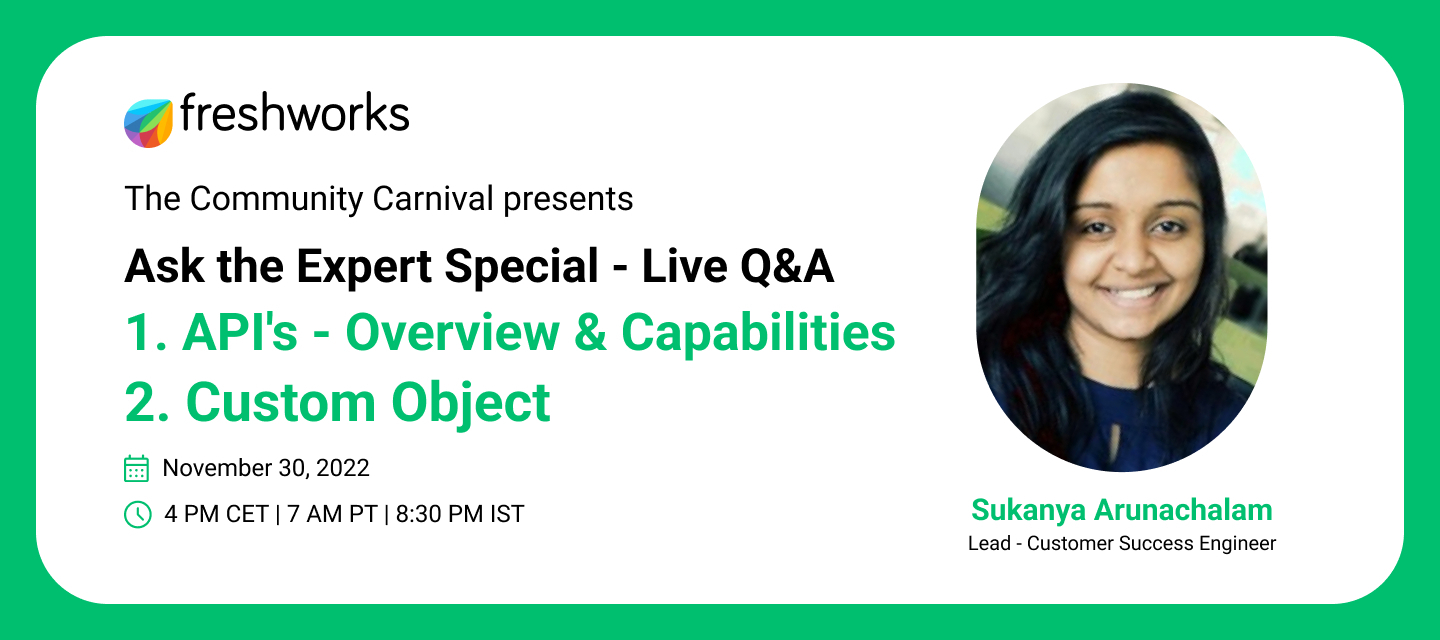
Did we save the best for the last day of November? Let’s find out.@sukanya.arunachalam, Customer Success Engineer, Freshworks, is all set to take the stage at a special ‘Ask Me Anything’. A little note about our host 💎I got lucky to start and continue my career with a customer-facing job in an expeditiously growing company with over 8 plus years of experience. Starting as a Support Engineer really helped me to shape myself to have a "Customer First" attitude and to become this ardent customer experience representative.Having gained some technical exposure on how SaaS-based products function and have found some success in the areas of Implementation, customer support, framing/coordinating processes, and coaching analysts, I am working on understanding the workflow model of different businesses across SaaS to help offer recommendations which in turn would help deliver better ROI and improve our customers KPI’s! 🎥 Topic: 1. API’s: Overview and capabilities 2. Custom Objects💡 You will
I would like to be able to have the Azure AD Orch app populate the city, State and Zip Code of a user's location as selected in the Journey created Ticket.
I know that merge tickets close out the secondary tickets and attaches to the primary ticket but do the users who submitted the secondary tickets still get replies if i reply to the primary ticket? Does associated tickets do the same? Do the associated tickets get the reply if you reply to the primary parent ticket?
I have multiple forms that create tickets related to specific business processes. Each form has form-specific fields i.e., data the requester needs to submit for that particular business process which is only relevant to this form / ticket type.However, once I create a new field, it now appears in the list of properties for every ticket, even those where it is irrelevant. This makes it hard to find the relevant fields for a particular ticket type, because the list of fields / properties becomes very long. Is there a way to create form / ticket type specific fields that only display in the list of properties for the relevant ticket types?For example, suppose I have a form for requesting approval to travel that collects data like origin, destination, estimated cost, date of travel, etc. and another form for requesting a new laptop that collects data like make, model, amount of RAM, size of hard drive, etc. When I’m looking at a travel approval ticket, I don’t want to see fields like make
In my experience, one of the biggest challenges when sharing reports with sales and marketing teams is keeping metrics consistent across different dashboards and modules. For example, some teams prefer percentages rounded to 2 decimal places, while others want raw numbers.I’m curious about how others handle this:Do you define organization-wide rules for metrics? Do you adjust precision and format depending on the audience or report type? Have you found any tools, templates, or workflows that make standardizing metrics easier and more readable?I’d love to hear practical strategies or tools that make reporting more consistent and insightful.
As AI-powered support workflows become standard, three API gaps are holding teams back: no access to archived tickets, no keyword search, and a hard cap on fetchable tickets. Sharing these as a bundle because they affect the same use case. Hi Freshdesk community 👋 We've been building out AI-powered workflows on top of the Freshdesk API — things like automated ticket categorisation, trend analysis, and context retrieval for our AI agents. In doing so, we've run into three limitations that consistently block us (and I suspect many others in the same boat).I'm sharing these together because they all stem from the same underlying need: comprehensive, flexible programmatic access to ticket data. Happy to hear if others have faced the same issues or found workarounds. Issue 1Archived tickets are not accessible via the APIOnce tickets are archived, they disappear from API responses entirely. For AI use cases — training classification models, auditing historical trends, or giving an AI agent
Freshdesk seems to not sending emails anymore from our account, since few days ago. Any clues?
I am attempting to set up the journey function inside of our Freshservice instance. In Phase 2 of my Journey Request I have a activity to create a ticket and assign it to a separate agent group called RevOps but every time that I complete phase 1 and trigger phase 2 to create the ticket it auto assigns it to the IT Dept agent group instead. I have check Workflows and there isn’t anything causing an auto assign to IT Dept.
Hi there, We are using M365 Shared Mailboxes for our engagement with customers. Now we are evaluating changing to freshdesk, but it seams like there is no support for shared mailboxes so far. That would be blocker for us and I wanted to ask if there is a way to get the Microsoft email integration, which freshdesk seams to support, to work with shared mailboxes. As far as I can see, it would be sufficient to have a place to enter the exchange mailbox that should be used with the authentication provided instead of using the default mailbox of the user. So is there a way to get this done or is this a feature that is in development? This would unblock us and help us move forward with freshdesk. Thanks, Sia
Hello,I am currently unable to reset my password on the Freshdesk portal.When I click on the password reset link received by email, I get the following error:"Sorry, we couldn't locate your account..."I have already tried:- Requesting a new reset link- Using incognito mode- Copy/pasting the URL directly in the browserThe issue persists.Thanks
Hi, I have automations to close the ticket (mark status as closed) if user don’t reply in 48 hours.I need to trigger webhook if this happens, so that I can close ticket on external system automatically.Mind you that Time Triggers don’t have Trigger Webhook function. Under Ticket Updates, I have one automation to trigger webhook if status changed from any to closed/resolved.This works if user/agent are the ones doing it. However, if it’s executed by System (under Time Trigger), I cant do it. Any suggestion/workaround how to achieve so? If I put Tag using the Time Triggered automation, it wont capture either because it’s done by System.Freshdesk support just dismiss me saying that it’s not the functionality offered at the moment.Thank you all.
I have a regular need to create a parent child relationship between two existing tickets but can’t find any way to do this. Does anyone have a solution that would make this possible?
Has anyone had success with reminding requesters to reply to tickets? For example, agent replies, if hours since agent replied is 9 and status is awaiting response, send email to requester.I found this post from several years ago, but I’m trying to avoid adding checkboxes to our ticket forms just for this purpose. I’ve implemented the below but it just fires an email every hour on the hour once the top condition is met; apparently disregarding the second condition (listed below). As a bonus, we’d like to only send the email during business hours. First attempt conditions (all):Status is awaiting response Business hours since agent replied is greater than 8 Business hours since agent replied is less than 9Result: User receives email every hour after 8 hours regardless of calendar hour
We use a webhook that is triggered when a new reply is created on a ticket and sends it to our custom application. Besides text and some custom fields, we also need to get attached files to this reply somehow. It could be a file in string format, a link to a file, or even a “mark” that this reply contains an attachment that we could use the endpoint /api/v2/tickets/{{ticket-id}}/conversations to get a link to the file and download it.How can we configure the webhook to achieve our goal?PS: Using the endpoint /api/v2/tickets/{{ticket-id}}/conversations each time when the webhook is triggered is not an option due to the API request limitation.
Hi,I’ve created a feedback widget.I’ve added the related code to the footer connecting a button with a JS listener and it’s correctly opening a ticket.I’ve tried to pre-fill the most of the filed ( native and custom ) following the documentation:https://developers.freshdesk.com/widget-api/But the filed are not auto filled.I’m sharing the code, could you please confirm that the structure in correct ( we can asume that the maping is correct ) : <script> window.fwSettings = { 'widget_id': 103000008811 }; !function(){if("function"!=typeof window.FreshworksWidget){var n=function(){n.q.push(arguments)};n.q=[],window.FreshworksWidget=n}}();</script><script type='text/javascript' src='https://euc-widget.freshworks.com/widgets/103000008811.js' async defer></script><script> document.getElementById('feedback-btn').addEventListener('click', function() { FreshworksWidget('on', 'widget:loaded', function() { FreshworksWidget('prefill', 'ticketForm', {
Already have an account? Login
No account yet? Create an account
Enter your E-mail address. We'll send you an e-mail with instructions to reset your password.