I have my portal iframed inside my website. Everything works fine but when someone clicks login or sign up we get this error… justine.freshdesk.com refused to connect.
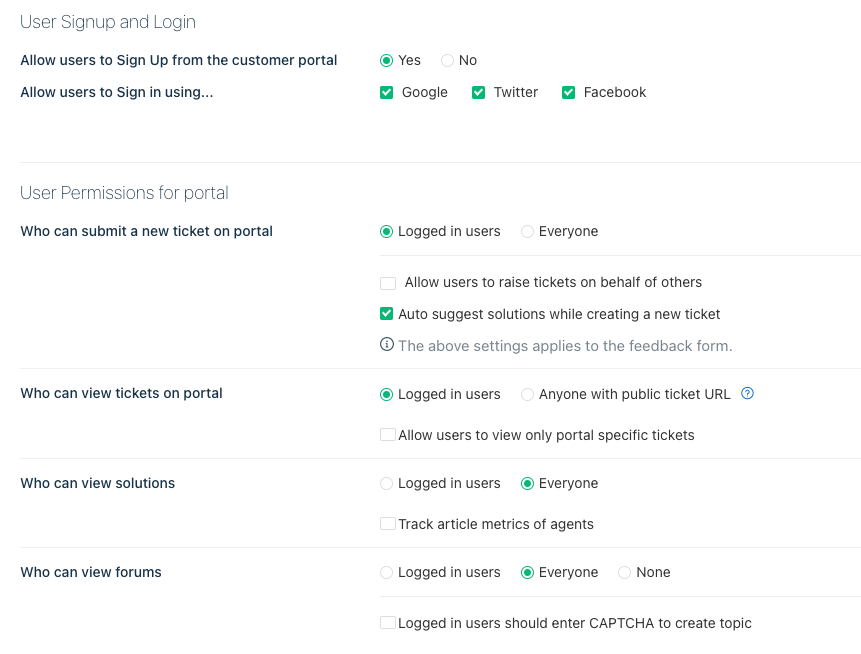
I think my portal settings are correct but maybe not.
Any ideas?



I have my portal iframed inside my website. Everything works fine but when someone clicks login or sign up we get this error… justine.freshdesk.com refused to connect.
I think my portal settings are correct but maybe not.
Any ideas?
Best answer by hemanth.ramya
Hello
At the moment, we allow only public portal pages, (that do not need any authentication) to be loaded via iFrame due to security reasons. Any further questions, feel free to drop an email to support@freshdesk.com and we would be happy to help!
Thank you,
Enter your E-mail address. We'll send you an e-mail with instructions to reset your password.