

Share Public Ticket URL

  • August 21, 2013
  • 11 replies
  • 810 views

Share the ticket URL with your customers and make it hassle free for them to check the ticket status without having to log into the customer portal.
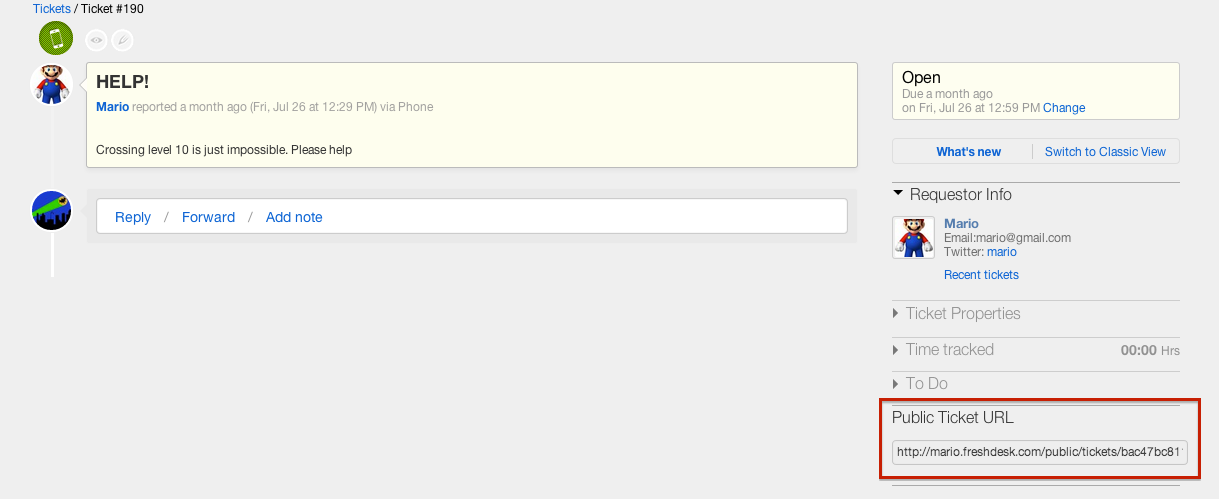

main_screenshot_12771.png
This topic has been closed for replies.

11 replies

  • Community Debut
  • November 11, 2013

Great Plug.


This is exactly what I needed.


I use Quick File to create invoices and I needed an easy method of obtaining the public URL of Support Tickets so I could paste them into the invoices. I had previously set Email Notifications to email the Agent with the {{ticket.public_url}} Placeholder when a new ticket was raised. This was a pain because I only needed to know the Public URL for certain Support Tickets.


Thanks very much

Paul


Hi Paul,


Glad you found it useful. Thank you so much for your feedback


  • Community Debut
  • June 20, 2014

<div id="sample_highrise_widget">
<h4 class='w-title'>Public Ticket URL</h4>
<input readonly onclick="this.select()" value='{{ticket.public_url}}' class="text" />
</div>


  • Community Debut
  • June 24, 2014

Would be a great addition to add a 'Copy' button next to the URL field in order to save from having to highlight and copy the URL.  Great FreshPlug!


Great work guy!

Do you know why people who click on public link can add a note, but when they submit, they're blocked?


  • Community Debut
  • November 12, 2014

Great work,

but the Placeholder {{ticket.public_url}} do not work :-(


i put the placeholder in a answer ?


  • Community Debut
  • October 7, 2015

Same here, {{ticket.public_url}} inserts an empty string 


  • Community Debut
  • December 5, 2015

 For those having problems with the public URL not showing up, this is because the placeholder included in the current FreshPlug is out of date. At some point, the ticket URL placeholder changed from {{ticket.public_url}} to {{ticket.url}}.


Here's the updated working FreshPlug code:

<div id="sample_highrise_widget">
    <h4 class='w-title'>Public Ticket URL</h4>
  <input readonly onclick="this.select()" value='{{ticket.url}}' class="text" />
</div>


  • Community Debut
  • February 24, 2016

I tried the pervious post and it only provided the non-public URL.  ticket.pubiic_url is still valid and is working.  Not sure what issue Eric had, or if that issue was corrected after his post.


  • Apprentice
  • January 7, 2017

Folks Any idea if the public URL can be picked by Search engines. Basically i would like to leverage this feature but am wary of my support interactions becoming public..


Any suggestions?


  • Community Debut
  • February 1, 2017

 Now I am here can you help me please Mr.Viswanathan

