New Idea

BUG: Exporting tickets button only exports 9 records and skips the rest

  • October 10, 2023
  • 5 replies
  • 48 views

Armand
Apprentice
Forum|alt.badge.img

When I view the tickets for a specific group of agents which are unsolved I press the export button and choose Excel as format. Then I receive an excel sheet by email including only the first 9 tickets and not the rest. Same result when choosing CSV format.

5 replies

Altus
Skilled Expert
Forum|alt.badge.img+4
  • October 2, 2024

Hi Armand


I am having the same problem, but only get two tickets in my report.


Did you have any luck finding a solution to this?


Cheers

Kyla


mahendarsingh
Community Manager
Forum|alt.badge.img+9
  • Community Manager
  • October 3, 2024

Hi Armand,

I hope you are doing well :)

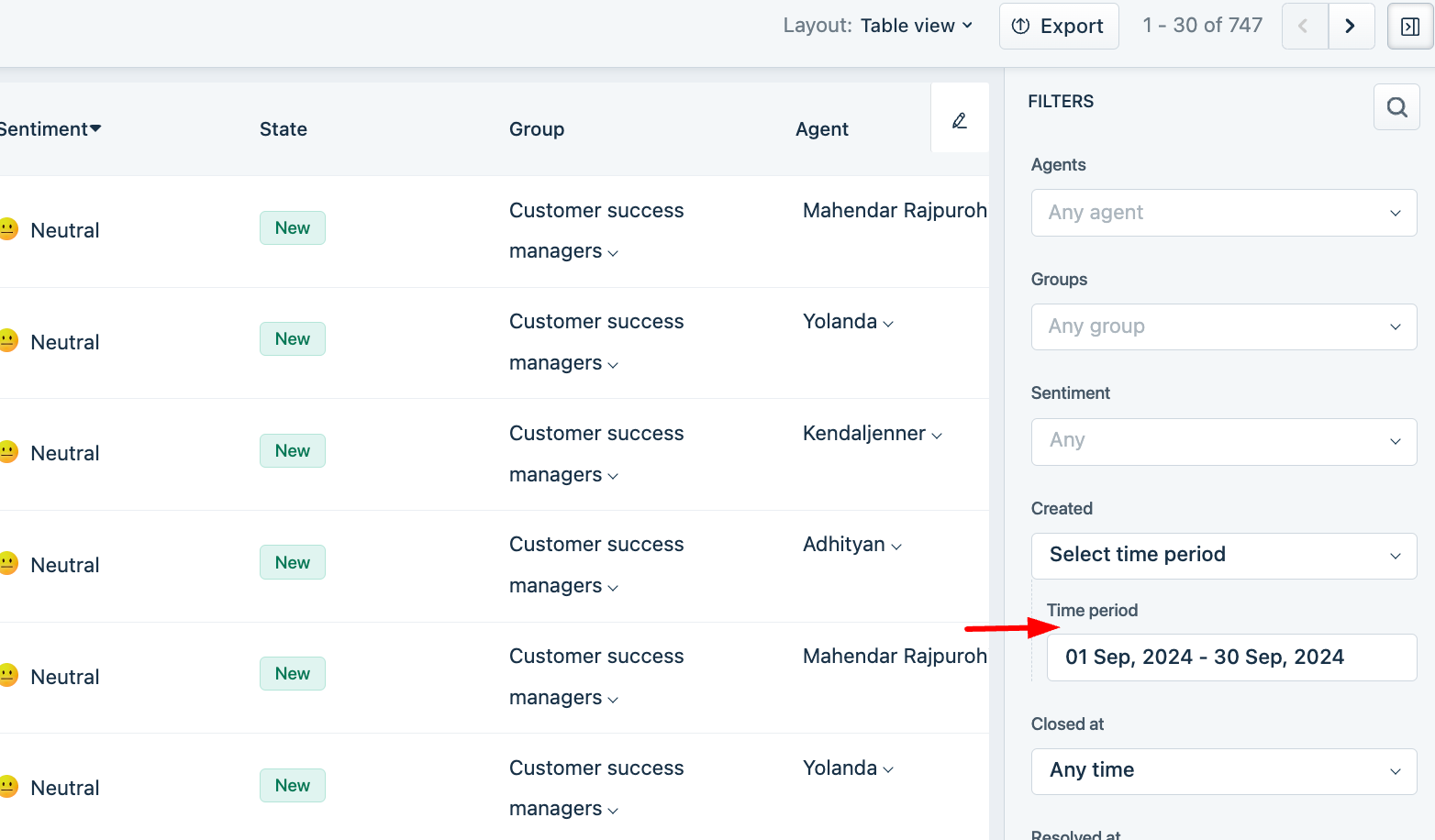
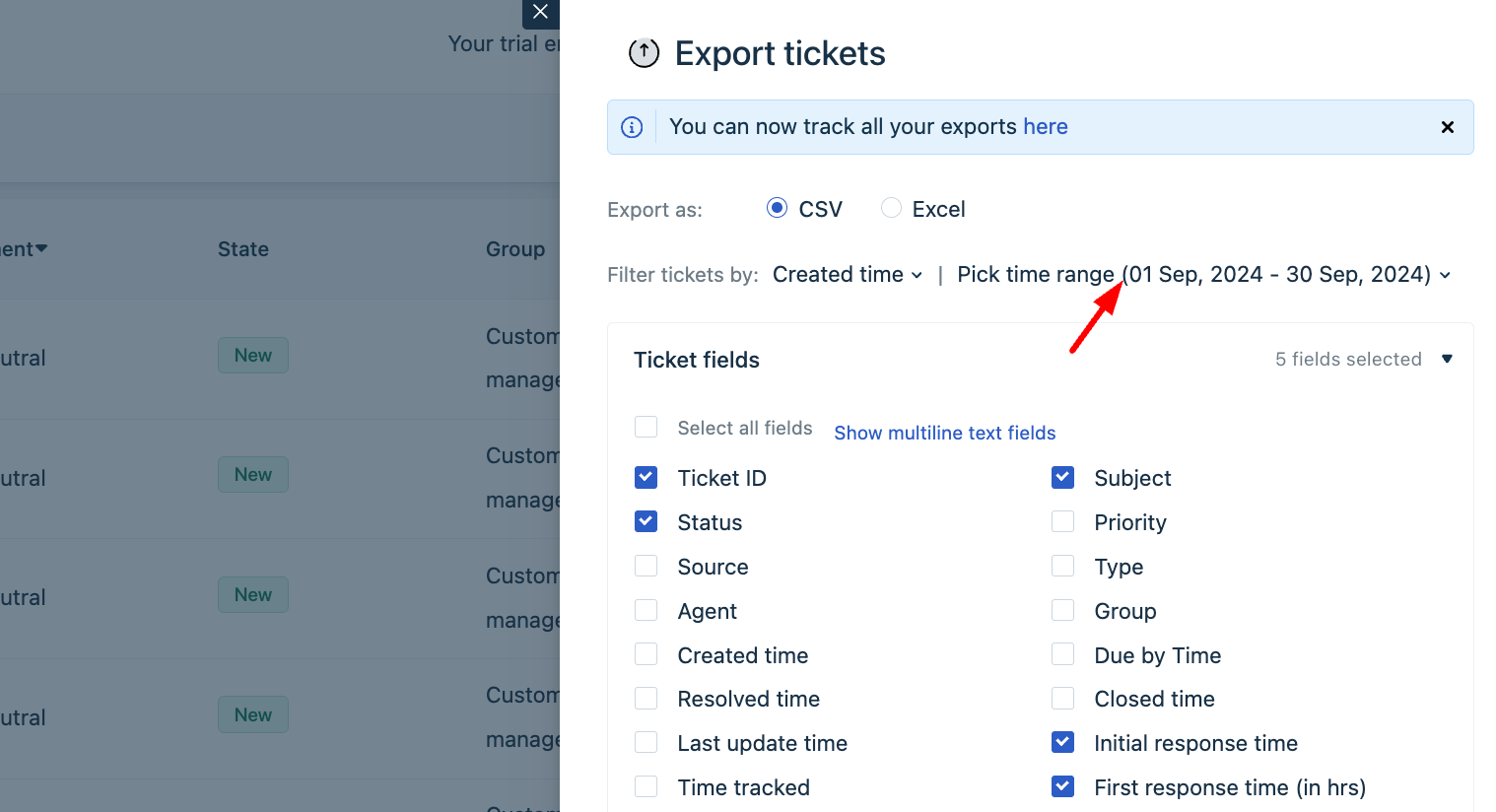
I understand that you want to you are unable to receive complete data set in ticket list view export. This occurs when you miss to set date range on list view and export page. i have also attached screenshot for your reference.

Feel free to respond to this thread for any queries :)

Thank you


Altus
Skilled Expert
Forum|alt.badge.img+4
  • April 13, 2025

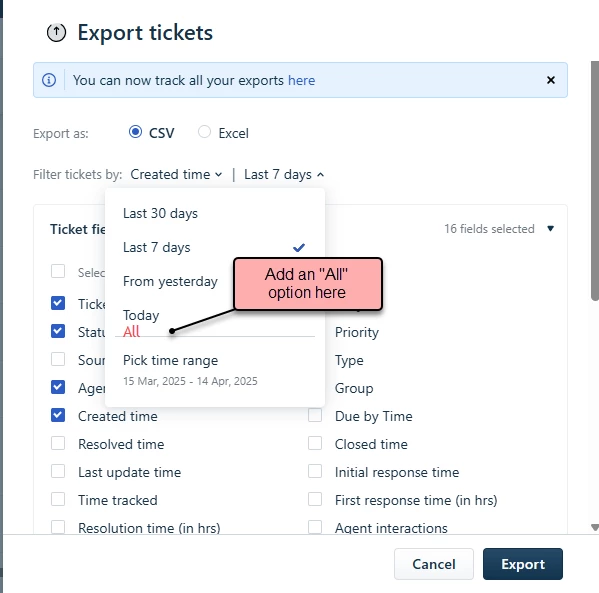
How about adding an “All” Option.

Adding an "All" option for date ranges would significantly enhance user efficiency and convenience. Instead of manually entering specific date ranges to get all data, users could simply select "All" to access the complete dataset. This feature would streamline workflows, saving valuable time and effort.

Even when users need a specific date range, selecting "All" first and then filtering the data in Excel can often be quicker and more flexible. 


Altus
Skilled Expert
Forum|alt.badge.img+4
  • April 13, 2025

Perhaps this could be put out for voting.


Kamakshi V
Community Manager
Forum|alt.badge.img+11
  • Community Manager
  • April 15, 2025

Hey ​@Altus 

I have converted this thread to an IDEA for more upvotes.