


Closed for Voting
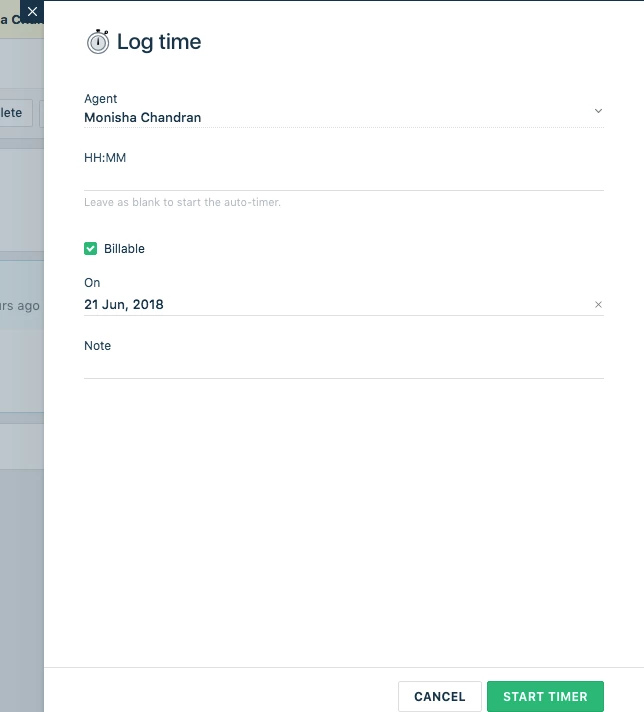
Billable checkmark when entering time

Currently, the only way to mark time not billable is to fully enter the time, then go back and hit edit, and then uncheck billable. The option to mark a time as not billable should be visible in the same form as the initial time entry.



Join the Community
Already have an account? Login.
Sign in to the Community
No account yet? Create an account.
Social Login
Login for Freshworks Employees Login with LinkedInor sign up below
Enter your E-mail address. We'll send you an e-mail with instructions to reset your password.