Question

Knowledge base

  • November 20, 2025
  • 3 replies
  • 48 views

How do I make it so the knowledge base is only for agents. We don't want it for customers. 

3 replies

Forum|alt.badge.img+1
  • Contributor
  • November 25, 2025

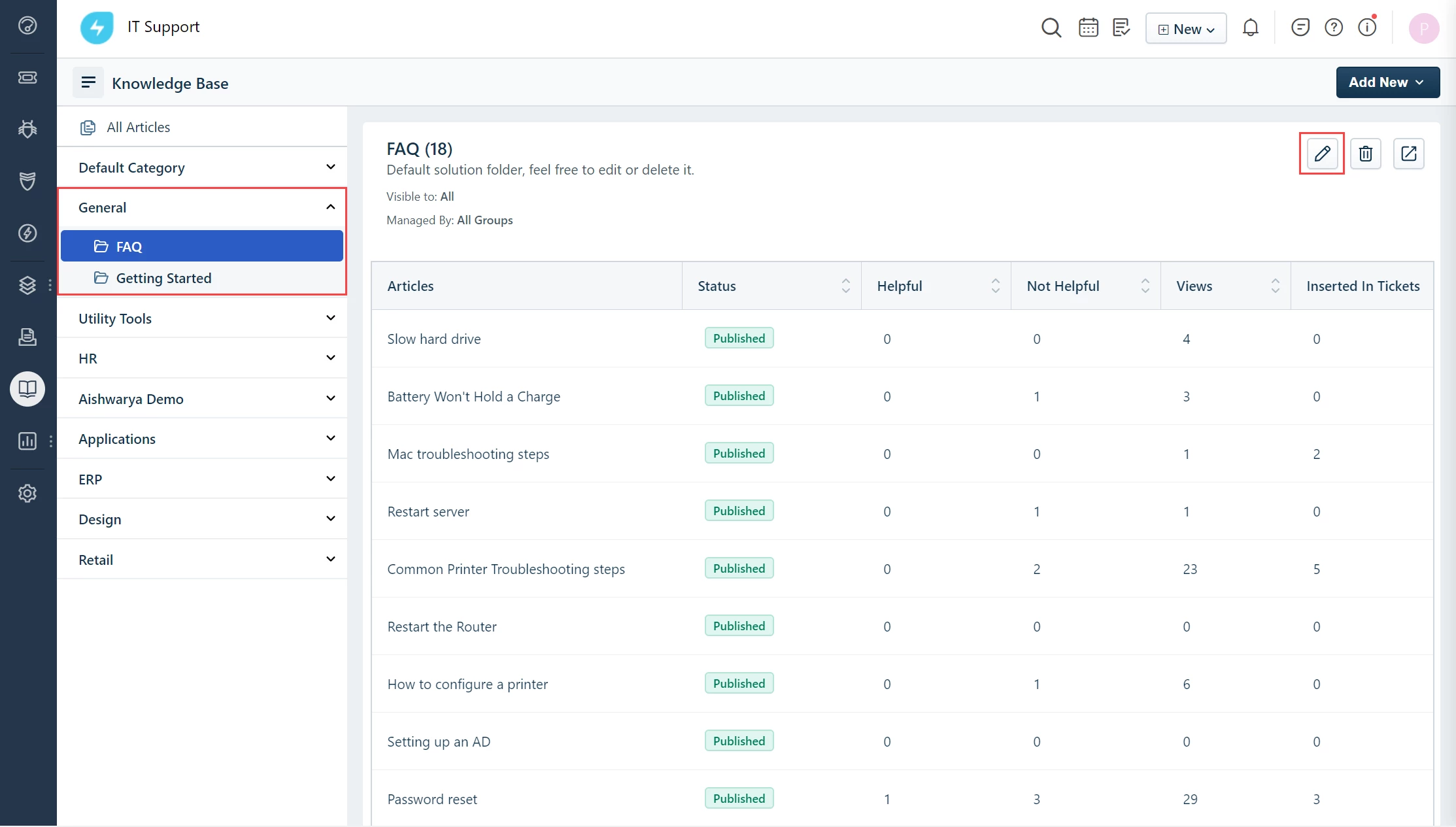
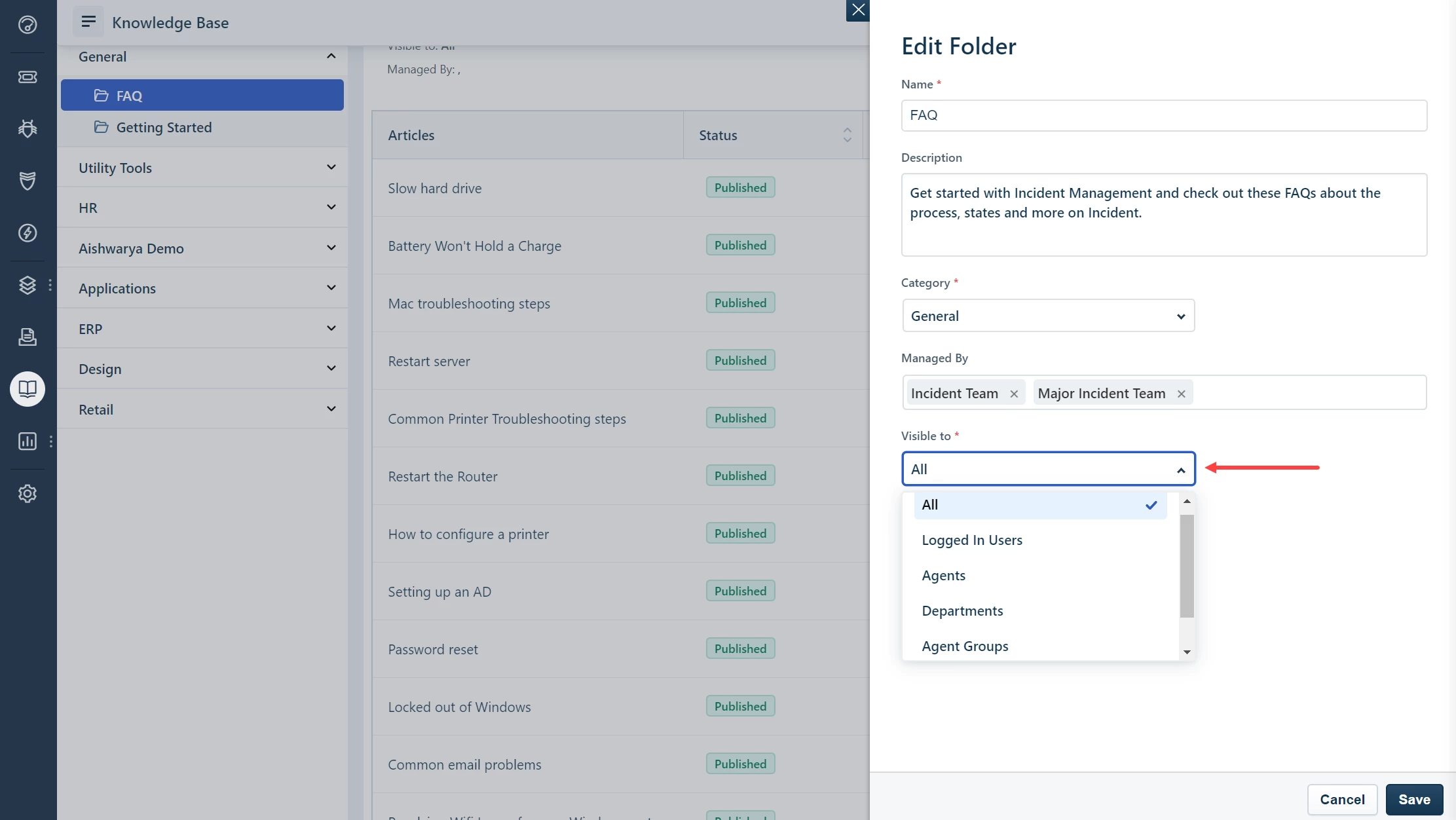
Any folders within the KB can be set to be visible to Agents only

if you wish it visible to everyone including customers you can set it to ‘All’


Hubert.Panszczyk
Top Contributor ⭐
Forum|alt.badge.img+6
  • All - Everyone. 
  • Logged In Users - Users who have logged in to your service desk.
  • Agents - All Agents in your service desk.
  • Departments - Requesters who belong to a specific department.
  • Agent Groups -  Agents who belong to specific Agent Groups.
  • Requester Groups - Requesters who belong to specific Requester Groups.

    Here you have more details 🙂: Controlling access to your Kbase | Freshservice Knowledge Management : Freshservice


Forum|alt.badge.img+9
  • Contributor
  • November 26, 2025

Above but we also have a Category for Customers with a folder called Self-Help, which is the only one we have available for customers. The rest are for only Agents and then we have a Category called Agent Groups and then each Agent Group has their own folder too. Makes for containing information for each easier. 


I do wish you could also make specific articles themselves only visible to certain Requesters or Agents but it is folder based permissions only unfortunately.