Answer

Ticket Fields disappeared from ticket forms portal

  • November 8, 2024
  • 4 replies
  • 79 views

Tintin
Skilled Expert
Forum|alt.badge.img+3

Hi,


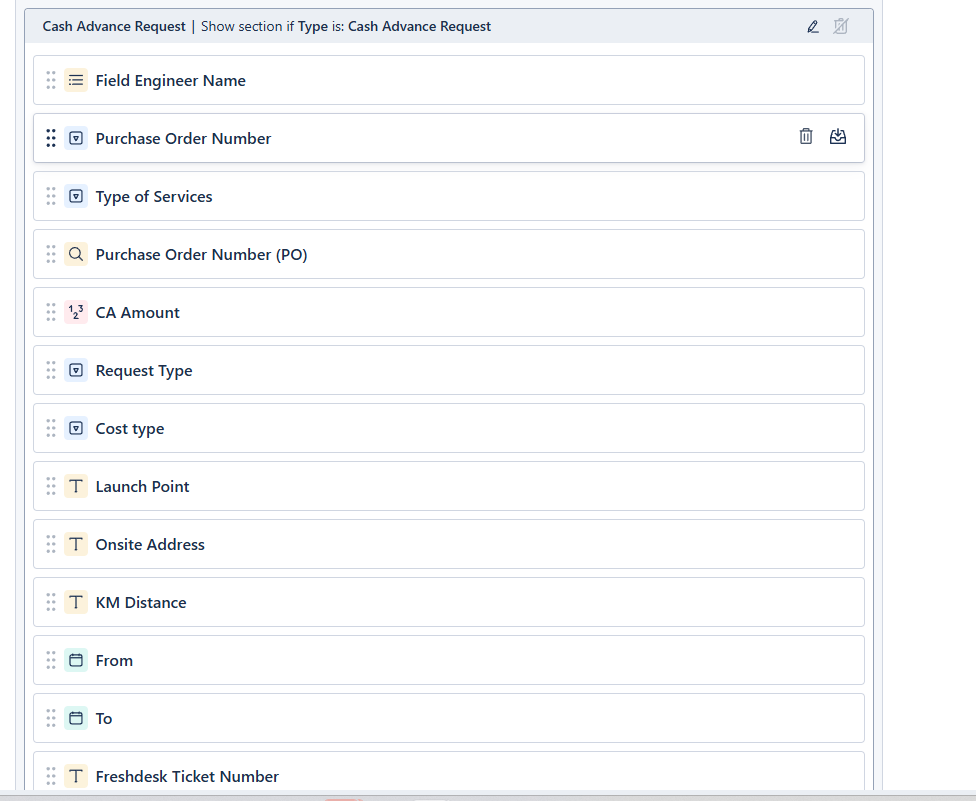
Does anyone here experience the disappearing fields in ticket forms portal but visible in ticket fields? 


Thank you

Best answer by Sneha Kandasamy

Hi @Tintin,

Greetings from Freshworks Community!

I understand that the ticket fields have disappeared from the Ticket forms, but is available on the Ticket fields. Can you share the  videograb of the issue for us to understand it better.


If you would like to connect over a call, Please email us the details to Support@Freshdesk.com along with your preferred time and we can arrange a call.


Cheers,
Sneha.

4 replies

Sneha Kandasamy
Community Manager
Forum|alt.badge.img+8
  • Community Manager
  • Answer
  • November 8, 2024

Hi @Tintin,

Greetings from Freshworks Community!

I understand that the ticket fields have disappeared from the Ticket forms, but is available on the Ticket fields. Can you share the  videograb of the issue for us to understand it better.


If you would like to connect over a call, Please email us the details to Support@Freshdesk.com along with your preferred time and we can arrange a call.


Cheers,
Sneha.


Daniel Söderlund
Top Contributor ⭐
Forum|alt.badge.img+14

Hi,


Does anyone here experience the disappearing fields in ticket forms portal but visible in ticket fields? 


Thank you

They set to be viewed by the  requester ? ( screenshot of the field settings) 

You don’t have any app installed that hides fields ?


Tintin
Skilled Expert
Forum|alt.badge.img+3
  • Author
  • Skilled Expert
  • November 11, 2024
No hide fields 


Daniel Söderlund
Top Contributor ⭐
Forum|alt.badge.img+14
No hide fields 


And click on the field, didn’t see the properties.