Answer

Freshchat disconnecting

  • November 29, 2023
  • 4 replies
  • 94 views

Forum|alt.badge.img

Is anyone else getting the below error? I have confirmed with our ISP that the problem is on Freshchats side. I have tried multiple browsers on multiple machines same problem.
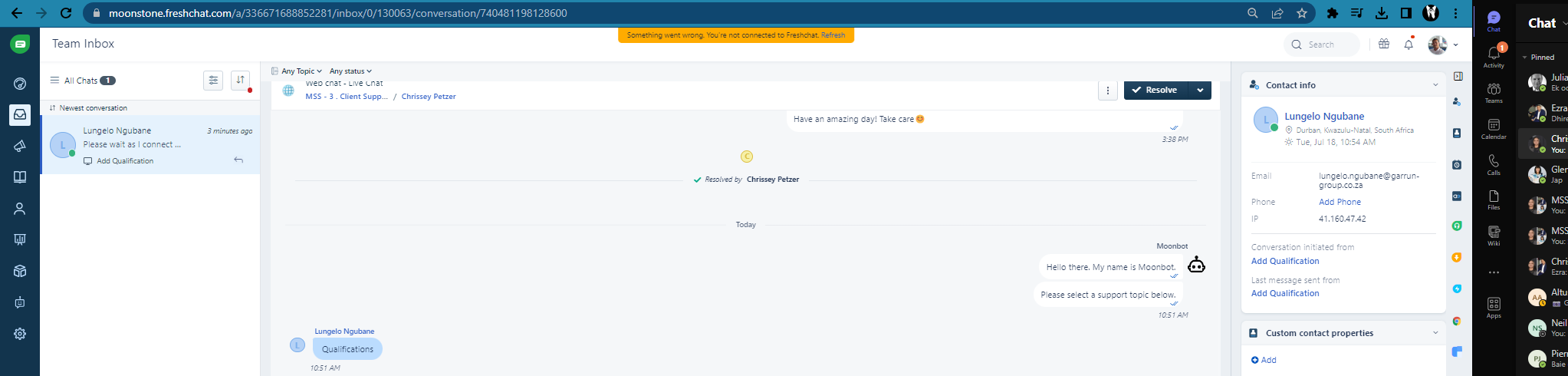



Best answer by srikanthkarunakaran

Hi there,

Greetings! Srikanth here from FreshChat support.

Our apologies for the delayed response.

May I kindly know if the reconnecting issue is resolved or require any further troubleshooting?

If the issue persists, please help us with the following details by writing email to support@freshchat.com

Required details:

  • Please share a video recording when ‘disconnection’ happens
  • Please share HAR file by following the steps attached in the HAR file
  • Please run diagnostics tests in your browser by following the below steps.

Diagnostic test:

  1. Please open a new browser tab and enter https://<domain>.freshchat.com/diagnostics/html/index.html. Ensure to substitute "<domain>" with your actual Freshchat domain.
  2. For example, if your Freshchat domain is support123.freshchat.com, your diagnostic test URL would be https://support123.freshchat.com/diagnostics/html/index.html
  3. Run the diagnostic test and wait for all the tests to be completed successfully.
  4. Copy and share the diagnostic test result URL and our support team will be able to assist you further.

Thank you.

4 replies

srikanthkarunakaran
Skilled Expert
Forum|alt.badge.img+6

Hi there,

Greetings! Srikanth here from FreshChat support.

Our apologies for the delayed response.

May I kindly know if the reconnecting issue is resolved or require any further troubleshooting?

If the issue persists, please help us with the following details by writing email to support@freshchat.com

Required details:

  • Please share a video recording when ‘disconnection’ happens
  • Please share HAR file by following the steps attached in the HAR file
  • Please run diagnostics tests in your browser by following the below steps.

Diagnostic test:

  1. Please open a new browser tab and enter https://<domain>.freshchat.com/diagnostics/html/index.html. Ensure to substitute "<domain>" with your actual Freshchat domain.
  2. For example, if your Freshchat domain is support123.freshchat.com, your diagnostic test URL would be https://support123.freshchat.com/diagnostics/html/index.html
  3. Run the diagnostic test and wait for all the tests to be completed successfully.
  4. Copy and share the diagnostic test result URL and our support team will be able to assist you further.

Thank you.


srikanthkarunakaran
Skilled Expert
Forum|alt.badge.img+6

Steps to download HAR file -


Forum|alt.badge.img
  • Author
  • Apprentice
  • May 10, 2024

@srikanthkarunakaran  I have done this before.[#14348194] Not connected to Freshchat Error : Freshdesk


srikanthkarunakaran
Skilled Expert
Forum|alt.badge.img+6

Hi Grant,

I reviewed the ticket and it looks your account require static IPs to ensure the connection error is resolved, however this considered as custom request and I see that the team member having discuss with our Product Team to take up this request.

Unfortunately we do not have update on ETA when this feature will be available to your account, however I will internally followup and get back to you with further updates as soon as I have more information.

Thanks for understanding.